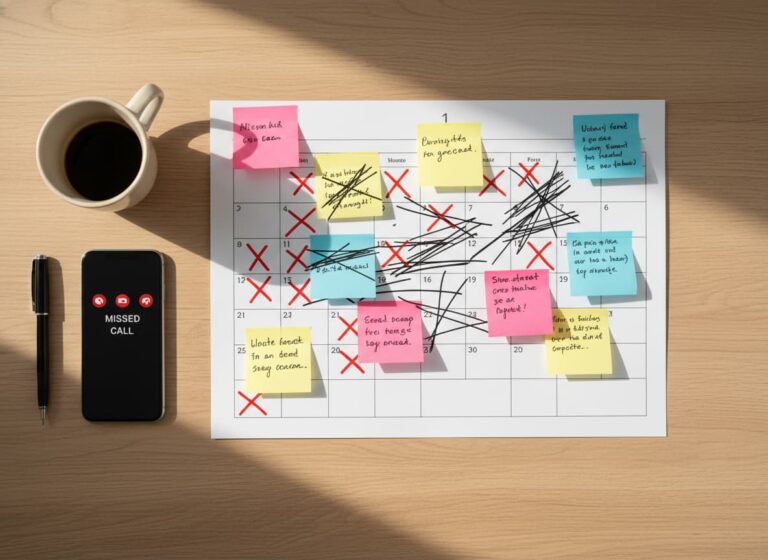
If you’re a contractor, chances are you’re already using some type of scheduling tool even if it’s just a shared calendar or a group chat. But while most businesses schedule jobs, not all of them use all the scheduling features that could actually save them time, reduce mistakes, and improve team performance.
Many contractors do not need more calendar apps. They need better visibility, faster crew updates, fewer missed job details, and a scheduling system that connects the office, field team, and customer information in one place. That is where contractor scheduling software becomes more useful than a basic calendar.
In fact, many of the best scheduling tools come with powerful features that are often overlooked.
Quick Answer: Which contractor scheduling features save the most time?
The contractor scheduling features that save the most time are role-based crew assignments, drag-and-drop rescheduling, real-time crew notifications, job color-coding, availability tracking, and built-in client information. These features help contractors reduce missed appointments, prevent double booking, improve field communication, and keep jobs moving without constant calls, texts, or manual calendar changes.
Contractor Scheduling Features vs Impact
| Feature | Problem It Solves | Business Impact |
|---|---|---|
| Role-based crew assignments | Wrong person assigned to the job | Faster scheduling and better labor matching |
| Drag-and-drop rescheduling | Manual calendar changes | Less admin work when jobs move |
| Real-time crew notifications | Missed updates and confusion | Faster communication with field teams |
| Job color-coding | Hard-to-read job calendars | Easier visual planning by job type, urgency, or location |
| Availability tracking | Overbooking and time-off conflicts | More accurate crew scheduling |
| Built-in client information | Missing address, contact, or job notes | Better field execution and fewer delays |
Why Scheduling Still Breaks Down Even With Tools
Most contractors still struggle with scheduling because they only use basic calendar functions and ignore advanced features that automate workflow.
| Problem | Result |
|---|---|
| No automation | Manual scheduling errors |
| No visibility | Confused teams |
| No real-time updates | Delayed communication |
| No role logic | Wrong assignments |
| No system connection | Disconnected operations |
Signs Your Contractor Scheduling System Is Costing You Time
Your scheduling tool may look organized, but it can still create problems if your team has to manage too many updates manually. Contractors should review their scheduling process if they are still dealing with:
- Crews calling the office to confirm job details
- Missed updates after a client reschedules
- Double booking because availability is unclear
- Field teams arriving without the right address or instructions
- Managers spending too much time moving jobs around
- Customer delays caused by poor internal communication
When these problems happen often, the issue is not always the team. It is usually the scheduling process. A connected contractor scheduling system helps turn the calendar into an active workflow tool instead of just a place to list appointments.
Why does scheduling still feel stressful even when you already have a calendar?
When advanced features go unused, contractors end up relying on memory, manual updates, and last-minute messages to keep crews aligned. The tool is there, but the workload stays heavy because the features that prevent chaos never get turned on.
For teams that need more than basic scheduling, MBP’s Calendar helps connect job dates, crew updates, and client details in one place.
Here are the features most contractors skip, but really shouldn’t.
1. Crew Assignments by Role or Skill
Most contractors assign jobs by name. But what if someone’s out sick or overbooked?
Modern scheduling tools allow you to assign by role, such as “Electrician,” “Installer,” or “Helper,” so you can plug in whoever is available with the right skills. This makes job planning more flexible and reduces delays.
2. Drag-and-Drop Rescheduling
When a client reschedules or a project gets delayed, do you have to manually reassign everyone and notify them?
Drag-and-drop scheduling lets you shift jobs around on the calendar without starting from scratch. It saves time and keeps your workflow moving with fewer clicks and less stress.
3. Real-Time Crew Notifications
Many contractors still notify their team manually through group messages, calls, or spreadsheets.
When updates affect tasks, deadlines, or job progress, connecting scheduling with Work Management helps managers keep the full workflow visible.
With real-time notifications, your crew gets alerts instantly when a job is assigned, rescheduled, or updated. This means fewer miscommunications and no excuses for “I didn’t know.”
4. Job Color-Coding
It may seem small, but color-coding jobs by type, urgency, or location makes your calendar easier to read and manage at a glance. You’ll quickly see what’s booked, what needs attention, and where you have gaps.
5. Availability and Time-Off Tracking
Scheduling without knowing who’s available leads to overbooking or missed jobs.
A smart scheduler will let your team mark days off or set availability so you don’t accidentally assign someone who’s out of town or already booked.
6. Built-In Client Info
Ever had your crew show up on-site without the address or contact name?
Scheduling tools that link directly to client records make sure each job includes everything your team needs, from the site address to special instructions.
This works best when scheduling is connected to a CRM so every job includes customer history, contact details, and previous work records.
Turn Your Schedule Into a Real Job Management System
If your team is still relying on calls, texts, whiteboards, or disconnected calendars to manage jobs, it may be time to upgrade how scheduling works. MyBusinessPortal.cloud helps contractors connect scheduling, crew assignments, client details, task tracking, and job updates in one system.
Instead of only booking jobs, your team can manage the full workflow from assignment to completion.
Explore MBP CalendarFinal Take
Most contractors use scheduling tools to book jobs. But that’s just the beginning. The features you’re not using could be the ones that help you:
- Avoid missed appointments
- Communicate better with your crew
- Move jobs faster
- Get more done each week
The right features do not complicate your schedule. They simplify your entire operation.
MBP’s Calendar Tool Does More Than Just Schedule
At MyBusinessPortal.cloud, our calendar isn’t just a place to book jobs. It’s part of a connected system that works alongside your CRM and Work Management tools.
You can assign jobs by role, notify your crew instantly, view availability, color-code tasks, and include full client details all from one screen. And because it’s tied to your CRM, every scheduled job is linked to a client profile, communication history, and past work. Our work management dashboard ensures every task gets tracked from start to finish.
It’s everything your whiteboard, Google Calendar, and disconnected apps can’t do built into one smart system.
Related Scheduling Resources for Contractors
- Is Manual Scheduling Creating Gaps in Your Workflow?
- Why Small Contractors Need a Scheduling System
- Real-Time Scheduling Software Without Calls or Chats
- How to Automate Schedule Updates for Field Service
Frequently Asked Questions
What is contractor scheduling software?
Contractor scheduling software helps businesses plan jobs, assign crews, track availability, and manage schedule changes in real time. Unlike basic calendars, it connects job schedules with crew assignments, client information, and workflow updates. This helps contractors reduce confusion, improve coordination, and keep projects moving efficiently.
Why do contractors still struggle with scheduling even when using a calendar?
Many contractors only use basic calendar functions and ignore features designed to improve workflow. Without crew assignments, availability tracking, notifications, and real-time updates, teams still rely on memory, calls, and manual coordination. The result is a busy schedule that remains difficult to manage.
How do role-based crew assignments save time?
Role-based assignments allow contractors to schedule positions such as electricians, installers, or helpers instead of assigning jobs to specific people immediately. This makes scheduling more flexible when availability changes and helps managers fill positions quickly without rebuilding the schedule.
Why is drag-and-drop scheduling important?
Drag-and-drop scheduling allows contractors to move jobs quickly when projects are delayed, canceled, or rescheduled. Instead of manually recreating schedules and notifying multiple employees, managers can update the calendar instantly. This reduces administrative work and keeps operations moving smoothly.
What is a work management solution?
A work management solution is a system that helps teams organize tasks, track progress, assign work, and manage workflows in one place.
Why do teams need work management tools?
Teams need work management tools because spreadsheets and manual tracking cause delays, confusion, and lack of visibility.
How does work management improve productivity?
Work management improves productivity by giving teams clear priorities, real-time updates, and structured workflows.
What is the difference between spreadsheets and work management software?
Spreadsheets are manual and limited, while work management software provides real-time updates, task tracking, and collaboration.
Can work management reduce delays?
Yes. It reduces delays by improving visibility, accountability, and workflow structure.
What features should contractor scheduling software include?
Contractor scheduling software should include crew assignments, drag-and-drop scheduling, real-time notifications, availability tracking, client information, and job status visibility. These features help contractors reduce manual updates and keep field teams organized.
How does scheduling software help prevent double booking?
Scheduling software helps prevent double booking by showing crew availability, time-off requests, active jobs, and schedule changes in one place. This gives managers a clearer view before assigning new work.
Why is real-time scheduling important for contractors?
Real-time scheduling is important because job times, crew availability, and customer requests can change quickly. Real-time updates help office staff and field teams stay aligned without relying on repeated calls or messages.
Can contractor scheduling software improve customer service?
Yes. Contractor scheduling software can improve customer service by helping teams arrive on time, access the right job details, respond faster to changes, and reduce missed appointments.
When should a contractor upgrade from a basic calendar?
A contractor should upgrade from a basic calendar when scheduling requires crew coordination, job details, client records, task tracking, notifications, and real-time updates. Basic calendars are useful, but they often become limited as job volume grows.