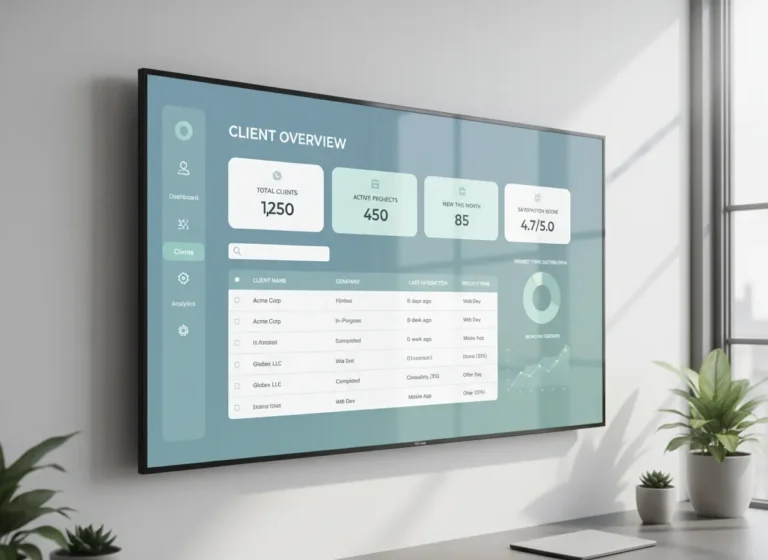
Are your customer details scattered across spreadsheets, sticky notes, and overflowing inboxes? Juggling leads, tracking follow-ups, and remembering client conversations this way is chaotic and unsustainable. Valuable opportunities slip through the cracks, customer service suffers, and growth stalls. We see local businesses struggle with this daily. The solution is a centralized strategy and tool: Customer Relationship Management (CRM). This guide will break down the CRM definition, explore its core benefits, and show you how implementing a CRM system can revolutionize the way you do business, fostering loyalty and driving revenue.
Quick Answer
What CRM features do small businesses need?
Small businesses need CRM features that organize customer records, track leads, manage follow-ups, store communication history, and keep customer information in one place.
A CRM helps small businesses improve sales visibility, strengthen customer retention, and connect customer management with daily operations like scheduling, tasks, and job tracking.
CRM Basics and Business Benefits Table
| CRM Basic | What It Means | Business Benefit |
|---|---|---|
| Contact management | Stores customer names, phone numbers, emails, and company details. | Makes customer information easier to find and update. |
| Lead tracking | Shows where each lead came from and what stage it is in. | Helps teams focus on the best opportunities. |
| Follow-up reminders | Creates reminders for quotes, callbacks, and check-ins. | Reduces lost leads and missed customer communication. |
| Customer history | Keeps notes, past jobs, conversations, and service details in one place. | Improves service quality and repeat business. |
| Pipeline visibility | Shows leads, quotes, booked jobs, and completed work. | Helps owners understand sales activity and workload. |
| Team access | Gives staff one shared view of customer information. | Reduces confusion between sales, office, and field teams. |
| Reporting | Tracks sales activity, customer trends, and follow-up performance. | Supports better decisions and more predictable growth. |
Why Businesses Struggle to Manage Customer Relationships
Customer management becomes difficult when information is scattered across different tools and team members. When sales, support, and marketing teams work from separate systems, important details get missed and follow-ups fall through. Without a centralized CRM, businesses lose visibility into the full customer journey, which leads to missed opportunities and weaker client relationships.
Signs Your Customer Management Is Disorganized
Ask yourself a few questions.
• Are customer details scattered across emails, spreadsheets, or notes?
• Do leads get lost because follow-ups are forgotten?
• Do sales and support teams struggle to see the full customer history?
• Do you rely on memory instead of data to track relationships?
If these situations sound familiar, a CRM system can help centralize your customer data and streamline how your business operates.
What CRM Does for Your Business
So, what exactly is CRM? At its core, Customer Relationship Management is a strategy for managing all your company’s relationships and interactions with customers and potential customers. The goal is simple: improve business relationships to grow your business. A CRM system helps companies stay connected to customers, streamline processes, and improve profitability.
When we talk about CRM, we usually refer to CRM software, a tool that acts as a central hub for all your customer data. It goes far beyond a simple contact list. It captures every touchpoint, including emails, phone calls, website visits, and social media interactions. This gives your entire team from sales to marketing to customer service a complete, 360-degree view of every customer. This unified platform ensures that nothing gets lost, empowering you to build stronger, longer-lasting relationships.
For service businesses, connecting CRM with work management software helps teams connect customer requests with tasks, jobs, and completed work.
As technology evolves, CRM systems are becoming more intelligent, automated, and predictive. If you want to see where customer relationship management is heading next, explore the future of CRM and the trends shaping customer experience and growth.
Small Business CRM Features Checklist
Small businesses need CRM software that supports daily customer management without overwhelming the team. Use this checklist to compare the most useful CRM features before choosing a system.
| CRM Feature | Why It Matters for Small Businesses |
|---|---|
| Contact management | Keeps customer names, details, notes, and history in one place. |
| Lead tracking | Helps teams see where each lead stands in the sales process. |
| Follow-up reminders | Reduces missed calls, forgotten emails, and lost opportunities. |
| Task management | Helps employees know what needs to happen next. |
| Mobile access | Gives field teams access to customer information while away from the office. |
| Pipeline visibility | Shows managers which leads, deals, or customers need attention. |
| Reporting | Helps businesses understand lead sources, sales activity, and follow-up performance. |
| Connected operations | Links customer management with scheduling, jobs, invoices, and team activity. |
What Small Businesses Should Look for in a CRM
Small businesses should look for a CRM that is simple enough for the team to use every day, but strong enough to support customer growth. A CRM should not feel like another admin burden. It should help employees find customer details faster, follow up on time, and keep the business organized.
Before choosing CRM software, small businesses should review how they currently manage leads, customer notes, job details, follow-ups, and communication. If that information is spread across email inboxes, spreadsheets, sticky notes, and separate apps, the CRM should bring those details into one clear system.
The right CRM should support the way the business already works while improving visibility, accountability, and customer communication.
CRM Features vs Business Needs
| Business Need | CRM Feature Needed | Benefit |
|---|---|---|
| Track new opportunities | Lead management | Prevents lost leads |
| Follow up with customers | Reminders and automation | Improves response time |
| Manage repeat clients | Customer history | Supports retention |
| Coordinate teams | Shared customer records | Reduces communication gaps |
| Connect daily operations | CRM integrations | Keeps workflows aligned |
Which CRM Is Best for Small Businesses
The CRM market is crowded, and most small businesses evaluate the same four or five platforms before making a decision. Each serves a different business profile. Choosing the wrong one means paying for features you will never use or missing the ones you need most.
Standalone CRM vs Connected Business CRM
| Standalone CRM | Connected Business CRM |
|---|---|
| Focuses mainly on customer records | Connects customers with daily operations |
| Requires separate scheduling tools | Includes scheduling connections |
| Customer data may stay isolated | Customer data connects with jobs and tasks |
| Teams manage multiple platforms | Teams work from one system |
| More tools require more setup | Operations stay connected |
Salesforce CRM Overview
Salesforce is the most feature-complete CRM platform available, with deep customization, advanced automation, and an extensive library of third-party integrations. It is the dominant choice for mid-size to enterprise businesses with dedicated sales teams, CRM administrators, and IT support. For most small businesses, Salesforce is overbuilt and overpriced — plans start at $25 per user per month but quickly reach $75 to $300 per user as features are added. The implementation timeline alone can run weeks to months.
Best for: Mid-size to large businesses with complex sales pipelines, large teams, and dedicated CRM administration resources.
HubSpot CRM Overview
HubSpot offers a free CRM tier that covers contact management, deal tracking, and basic email tools. It is one of the most accessible entry points into CRM for small businesses. The limitation is that HubSpot’s most valuable features — advanced automation, reporting, and marketing tools — sit behind paid tiers that start at $15 per user per month and scale quickly. Businesses that start on the free plan frequently find themselves locked into escalating subscription costs as their needs grow.
Best for: Early-stage businesses or marketing-led teams that need a low-cost entry point and are comfortable with HubSpot’s ecosystem long term.
Zoho CRM Overview
Zoho CRM offers a strong feature set at a lower price point than Salesforce or HubSpot’s paid tiers, with plans starting at $14 per user per month. It covers pipeline management, workflow automation, email integration, and reporting. Zoho’s weakness is its interface — it is less intuitive than HubSpot and requires more configuration time to set up effectively. It also works best as part of the broader Zoho suite, which can create vendor dependency.
Best for: Budget-conscious small businesses that need more than HubSpot’s free tier but cannot justify Salesforce pricing.
Pipedrive CRM Overview
Pipedrive is a sales-focused CRM built around pipeline visibility. Its interface is clean and easy to learn, making it a strong fit for small sales teams that need to manage deals and follow-ups without a steep learning curve. It lacks the marketing automation depth of HubSpot and the customization of Salesforce, and it does not natively integrate scheduling, job management, or HR functions.
Best for: Small sales teams that need straightforward pipeline management and fast onboarding.
MyBusinessPortal.cloud CRM Overview
MyBusinessPortal.cloud is built for contractors, tradesmen, and small field service businesses that need CRM integrated with the rest of their operations. Where Salesforce, HubSpot, Zoho, and Pipedrive manage customer relationships as a standalone function, MyBusinessPortal.cloud connects CRM with scheduling, work order management, invoicing, and HR in a single platform. This means a lead captured in the CRM can be converted to a scheduled job, assigned to a crew, tracked through completion, and invoiced — without re-entering data across multiple tools. For service businesses managing clients and crews simultaneously, this integration eliminates the operational gaps that standalone CRM platforms leave behind.
Best for: Contractors, tradesmen, and small field service businesses that need CRM, scheduling, job management, and invoicing to work together in one place.
| Salesforce | HubSpot | Zoho CRM | Pipedrive | MyBusinessPortal.cloud | |
|---|---|---|---|---|---|
| Starting price | $25/user/mo | Free | $14/user/mo | $14/user/mo | Contact for pricing |
| Ease of setup | Complex | Easy | Moderate | Easy | Easy |
| Pipeline management | Yes | Yes | Yes | Yes | Yes |
| Scheduling | No | No | No | No | Yes |
| Work order management | No | No | No | No | Yes |
| Invoicing | No | No | No | No | Yes |
| HR tools | No | No | No | No | Yes |
| Built for field teams | No | No | No | No | Yes |
| Best for | Enterprise | Marketing teams | Budget-conscious | Sales teams | Contractors and tradesmen |
No standalone CRM is universally best. The right choice depends on team size, budget, and whether the business needs CRM in isolation or as part of a connected operational platform. For trade and field service businesses, a platform that integrates CRM with scheduling and job management will consistently outperform a dedicated CRM paired with separate tools.
Best Small Business CRM by Use Case
The best CRM for a small business depends on how the team manages leads, customers, follow-ups, and daily work. A simple CRM may be enough for a small team that only needs contact tracking, but service businesses often need scheduling, job notes, customer history, and task visibility in one place.
| Business Need | CRM Feature to Prioritize | Why It Matters |
|---|---|---|
| Tracking new leads | Lead pipeline management | Helps teams see which prospects need follow-up. |
| Managing repeat customers | Customer history | Keeps notes, past jobs, and communication organized. |
| Reducing missed follow-ups | Automated reminders | Helps prevent leads from going cold. |
| Supporting field teams | Mobile access | Lets employees check customer details away from the office. |
| Improving daily workflow | CRM with scheduling and task tools | Connects customer management with actual work activity. |
Small businesses should choose CRM software that fits their real workflow instead of paying for advanced tools they will not use.
Why Your Business Needs a CRM System to Grow
Adopting a CRM isn’t just about better organization; it’s a direct investment in your company’s success. By centralizing your customer data, you unlock powerful capabilities that drive efficiency and growth. Here are the key ways a CRM can transform your operations.
1. Improve Sales Efficiency and Productivity
A CRM automates repetitive administrative tasks, freeing up your sales team to do what they do best: sell. It tracks deals through every stage of the pipeline, sends follow-up reminders, and provides clear insights into which leads are hottest, ensuring your team focuses their energy on the most promising opportunities.
2. Increase Customer Retention
Happy customers are loyal customers. A CRM provides a complete history of every client interaction, allowing your team to offer personalized and proactive support. By understanding their needs and past issues, you can resolve problems faster and create experiences that make customers feel valued, drastically reducing churn.
How CRM Improves Follow-Up and Customer Retention
CRM improves follow-up by giving small businesses a clear record of every lead, quote, customer conversation, and next step. Without a CRM, follow-ups often depend on memory, inbox reminders, sticky notes, or scattered spreadsheets. That creates gaps where interested customers are not contacted again and repeat business is missed.
With a CRM, every customer can have a follow-up date, status, service history, and notes attached to their record. This helps the team know who needs a callback, who received a quote, who is ready to book, and who may need service again in the future.
Customer retention improves because the business can provide more consistent service. When a past customer contacts the company, the team can quickly review previous work, preferences, concerns, and communication history. That makes the customer feel remembered instead of starting from zero every time.
For small businesses, CRM works best when it connects with daily operations. MBP connects CRM with Work Management and Scheduling so customer records, appointments, jobs, and follow-ups stay aligned. To learn how MBP can support your team, visit the Contact page.
Connecting CRM with calendar software helps businesses manage appointments, reminders, and customer follow-ups more efficiently.
Signs Your Business Needs a CRM System
Your business may need CRM software if:
- customer details are stored in spreadsheets
- leads are missed after inquiries
- follow-ups depend on memory
- sales activity is difficult to track
- customer history is hard to find
- teams use separate tools for communication and scheduling
A CRM system creates a central place for customer information, follow-ups, and sales activity so businesses can build stronger relationships and improve retention.
Turn CRM Basics Into Better Customer Follow-Up
MBP CRM helps small businesses organize leads, customer records, follow-ups, job history, and scheduling so fewer opportunities slip through the cracks.
Explore MBP CRM3. Automate and Personalize Marketing
Stop guessing with your marketing efforts. A CRM allows you to segment your audience based on their behavior and history, enabling highly targeted and automated email campaigns. You can nurture leads from initial contact to final sale and track the ROI of every campaign with precision.
4. Make Better Data-Driven Decisions
Gut feelings can only get you so far. A CRM provides real-time data and customizable dashboards that turn your customer information into actionable business intelligence. Track sales performance, forecast revenue, and identify trends to make smarter, more strategic decisions for your business growth.
CRM Mistakes Small Businesses Should Avoid
Choosing the wrong CRM can create more admin work instead of solving the problem. Small businesses should avoid systems that are too complex, too expensive, or disconnected from the way their team actually works.
| Mistake | Why It Hurts the Business |
|---|---|
| Choosing based only on brand name | The system may not fit the team’s daily workflow. |
| Paying for too many features | Extra tools can increase cost without improving results. |
| Ignoring mobile access | Field teams may not update customer details on time. |
| Skipping follow-up reminders | Leads can still fall through the cracks. |
| Using CRM separately from scheduling or work management | Customer data stays disconnected from daily operations. |
A good small business CRM should make customer management easier, not turn every update into another admin task.
Use CRM to Drive Growth and Retention
In today’s hyper-competitive world, managing customer relationships isn’t a “nice to have”, it’s survival mode. CRM turns scattered notes, lost leads, and guesswork into a clean, unified engine that drives sales, boosts retention, and gives you the visibility you need to stay ahead. Your team works from one source of truth, every interaction feels intentional, and no opportunity slips through the cracks.
If you’re ready to stop bleeding leads and finally build relationships that last, switch to a modern system built for real business needs. MyBusinessPortal.Cloud gives you an all-in-one CRM with Calendar, Work Management, and HR tools baked in, so your entire operation stays synced and sharp.
Manage Leads and Customers With One Connected CRM
MBP CRM helps small businesses organize leads, customer records, follow-ups, communication history, and scheduling in one connected platform.
Reduce missed opportunities and give your team a clearer way to manage customer relationships from first contact to repeat business.
Explore MBP CRMFrequently Asked Questions
What is a CRM system?
A CRM system is a tool that stores and organizes all your customer information in one place. It tracks interactions, follow-ups, and job history so nothing gets missed. This gives your team clear visibility and better control over every client relationship.
Why do small businesses need a CRM?
Small businesses need a CRM to stay organized and avoid losing leads or important client details. When everything is tracked in one system, follow-ups become consistent and communication improves. This leads to more closed deals and stronger customer relationships.
How does a CRM improve customer retention?
A CRM helps you remember past interactions, preferences, and service history for every client. This allows you to follow up at the right time and provide a more personalized experience. Clients feel valued, which increases repeat business.
What problems does a CRM solve?
A CRM solves issues like lost leads, missed follow-ups, and scattered customer data. It replaces manual tracking with a structured system that keeps everything in one place. This reduces errors and improves efficiency across your team.
What CRM features should small businesses prioritize first?
Small businesses should prioritize contact management, lead tracking, follow-up reminders, customer history, reporting, and integrations with daily business tools.
Can CRM software replace spreadsheets?
Yes. CRM software can replace spreadsheets by organizing customer records, follow-ups, communication history, and sales activity in one centralized system.
Should small businesses use an all-in-one CRM?
Small businesses may benefit from an all-in-one CRM because it connects customer management with scheduling, tasks, and operations instead of requiring multiple separate tools.
How does CRM software help contractors?
CRM software helps contractors manage leads, customer records, quotes, follow-ups, appointments, and service history. When connected with scheduling and work management tools, it improves the entire customer journey.