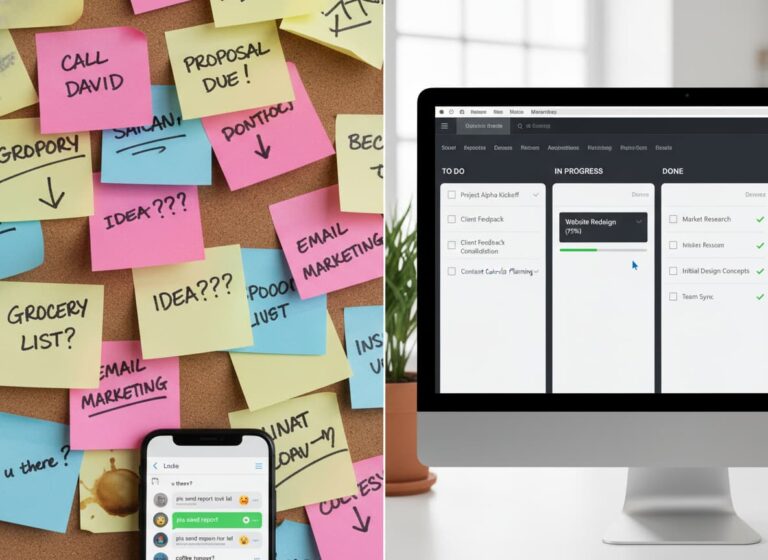
In today’s fast-paced business environment, keeping a team aligned is harder than ever. Are you struggling with missed deadlines, scattered communication channels, or projects burying you under a mountain of spreadsheets? You are not alone. Modern teams often face the “productivity paradox,” where having too many apps actually slows down work.
At MyBusinessPortal.Cloud (MBP), we understand that true efficiency comes from clarity and centralization. The right technology stack can transform chaos into a streamlined operation. In this post, we will unpack the ultimate toolkit of essential work management tools, from advanced project management software to intuitive task trackers.
Quick Answer
Why do modern teams need work management software?
Modern teams need work management software to organize tasks, communication, deadlines, and workflows in one centralized system. It helps teams reduce confusion, improve accountability, and maintain visibility across projects.
Instead of relying on disconnected apps and spreadsheets, teams can use one platform to manage work, collaborate efficiently, automate repetitive tasks, and keep everyone aligned in real time.
Why Teams Need Dedicated Work Management Tools
Gone are the days when a simple to-do list or an Excel sheet was sufficient for managing complex projects. As remote and hybrid work models become the norm, the digital infrastructure of a company has become its physical office. Work management tools serve as the foundation of this infrastructure, providing a central source of truth for every stakeholder.
Unlike basic communication platforms, comprehensive project management software offers structure. It allows managers to visualize timelines, allocate resources effectively, and identify bottlenecks before they become critical issues. By implementing robust collaboration apps, teams stop working in silos. Instead, they gain real-time visibility into who is doing what and by when. This shift is not just about organization; it is about agility. Modern teams need software that adapts to changing priorities without breaking the workflow.
Essential Work Management Features to Look For
When building your ultimate toolkit, it is easy to get overwhelmed by the sheer volume of options available. To ensure you are choosing software that truly enhances team efficiency, focus on these three core capabilities:
Essential Work Management Features and Benefits
| Feature | What It Does | Business Benefit |
|---|---|---|
| Task Tracking | Assigns tasks, owners, deadlines, and dependencies | Improves accountability and prevents missed work |
| Workflow Automation | Handles repetitive updates, notifications, and processes | Saves time and reduces manual work |
| Team Collaboration | Keeps communication connected to projects and tasks | Reduces confusion and improves teamwork |
| Real-Time Visibility | Shows progress, blockers, and completed work | Helps managers make faster decisions |
1. Task Tracking That Keeps Work Organized
Effective task trackers are the heartbeat of project execution. You need a system that allows for granular detail assigning owners, setting dependencies, and attaching files directly to the task. This ensures that accountability is clear and nothing slips through the cracks.
2. Workflow Automation That Saves Time
Manual data entry and repetitive administrative tasks are productivity killers. The best productivity tools utilize workflow automation to handle the heavy lifting. Whether it is automatically moving a task to “review” when a file is uploaded or sending notifications upon project milestones, automation frees your team to focus on high-value creative work.
3. Collaboration Where the Work Happens
Communication should happen where the work happens. Top-tier work management software integrates chat and commenting features directly within project boards. This context-aware communication reduces the need for lengthy email chains and keeps the focus sharp.
How MBP Centralizes Your Team Workflow
At MyBusinessPortal.Cloud, we believe that the “ultimate toolkit” isn’t about having ten different apps; it is about having one cohesive ecosystem. MBP is designed to bridge the gap between disparate work management tools, offering a unified interface that simplifies complexity.
When you utilize the MBP ecosystem, you streamline the user experience for your team. Instead of toggling between a CRM, a separate task manager, and a file storage system, MBP provides a centralized gateway. We help you integrate essential business functions so that workflow automation creates a seamless operational flow. By consolidating your digital workspace, you reduce login fatigue and ensure that your data remains synchronized and secure. We focus on the backend complexity so you can focus on front-end results.
A complete work management system works best when connected with other business tools. MBP helps teams connect Work Management, CRM, Calendar, HR, Accounting, and Inventory to create one connected workflow.
Build a Better Work Management System
Building the ultimate toolkit for your business isn’t about collecting random apps, it’s about creating a system that actually works together. The right work management setup streamlines projects, keeps teams accountable, and eliminates wasted time from juggling disconnected tools.
With MyBusinessPortal.Cloud, you get a unified platform that combines Work Management, CRM, Calendar, and HR, all working in sync to keep your operations smooth and scalable. Automate workflows, simplify collaboration, and give your team the structure they need to perform at their best.
Don’t let inefficiency slow your growth. Visit MyBusinessPortal.Cloud today and build the digital workspace your team deserves.
Build a Smarter Workflow With MBP
Stop managing work across disconnected apps, spreadsheets, and scattered communication channels. MBP brings Work Management, CRM, Calendar, HR, and Accounting together in one connected platform.
Work Management Software FAQs
Why Modern Teams Need Work Management Software?
Modern teams manage complex projects across multiple locations, departments, and communication channels. Work management software centralizes tasks, timelines, and responsibilities so everyone works from the same source of truth.
What problems occur when teams rely on too many apps?
Using multiple disconnected tools often creates communication gaps and duplicated work. Teams spend more time switching between apps than actually completing tasks, which reduces overall productivity.
How do task trackers improve project execution?
Task trackers clearly define ownership, deadlines, and dependencies for each piece of work. This structure improves accountability and ensures that important tasks do not fall through the cracks.
What is work management software?
Work management software is a system that helps teams plan, assign, track, and complete work in one place. It keeps tasks, deadlines, updates, files, and team communication organized so everyone knows what needs to be done and what is already in progress.
What features should work management software include?
Work management software should include task assignment, progress tracking, due dates, team calendars, file sharing, status updates, and reporting. For service teams, it also helps to have scheduling, job tracking, team communication, and visibility across office and field work.
Why do teams need work management software instead of spreadsheets?
Teams need work management software instead of spreadsheets because spreadsheets are hard to update in real time and easy to break as work gets more complex. Work management software gives teams a clearer view of tasks, reduces manual follow-up, improves accountability, and helps everyone stay aligned without digging through rows and tabs like it’s 2014.
How does work management software help remote teams?
Work management software helps remote teams stay aligned by giving everyone access to shared tasks, deadlines, updates, and project information from one centralized platform.
Can work management software replace spreadsheets?
Yes. Work management software reduces dependence on spreadsheets by providing real-time updates, task ownership, automation, and better visibility across projects.
What is the difference between task management and work management?
Task management focuses on individual tasks, while work management covers the complete workflow including planning, collaboration, communication, deadlines, reporting, and team coordination.
Why is automation important in work management software?
Automation reduces repetitive administrative work by handling notifications, updates, approvals, and routine processes so teams can focus on higher-value activities.