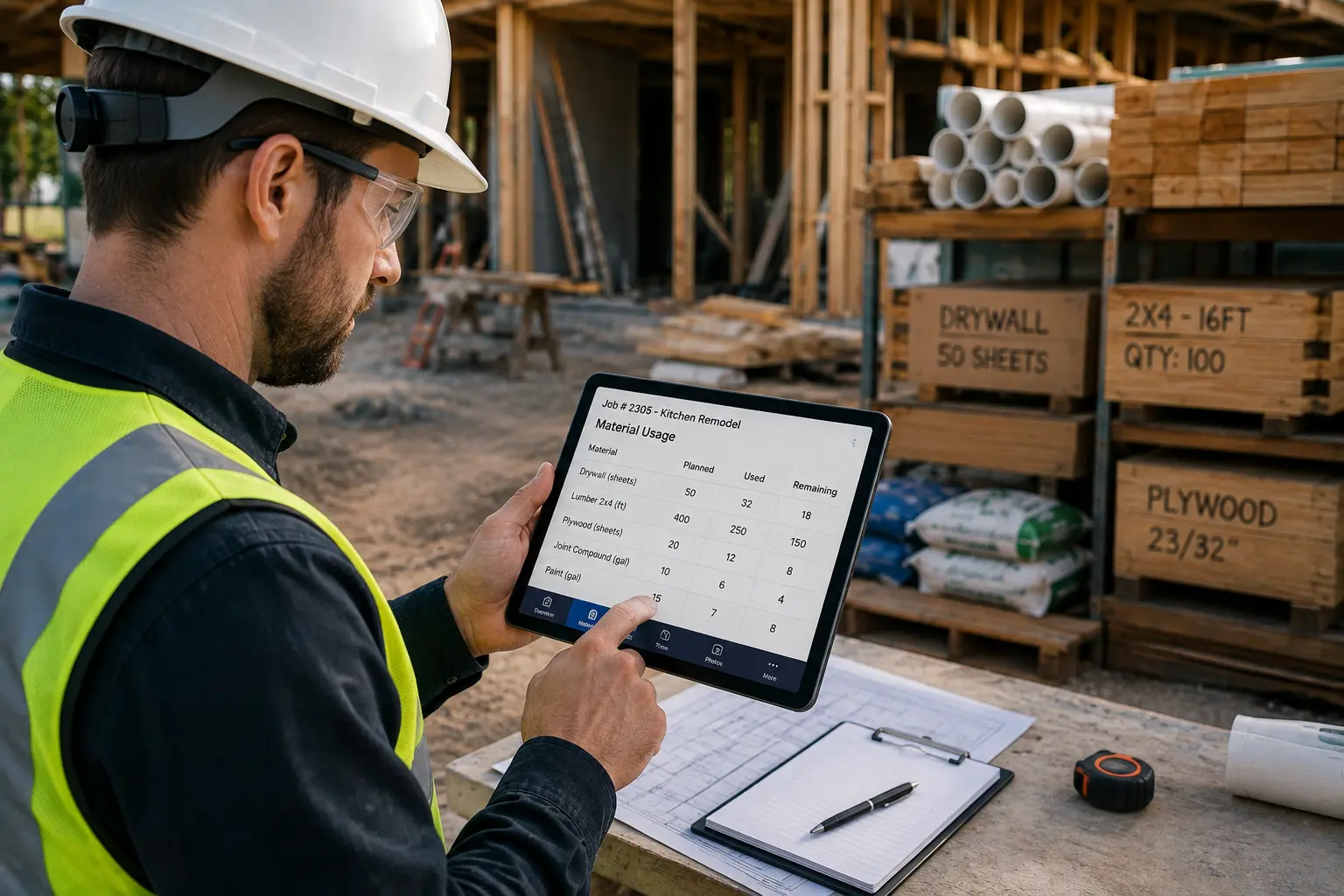
Material costs can quietly eat into contractor profits when they are not tracked by job. A crew may use extra supplies, pick up materials from a vendor, pull items from truck stock, or receive a delivery on site, but if those materials are not recorded properly, the true job cost becomes unclear.
That creates a serious problem.
A job may look profitable on paper, but once missing receipts, unlogged supplies, vendor invoices, delivery fees, and inventory adjustments are added later, the numbers may tell a different story.
Contractors need a reliable way to track material usage by job so every item used in the field connects back to the correct project, customer, job code, and accounting record. With the right process and software, contractors can improve job costing, reduce waste, manage inventory, and protect profit.
Quick Answer
Contractors can track material usage by job by using field logging, daily reports, mobile entry, delivery checks, fast input tools, cost coding, job codes, vendor sync, inventory audits, and connected software systems. The best approach is to record materials as they are used, assign them to the correct job code, sync them with Inventory and Accounting, and review usage regularly through Work Management reports.
Why Material Usage Tracking Matters for Contractors
Material tracking is not just about knowing what was purchased. It is about knowing where materials went and how they affected job profitability.
Without job-level material tracking, contractors may struggle to answer basic questions:
- Which job used the most materials?
- Were materials used within the estimate?
- Which crew recorded the usage?
- Were extra materials approved?
- Were vendor deliveries assigned to the correct job?
- Did unused materials return to inventory?
- Did accounting bill the customer correctly?
- Did material costs reduce the final margin?
If the business cannot answer these questions, it is harder to price future work accurately.
Material usage tracking helps contractors:
- Improve job costing
- Reduce waste
- Prevent missing inventory
- Improve estimating accuracy
- Track vendor purchases
- Support change orders
- Improve billing accuracy
- Reduce accounting cleanup
- Protect profit margins
For small contractors, even small material errors can add up quickly. Tiny leaks sink big boats, and yes, material chaos is absolutely one of those leaks.
Use Field Logging and Daily Reports for Material Tracking
Field logging and daily reports are the foundation of accurate material tracking. Field workers are closest to the job, so they should record what materials were used while the details are still fresh.
A daily field report should include:
- Job name
- Job code
- Date
- Crew or technician name
- Materials used
- Quantity used
- Materials received
- Materials returned
- Materials damaged or wasted
- Delivery notes
- Photos
- Additional material requests
- Notes about changes or issues
Daily reports help office staff, project managers, and accounting teams understand what happened on site without chasing field workers for missing details.
This is especially useful when multiple crews are working across different locations. Without daily reporting, the office may not know what materials were used until invoices arrive or inventory runs short.
Use Mobile Entry to Record Materials From the Job Site
Mobile entry makes material tracking easier for field workers. Instead of writing materials on paper or texting the office, crews can enter usage directly from a phone or tablet.
This improves accuracy because information is recorded at the job site, not reconstructed later.
Mobile entry should allow workers to:
- Select the correct job
- Choose the job code
- Enter material name
- Add quantity used
- Attach photos
- Scan barcode or QR code
- Add notes
- Submit delivery details
- Record returned materials
- Update inventory automatically
The faster the mobile entry process, the more likely field workers are to use it consistently.
If logging materials takes too long, crews will skip it. Then the business is back to guessing.
Check Material Deliveries Before Assigning Costs
Delivery checks help contractors confirm that materials delivered to a job site match the order, vendor ticket, and job requirements.
This matters because delivery mistakes are common. Items may arrive short, damaged, late, or assigned to the wrong job. If nobody checks the delivery, the issue may not be caught until the job is delayed or the vendor invoice arrives.
A delivery check should confirm:
- Vendor name
- Delivery date
- Job site
- Job code
- Purchase order number
- Delivery ticket number
- Material description
- Quantity ordered
- Quantity received
- Damaged or missing items
- Person who received the delivery
- Photo proof
Delivery checks also help accounting match vendor invoices to actual received materials.
When delivery records connect with Inventory and Work Management tools, the business has a stronger audit trail for job costs.
Make Material Tracking Fast for Field Crews
Fast input is important because field workers need a simple way to record materials without slowing down the job.
A material tracking process should be quick, clear, and mobile-friendly. If it feels like extra paperwork, adoption will drop.
Fast input features may include:
- Favorite materials
- Recent materials
- Common item templates
- Barcode scanning
- QR code scanning
- Voice-to-text notes
- Dropdown material lists
- Preloaded job material lists
- One-tap quantity updates
- Required fields only for critical details
The goal is to make accurate material tracking easy enough for daily use.
Fast input helps reduce forgotten entries, delayed reports, and vague notes like “used some parts,” which is basically accounting’s villain origin story.
Connect Cost Codes With Office and Accounting Systems
Cost coding connects material usage to job costing and accounting. It helps contractors classify expenses by type, phase, department, or project activity.
For example, cost codes may be used for:
- Rough materials
- Finish materials
- Consumables
- Equipment rentals
- Delivery fees
- Subcontractor supplies
- Change order materials
- Warranty materials
- Emergency purchases
- Truck stock usage
When field teams select the right cost code, office teams can understand where costs belong without manually cleaning up records later.
Cost coding improves:
- Estimate vs actual reporting
- Job profitability tracking
- Change order documentation
- Material budget control
- Accounting accuracy
- Future estimate planning
Office integration matters because material usage should not stay trapped in field notes. It should connect to Inventory, Work Management, Accounting, and reporting tools.
Use Job Codes to Track Materials by Project
Job codes are essential for tracking material usage by job. Every purchase, delivery, field usage entry, inventory transfer, or vendor invoice should connect to the correct job code.
A job code acts like the label that tells the business where the cost belongs.
Without job codes, material tracking becomes messy. Office staff may receive a receipt but not know which project should absorb the cost. Inventory may show missing stock, but nobody knows which job used it. Accounting may delay reporting because job costs are incomplete.
Contractors should use job codes for:
- Field material logs
- Daily reports
- Purchase orders
- Vendor invoices
- Delivery tickets
- Inventory transfers
- Truck stock usage
- Change orders
- Accounting records
- Job profitability reports
Job codes should stay consistent across Work Management, Inventory, Accounting, CRM, and reporting systems.
Sync Vendor Purchases With Job Material Records
Vendor sync helps contractors connect supplier purchases, receipts, delivery tickets, and invoices with the correct job.
This reduces manual entry and makes cost tracking more accurate.
Vendor sync can help contractors manage:
- Purchase orders
- Vendor invoices
- Material costs
- Delivery tickets
- Receipt capture
- Job code assignment
- Cost code matching
- Inventory updates
- Accounting reconciliation
- Vendor pricing changes
For example, when materials are ordered for a job, the vendor invoice should connect to the correct job code. If the delivery is short or damaged, the delivery check should flag the issue before accounting approves payment.
Vendor sync is especially useful for contractors that buy from the same suppliers regularly.
Run Inventory Audits to Keep Material Records Accurate
Inventory audits help contractors compare recorded inventory against actual stock. Even with strong tracking, inventory records can drift because of missed entries, emergency usage, returns, waste, theft, damaged materials, or wrong job assignments.
Inventory audits should review:
- Warehouse stock
- Truck stock
- Job site materials
- High-value materials
- Fast-moving supplies
- Returned materials
- Damaged materials
- Vendor deliveries
- Tools and equipment
- Unassigned purchases
Audits help contractors keep material records accurate and reduce stock issues.
A simple audit schedule may look like this:
| Inventory Area | Suggested Frequency | Purpose |
| Truck stock | Weekly | Keeps crews prepared |
| Fast-moving supplies | Weekly or biweekly | Prevents stockouts |
| High-value materials | Weekly | Reduces costly losses |
| Warehouse inventory | Monthly | Keeps records accurate |
| Job site materials | During major project phases | Controls waste and misplacement |
| Vendor deliveries | Every delivery | Confirms received materials |
| Returned materials | Same day or next business day | Keeps inventory clean |
Inventory audits do not need to be complicated. Start with high-value and frequently used items first.
Use Software Systems to Track Materials by Job
Software and systems make material usage tracking easier by connecting field activity with office records.
A good system should help contractors:
- Track job codes
- Use cost codes
- Record material usage
- Manage daily reports
- Support mobile entry
- Track vendor deliveries
- Sync inventory updates
- Connect material costs to Accounting
- Attach photos and receipts
- Generate job cost reports
- Monitor inventory levels
- Reduce duplicate data entry
The best system depends on the contractor’s size, workflow, and complexity.
Some contractors may need a specialized inventory app. Others may need an all-in-one platform that connects material tracking with CRM, Work Management, Accounting, HR, Calendar, and reporting.
Specialized Material Tracking Apps for Contractors
Specialized apps can work well when material tracking is the biggest operational problem. These tools may focus on inventory, barcode scanning, purchasing, delivery checks, or job costing.
Specialized apps may be useful for contractors that need:
- Advanced inventory tracking
- Barcode or QR code scanning
- Purchase order management
- Warehouse control
- Truck stock tracking
- Vendor invoice matching
- Detailed material reporting
The main downside is that specialized apps can create another disconnected system if they do not integrate with the rest of the business.
A contractor may track materials accurately in one app but still need to manually transfer information to Accounting, Work Management, or CRM. That creates more admin work.
All-in-One Platforms for Connected Material Tracking
All-in-one platforms are often better for small contractors that want a connected business system instead of multiple separate tools.
An all-in-one platform can help contractors manage:
- CRM
- Inventory
- Work Management
- Accounting
- HR
- Calendar
- Documents
- Job codes
- Reports
- Field updates
- Vendor records
This gives the business one central place to connect customers, jobs, materials, workers, schedules, costs, and invoices.
For example, a customer record starts in CRM. The job is scheduled through Calendar. The work is tracked in Work Management. Materials are logged in Inventory. Employee assignments connect with HR. Costs and invoices flow into Accounting.
That is a cleaner workflow.
How MBP Helps Contractors Track Material Usage by Job
My Business Portal helps contractors centralize material tracking with connected tools for CRM, Inventory, Work Management, Accounting, HR, Calendar, documents, and reporting.
MBP can help contractors:
- Track materials by job
- Use job codes consistently
- Organize field logs and daily reports
- Record material usage from the field
- Connect materials to work orders
- Track inventory availability
- Store delivery notes and receipts
- Support vendor records
- Improve job costing
- Connect material usage with Accounting
- Reduce manual office cleanup
- Improve visibility across office and field teams
With MBP, contractors can stop guessing where materials went and start tracking job costs with more confidence.
Final Thoughts: Track Every Material Item Back to the Right Job
Contractors need job-level material tracking to protect profit, reduce waste, improve estimating, and keep accounting records clean.
The best process starts with field logging and daily reports, then improves through mobile entry, delivery checks, fast input tools, cost coding, job codes, vendor sync, inventory audits, and connected software systems.
Specialized apps can help with focused inventory needs, but all-in-one platforms like MBP can give contractors a more connected way to manage CRM, Inventory, Work Management, Accounting, HR, Calendar, jobs, vendors, and reports.
When every material item connects to the right job, contractors get better cost visibility and stronger control over profit.
Material Usage Tracking FAQs
How can contractors track material usage by job?
Contractors can track material usage by job by recording materials in daily reports, using mobile entry, assigning job codes and cost codes, checking deliveries, syncing vendor records, auditing inventory, and connecting usage data to Work Management and Accounting tools.
Why are job codes important for material tracking?
Job codes connect material purchases, usage, deliveries, receipts, and invoices to the correct project. This helps contractors track job costs accurately and avoid accounting confusion.
What should field workers record when using materials?
Field workers should record the job code, material name, quantity used, cost code, date, location, crew member, notes, and photos when needed.
How do delivery checks help contractors?
Delivery checks confirm that materials delivered to a job site match the order, vendor ticket, quantity, and job code. This helps prevent missing materials, overbilling, and incorrect job costing.
Why are inventory audits important?
Inventory audits help contractors compare recorded stock with actual stock. This reduces missing materials, stockouts, waste, and inaccurate job cost reports.
Should contractors use specialized apps or all-in-one platforms?
Specialized apps can help with focused material tracking needs, but all-in-one platforms are often better for small contractors that want CRM, Inventory, Work Management, Accounting, HR, Calendar, and reporting connected in one system.
How does MBP help with material usage tracking?
MBP helps contractors track materials by job, connect usage to job codes, manage Inventory, organize field reports, link job costs to Accounting, and keep office and field teams aligned.