Hiring a new employee should feel organized, not chaotic. But for many small businesses, onboarding still happens across emails, spreadsheets, paper forms, text messages, and verbal instructions.
That creates confusion fast.
One person sends the offer letter. Another collects documents. Someone else sets up the schedule. HR tracks forms in a spreadsheet. Managers follow up manually. The new employee starts with more questions than answers.
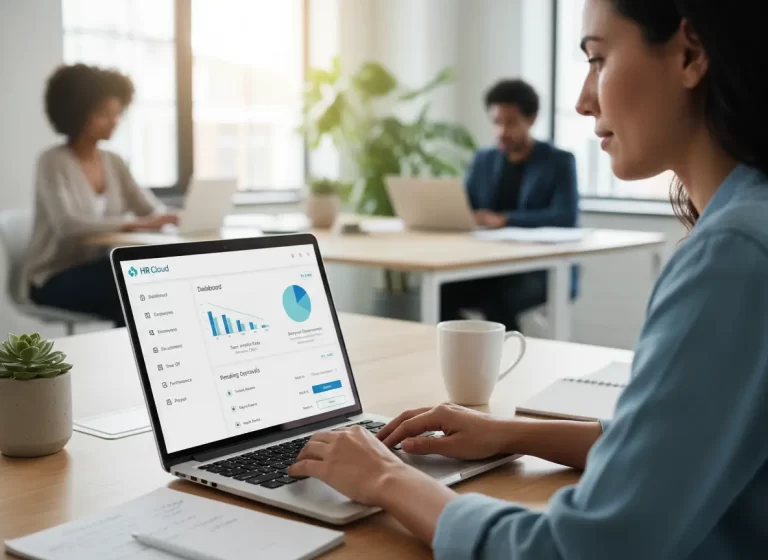
An all-in-one system makes onboarding easier by keeping tasks, documents, communication, employee details, and progress in one place
Quick Answer
Why does employee onboarding fall apart without one HR system?
Employee onboarding becomes harder when forms, training steps, schedules, documents, employee records, and manager follow-ups are scattered across different tools. An HR system can centralize onboarding tasks, documents, reminders, employee details, and progress so managers have a clearer process to follow for each new hire.
Why Manual Employee Onboarding Falls Apart
Manual onboarding works when your team is small. But as the business grows, the process becomes harder to manage.
You start dealing with:
- Missing employee forms
- Repeated data entry
- Delayed document collection
- Unclear training steps
- No standard process
- Managers forgetting follow-ups
- Employees asking the same questions
- HR records scattered across different tools
These issues slow down the employee’s first week. They also create more work for managers and admin staff.
A better onboarding system gives your team one clear process to follow every time.
Manual Onboarding vs All-in-One HR System Table
| Onboarding Area | Manual Onboarding | All-in-One HR System |
|---|---|---|
| Employee forms | Forms are collected through email, paper, or separate files. | Forms and employee records stay organized in one system. |
| Training steps | Managers explain training manually and may miss steps. | Training tasks can be assigned, tracked, and reviewed. |
| Document collection | HR follows up repeatedly for missing documents. | Required documents are easier to request, collect, and monitor. |
| Start date readiness | Teams guess whether everything is complete before day one. | Managers can see what is done and what still needs attention. |
| Communication | New hires receive scattered messages from different people. | Onboarding instructions and updates stay more consistent. |
| Scheduling | First-day schedules and manager availability may be unclear. | Schedules, tasks, and manager reminders can stay connected. |
| Compliance records | Signed policies and required forms may be hard to find later. | Compliance records are easier to organize and review. |
| Employee experience | New hires may feel confused, delayed, or unsupported. | New hires get a clearer process from pre-boarding to first week. |
Signs Your Employee Onboarding Process Needs an All-in-One HR System
Your onboarding process may need an all-in-one HR system if every new hire creates the same confusion for HR, managers, and admin staff. Manual onboarding often feels manageable until forms, schedules, training steps, and employee records start living in too many places.
| Sign | What It Means |
|---|---|
| New hires ask the same questions repeatedly | Onboarding instructions are not centralized. |
| Employee forms go missing | Documents are being collected through too many channels. |
| Managers forget training steps | There is no shared onboarding checklist. |
| HR keeps chasing people for updates | Progress tracking is too manual. |
| Start dates feel rushed or messy | Pre-boarding is not organized early enough. |
| Employee records are stored in different tools | HR data is scattered and harder to manage. |
| Compliance documents are hard to find later | Signed policies, forms, or certifications are not stored clearly. |
How HR Automation Simplifies Employee Onboarding
Many onboarding tasks repeat with every new hire.
Your team often needs to send welcome messages, request documents, assign training tasks, collect employee details, create reminders, and notify managers.
Doing all of this manually wastes time.
An all-in-one system helps automate repetitive onboarding tasks, such as:
- Sending welcome emails
- Requesting required documents
- Assigning training steps
- Creating onboarding checklists
- Notifying managers about next steps
- Reminding employees to complete forms
- Updating employee records
This reduces admin work and helps your team avoid missed steps.
Why Pre-Boarding Creates a Better First Day
Pre-boarding happens before the employee officially starts work. This stage matters because it sets the tone for the employee’s first day.
Without pre-boarding, new hires often arrive unsure about what to bring, where to go, who to report to, or what paperwork they need to complete.
An all-in-one system helps organize pre-boarding by sending the right information before day one.
This may include:
- Start date and time
- Job location
- Manager contact details
- Required documents
- Company policies
- First-day schedule
- Training expectations
- Equipment or uniform instructions
When pre-boarding is clear, new employees start with confidence instead of confusion.
How One HR System Reduces Duplicate Data Entry
Duplicate data entry slows teams down and increases errors.
A new employee’s name, phone number, address, job title, pay details, schedule, emergency contact, and tax information might be entered into multiple systems.
Every repeated entry creates risk.
One data entry mistake in one system can create payroll issues, scheduling confusion, or incorrect employee records.
An all-in-one system reduces duplicate data entry by keeping employee information connected. Once the data is entered, it supports HR records, scheduling, task assignments, payroll preparation, and internal communication.
That means fewer mistakes and less admin work.
How Better Onboarding Helps New Employees Become Productive Faster
The faster employees understand their role, tools, schedule, and responsibilities, the faster they become productive.
Poor onboarding delays that process.
New hires waste time asking basic questions, waiting for access, looking for documents, or trying to understand unclear workflows.
An all-in-one system helps accelerate time to productivity by giving new employees a structured path.
They know:
- What to complete first
- Where to find important information
- Who to contact
- What training they need
- What tasks belong to them
- What deadlines matter
- How their role fits into the workflow
A clear onboarding path helps new employees contribute sooner.
How All-in-One HR Systems Improve Compliance and Data Security
Employee onboarding can involve sensitive information such as personal details, tax forms, identification documents, certifications, and company records. Centralizing this information can make employee documents easier to organize and manage than storing them across paper files, email, and shared spreadsheets.
When evaluating HR software, businesses should review available permissions, access controls, document storage, security features, and recordkeeping capabilities. Software can support HR processes, but businesses remain responsible for meeting applicable employment and recordkeeping requirements.
Why Consistent Onboarding Improves Employee Experience
Every new employee should receive the same quality onboarding experience.
Without a standard process, onboarding depends on who handles it. One manager gives detailed instructions. Another forgets key steps. One employee receives training on time. Another waits days for access.
That inconsistency hurts morale and performance.
An all-in-one system creates a standardized, consistent experience by using the same checklist, workflow, documents, and communication process for each new hire.
This helps every employee start with the same foundation.
How Connected HR Systems Support Employees After Onboarding
Onboarding is only the first step.
After the employee starts, the same system helps manage daily work, scheduling, performance tracking, internal communication, time records, job assignments, and employee updates.
This creates continuity.
The employee does not start in one system and then get moved into several disconnected tools. Their information, role, tasks, and schedule stay connected from day one.
That makes employee management easier long after onboarding ends.
Simplify Employee Onboarding
Keep New Hire Tasks, Documents, and Employee Records Organized
MBP HR helps small businesses organize employee records, onboarding tasks, documents, schedules, and HR workflows so managers have one clearer process for bringing new employees into the team.
Explore MBP HR Schedule a DemoEmployee Onboarding FAQs
What is employee onboarding software?
Employee onboarding software helps businesses manage new hire forms, employee records, training tasks, documents, reminders, schedules, and onboarding progress in one place.
Why does manual employee onboarding fail?
Manual employee onboarding fails when forms, training steps, employee details, and follow-ups are scattered across emails, spreadsheets, paper files, and messages. This creates missed steps and confusion.
How does an all-in-one HR system improve onboarding?
An all-in-one HR system improves onboarding by centralizing employee records, documents, training tasks, reminders, communication, and progress tracking in one platform.
What should be included in an employee onboarding checklist?
An employee onboarding checklist should include required forms, policy acknowledgments, training tasks, first-day schedule, manager introductions, equipment needs, login access, and document collection.
When should a small business use an HR onboarding system?
A small business should use an HR onboarding system when new hire forms go missing, managers forget training steps, employee records are scattered, or HR spends too much time chasing onboarding updates.