If your dispatcher is copying job details from your CRM into your scheduling tool by hand, you already have a problem. If your payroll team is cross-referencing timesheets against completed work orders manually, you have a bigger one. And if your accounting software has no idea a job was finished until someone remembers to log it, you are leaving money on the table every week.
This is the reality for most small and mid-sized field service businesses running their operations on disconnected tools. Each system works fine on its own. Together, they create friction that slows jobs down, frustrates technicians, and erodes margins quietly over time.
This post breaks down what field service system integration actually means, why the four core systems in your operation need to talk to each other, and what happens when they don’t.
Quick Answer
What is system integration for small businesses?
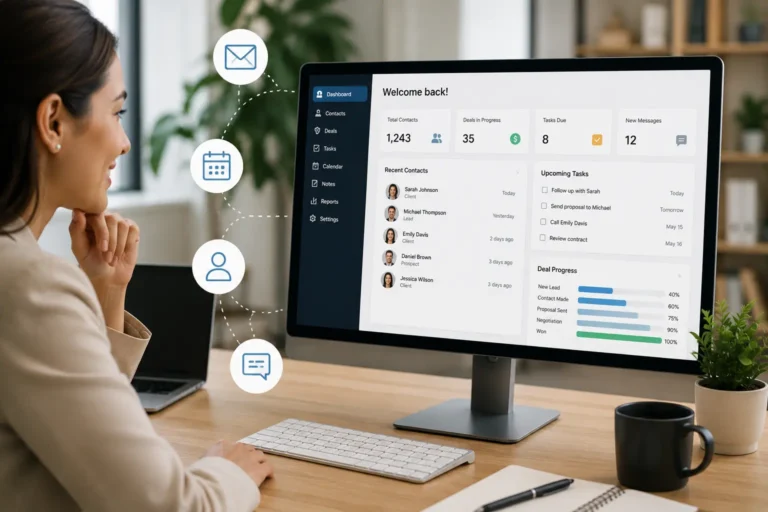
System integration connects different business software—like CRM, accounting, work management, inventory, and calendar tools—so data flows automatically and teams work from one connected system.
This reduces manual data entry, avoids errors, improves visibility, and helps small businesses make faster, data-driven decisions.
| Integration Benefit | Why It Matters |
|---|---|
| Automated workflows | Saves time and reduces errors |
| Real-time data | Decisions based on current info |
| Improved collaboration | Teams access the same information |
| Reduced duplicate entry | Less manual work and mistakes |
| Centralized visibility | Managers see operations in one place |
| Better reporting | Track performance, costs, and revenue |
With MBP, small businesses can connect all their tools:
- CRM software – Manage leads, customers, and follow-ups in one place.
- Work Management software – Track tasks, jobs, and workflows across the team.
- Inventory software – Monitor materials, tools, and stock levels.
- Accounting software – Automate invoicing, payments, and financial tracking.
- Calendar software – Coordinate schedules, deadlines, and recurring events.
What Is System Integration in Field Service?
System integration means your software tools share data with each other automatically, without manual entry in between. When a new customer books a job, that information flows into your scheduling tool. When a technician completes a job, those hours flow into payroll. When a job is marked finished, an invoice triggers in accounting. No one has to carry data from one screen to another.
For field service businesses specifically, integration matters more than in most industries. Your work is spread across multiple locations, multiple technicians, and multiple customer touchpoints every single day. There are more places for data to get lost, delayed, or entered wrong than in a business that operates from one office.
The Four Core Systems That Must Work Together
A connected field service system should bring together CRM software, calendar and scheduling tools, HR management, accounting software, work management tools, and inventory tracking. This helps field service teams connect customer records, schedules, workforce data, job details, invoices, and materials in one system.
CRM: Your Customer and Job Record
Your CRM is the source of truth for every customer relationship and every job. It holds contact details, service history, equipment records, warranties, and communication logs. When your CRM is disconnected from the rest of your operation, that information stays locked away. Technicians go to jobs without knowing what was done on the last visit. Dispatchers schedule work without knowing whether a customer has an open dispute. Sales staff quote jobs without knowing what the last three service calls actually cost to complete.
Scheduling: The Operational Hub
Scheduling is where plans meet reality. It controls who goes where, when, and with what. But scheduling on its own is just a calendar. When it pulls from your CRM, technicians see full job context before they arrive. When it connects to HR, you know which technicians are certified, available, and within compliant working hours. When it syncs with accounting, job completion triggers billing automatically instead of sitting in someone’s to-do list.
HR: Your Workforce Data
HR systems manage certifications, availability, time-off requests, working hour limits, and payroll inputs. In field service, an HR system that does not connect to scheduling creates serious operational risk. You end up dispatching technicians who are on leave. You miss certification expiration dates and send uncertified workers to permitted jobs. Overtime goes unmanaged until it shows up as a surprise on payroll.
Accounting: The Revenue Layer
Accounting sits at the end of every job, but it cannot do its job if it does not know what happened in the field. When accounting is disconnected, invoices get created late, or not at all. Job costs do not reconcile against estimates. Material and labor expenses get attributed to the wrong jobs. Cash flow forecasting becomes guesswork because there is no real-time picture of what has been completed versus billed.
What Happens When They Don’t Integrate
The costs of disconnected systems are real, but they are easy to miss because they hide inside daily friction rather than showing up as a single line item.
Technicians spend time on the phone getting job details that should already be in their hands before they leave. Dispatchers manually update multiple systems when a job changes. Office staff reconcile timesheets, work orders, and invoices by hand at the end of every week. Billing gets delayed because accounting does not know a job is finished until someone tells them.
The deeper damage is in the errors that do not get caught. A technician dispatched to the wrong address because the CRM and scheduling tool had different records. A payroll error because completed hours in the field did not sync to HR. A customer invoiced for work they did not authorize because a job update never made it back to the system of record.
These are not edge cases. For a field service business running 20 or more jobs a week, they are recurring problems that compound over time.
Disconnected Systems vs Integrated Workflow
| Disconnected System Problem | Business Impact | Integrated Workflow Fix |
|---|---|---|
| CRM and scheduling do not sync | Technicians arrive without full customer or job history | Customer details flow into the schedule automatically |
| Scheduling and HR are separate | Dispatchers may miss availability, leave, certifications, or overtime limits | Workforce data supports better assignment decisions |
| Job completion and accounting are disconnected | Invoices are delayed or missed | Completed jobs trigger billing workflows faster |
| Manual data entry bridges every system | Teams waste time copying information between tools | Data updates once and flows across connected modules |
| Customer records are fragmented | Sales, dispatch, and field teams work from different information | CRM becomes the shared source of truth |
| Reports lag behind operations | Managers make decisions using outdated information | Dashboards reflect current jobs, workforce activity, and billing status |
What Integration Actually Looks Like
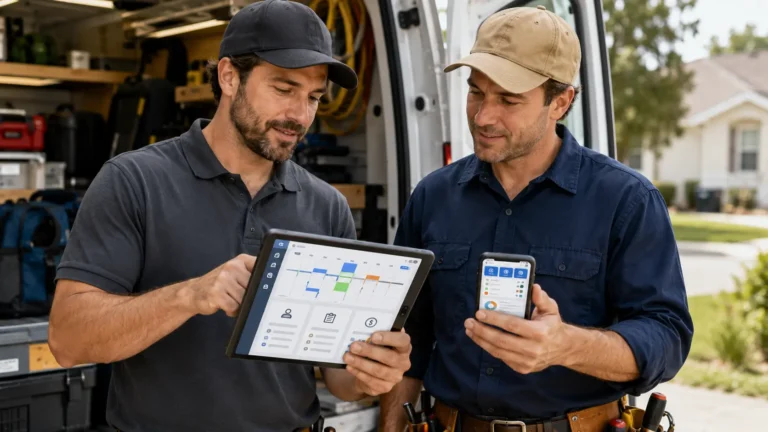
In an integrated field service operation, a new job booking in your CRM immediately creates a scheduling record. The system checks technician availability and certifications in HR before assigning the job. The assigned technician receives the full job details, including customer history and equipment notes, before they arrive on site. When the job is marked complete, hours flow to payroll and an invoice is generated in accounting. The customer record in the CRM updates with what was done.
No one copies anything. No one makes a phone call to verify job details that should already be visible. No one chases down a timesheet at the end of the week. The workflow runs from booking to billing without leaving gaps where errors can happen.
This is what purpose-built field service management software does that a stack of generic tools cannot.
How to Get Started
Start by mapping where data currently crosses between your systems manually. Look for any point where a person is the bridge between two tools. Those are your integration gaps. Anywhere someone is copying, re-entering, or verbally communicating data that should flow automatically is a breakpoint that costs time and creates error risk.
Next, identify which disconnection is causing the most damage right now. For most field service businesses, it is either the gap between scheduling and HR, which leads to dispatch errors, or the gap between job completion and accounting, which leads to billing delays. Fix the highest-cost gap first.
The most reliable path to full integration is a single platform built for field service operations, where CRM, scheduling, HR, and accounting share a common data layer from the start, rather than being connected through integrations that require ongoing maintenance.
MyBusinessPortal.Cloud is built specifically for this. Every module, from customer and job management to scheduling, workforce tracking, and invoicing, is designed to work as one system rather than four tools held together with workarounds.
Connect CRM, Scheduling, HR, and Accounting in One Platform
Stop using manual handoffs to connect customer records, job schedules, workforce data, completed work, and invoices. MBP helps field service businesses manage CRM, Calendar, HR, Accounting, Work Management, and Inventory in one connected system.
Frequently Asked Questions
What is system integration?
Connecting business software like CRM, accounting, work management, inventory, and calendars so data flows automatically.
Why is integration important for small businesses?
It reduces manual work, prevents errors, improves visibility, and allows faster, data-driven decisions.
How does MBP help with system integration?
MBP connects all major modules—CRM, Accounting, Work Management, Inventory, and Calendar—into a single platform.
Can integration save time and money?
Yes. Automation reduces manual entry, avoids duplicate work, and allows employees to focus on revenue-generating tasks.
Do I need technical skills to integrate systems?
MBP provides built-in integration between modules, making it easy for small businesses without coding experience.