Contractors can deliver great work and still lose repeat business if client communication is inconsistent. Missed follow-ups, delayed updates, forgotten project details, and scattered customer notes can make a business look disorganized even when the job quality is strong.
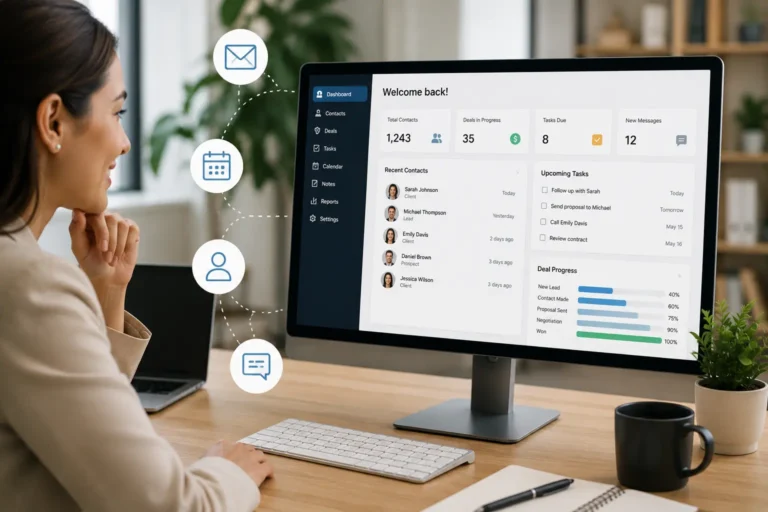
Contractor CRM software helps solve this by keeping client records, conversations, quotes, follow-ups, job history, and reminders in one place. Instead of relying on memory, inboxes, texts, or sticky notes, teams can track every customer interaction and respond at the right time.
When communication is consistent, clients feel informed and valued. That trust helps contractors win repeat jobs, earn referrals, and build stronger long-term relationships.
Quick Answer
How does CRM help contractors build stronger client relationships?
CRM helps contractors build stronger client relationships by keeping customer notes, quotes, follow-ups, job history, reminders, and communication records in one organized system.
This helps teams respond faster, avoid missed follow-ups, keep clients informed, and create a more consistent experience that supports repeat business and referrals.
Client Relationship Problems vs CRM Fixes
| Client Relationship Problem | What Happens Without CRM | How CRM Helps |
|---|---|---|
| Missed follow-ups | Quotes, calls, and check-ins get forgotten. | Follow-up reminders keep the team on schedule. |
| Lost client notes | Important details stay buried in emails, texts, or memory. | Client notes stay attached to one customer record. |
| Poor handoffs | Clients repeat the same information to different team members. | Office, sales, and field teams see the same history. |
| Delayed updates | Clients chase the team for job status. | Teams track job updates and communicate faster. |
| Weak repeat business | Past clients are not contacted after the job ends. | CRM reminders support post-job check-ins and repeat work. |
| Missed referrals | Happy clients are not asked at the right time. | CRM helps trigger referral requests after positive interactions. |
| Incomplete customer history | Teams lack context before calls or new jobs. | CRM stores calls, quotes, notes, service history, and follow-up needs. |
Signs Your Contractor Business Needs CRM for Client Relationships
Your business may need a CRM if strong client relationships depend too much on memory, personal inboxes, or manual follow-ups. Good service matters, but clients also remember how quickly you respond, how clearly you communicate, and how well your team remembers their needs.
Signs include:
| Sign | What It Means |
|---|---|
| Clients ask for updates often | Your communication process is too reactive. |
| Follow-ups happen late or not at all | Your team lacks a reliable reminder system. |
| Quotes are sent but not tracked | Potential jobs may fall through the cracks. |
| Client notes live in different places | Your team lacks one source of customer truth. |
| Repeat clients are not contacted after projects | You are missing relationship-building opportunities. |
| Referrals are inconsistent | There is no clear process for asking satisfied clients. |
| New staff struggle to understand client history | Customer knowledge is stuck with individual team members. |
How CRM Helps Contractors Build Stronger Client Relationships
Contractors build strong client relationships by staying consistent with communication, follow-ups, and project updates. A CRM system makes this possible by keeping all client interactions, notes, and timelines in one place so nothing gets missed.
Instead of relying on memory, contractors can track every conversation, schedule follow-ups, and respond at the right time based on actual project activity. This helps clients feel informed, valued, and confident throughout the entire job.
When communication is consistent and organized, trust builds naturally. Clients are more likely to return for future work and refer others because they know they will get clear updates and reliable service every time.
Why Contractor CRM Improves Client Relationships
Before going deeper, here’s the reality:
Without a system, strong client relationships are difficult to maintain consistently.
A CRM helps you:
- Track every conversation
- Follow up at the right time
- Keep communication consistent
- Build trust without relying on memory
Why Contractors Need CRM for Client Communication
Contractors often work in high-touch environments. Whether you’re building homes, repairing infrastructure, or managing commercial projects, your clients need to feel heard and valued. This is where CRM comes in.
A good CRM helps you communicate frequently with customers, track project progress, and ensure great communication across your entire team. By monitoring preferences, priorities, and previous interactions, a CRM, when used properly, enables you to treat each client as an individual. That is the pinnacle of relationship customization.
Contractors can use contractor CRM software to organize client notes, quotes, follow-ups, communication history, and customer details in one place.
When customer communication turns into booked work, contractor scheduling software helps teams connect appointments, crew availability, and job timing.
For active jobs, work management software helps connect client records to tasks, job updates, and completed work.
Best CRM Features for Contractors
When searching for the best CRM for contractors, look for software that helps your team manage client communication, job history, follow-ups, quotes, and customer details in one place.
| CRM Feature | Why Contractors Need It | Client Relationship Benefit |
|---|---|---|
| Contact records | Keeps customer details organized | Clients do not need to repeat information |
| Follow-up reminders | Prevents missed quotes and check-ins | Leads and past clients feel remembered |
| Job history | Shows past work, notes, and service details | Teams can respond with better context |
| Communication logs | Tracks calls, emails, and messages | Everyone sees the same client history |
| Quote tracking | Shows which proposals need attention | Sales opportunities do not get forgotten |
| Automated reminders | Sends alerts for next steps | Clients receive timely updates |
| CRM and scheduling connection | Links customer details to booked work | Jobs move smoothly from quote to schedule |
| Reports | Shows patterns in leads and repeat work | Owners can improve customer retention |
These features help you be proactive, stay organized, and maintain consistent communication with your clients. If you want a system that combines follow-ups, scheduling, and job tracking in one place, you can explore our contractor CRM software.
How CRM Automation Improves Client Relationships
Automation ensures no interaction is missed.
CRM systems can:
• Send appointment reminders
• Schedule follow-ups automatically
• Track response times
• Alert teams when action is required
• Trigger check-ins after project completion
Automation maintains consistency without increasing workload.
How Bad Internal Handoffs Damage Client Trust
One of the fastest ways to weaken client trust is poor communication between team members. A client explains the job to one person, then has to repeat everything to someone else later. That makes the business feel disorganized.
A CRM reduces this problem by giving your team one shared record for notes, client details, project history, and communication logs. When office staff, sales staff, and field teams all work from the same information, clients get a smoother experience.
Strong relationships depend on consistency. Clients notice when your team is aligned, and they also notice when it is not.
Strong client relationships become easier when your customer records connect to the rest of your workflow. With contractor CRM software, your team can track leads, quotes, customer notes, and follow-ups in one place instead of searching through inboxes or old messages. When that CRM connects with scheduling software for contractors, booked jobs move from customer communication to crew scheduling without duplicate entry.
How CRM Prevents Missed Follow-Ups
A contractor sends a quote for a kitchen remodel on Monday. The client asks one question by email, then stops responding. Without a CRM, that lead may sit forgotten in an inbox while the team moves on to active jobs.
With a CRM, the quote, email history, follow-up reminder, and client notes stay in one place. The system reminds the team to follow up after two days, and the salesperson can respond with full context. That small follow-up can be the difference between a lost opportunity and a booked job.
Why Missed Follow-Ups Cost Contractors Repeat Business
Many contractors lose jobs after the first conversation, quote, or completed project because there is no clear follow-up system. A client may ask a question, request a change, or need time to decide, but the opportunity gets buried in an inbox or text thread.
CRM software helps prevent this by creating reminders for quote follow-ups, post-job check-ins, service reminders, and referral requests. This keeps your business visible after the first interaction and helps clients feel like they are still being taken care of.
For contractors, follow-up timing matters. A simple reminder after a quote, project milestone, or completed job can turn a one-time customer into a repeat client.
Stop Losing Repeat Work From Missed Follow-Ups
MBP helps contractors track client notes, follow-ups, quotes, and customer history in one connected CRM system so no opportunity slips through the cracks.
How CRM Helps Contractors Win Repeat Work
Once you have a CRM in place, it’s time to shift your focus from managing data to building genuine connections.
- Be transparent and communicative throughout every phase of the project.
- Reward loyalty with special offers, thank-you gifts, or referral incentives.
- Create a community around your brand by sharing success stories, updates, and tips.
- Regularly ask for feedback and actually use it to improve your services.
Clients are more likely to return when they feel heard, remembered, and supported after the job is complete. Use your CRM to schedule post-job check-ins, request feedback, send service reminders, and stay connected with loyal customers.
CRM works best when it does more than store contact details. When connected with work management software, every client record can show job history, assigned tasks, completed work, and follow-up needs. This gives your team better context before each call, quote, or service visit.
Why Consistent Communication Builds Trust
Strong client relationships are built through consistent follow-up and reliable communication, not one-off great interactions. A CRM ensures no message, update, or promise slips through the cracks by keeping every interaction documented and visible to your team. When clients receive timely updates and clear next steps every time, trust grows naturally, and your business becomes the contractor they rely on long term.
How CRM Strengthens Your Business Strategy
Effective CRM platforms encourage knowledge sharing among your team, making it easier to onboard new staff or manage growing operations. They also support diversity in communication, allowing you to reach clients via email, phone, text, or even automated messages.
More importantly, they help you understand customer psychology; what drives their decisions, what they care about, and how you can continue to build trust over time.
Client Relationship Problems and CRM Fixes
| Client Relationship Problem | Likely Cause | CRM Fix |
|---|---|---|
| Repeat clients stop calling | No post-job follow-up is scheduled | Set an automatic follow-up 1 to 2 weeks after completion |
| Referrals are rare | No system asks at the right time | Trigger a referral request after a positive check-in |
| Clients chase updates | No proactive update schedule | Log milestone updates and send client notifications |
| Team members give conflicting answers | Communication history is not shared | Centralize notes, calls, emails, and messages in one CRM record |
| Past project details are hard to find | Information is stored in inboxes or memory | Record each call, visit, quote, and message in the client profile |
| Loyal clients feel forgotten | No long-term touchpoints are scheduled | Schedule seasonal check-ins or service reminders |
| Feedback is collected but ignored | Feedback is not connected to process improvement | Tag feedback themes and review patterns monthly |
| New staff lack client context | Client knowledge is stored in someone’s head | Use the CRM as the single source of truth |
Build Stronger Client Relationships With CRM
Contractors who invest in smart customer management tools don’t just win more jobs, they earn loyal clients who return and refer. If you’re ready to take your client relationships to the next level, start by choosing the best CRM for contractors solutions that fits your workflow and values.
If you’re looking for an all-in-one solution, MyBusinessPortal.cloud is a business management software platform designed specifically for contractors, tradesmen, and growing businesses. From job tracking to client communication, it helps you manage the entire customer journey seamlessly.
When you invest in the right CRM, you’re not just organizing data, you’re building strong customer relationship that fuel long-term success.
Work Smarter With MBP
Stop Letting Follow-Ups Slip Away
MBP helps contractors track client notes, quotes, follow-ups, job history, and customer communication in one connected CRM system so more opportunities turn into repeat work.
Schedule a DemoRelated CRM Resources
- CRM Basics: Your Guide to Boosting Business Growth and Retention
- How CRM Helps Contractors Follow Up Without Feeling Pushy
- Contractor Lead Management: Why Leads Get Lost and How to Fix It
- Why Field Contractors Struggle With CRM Adoption and the Fixes That Actually Work
- The Future of CRM: Trends Shaping Customer Experience and Growth
Contractor CRM FAQs
How does CRM help contractors build client relationships?
CRM helps contractors build client relationships by keeping client notes, communication history, job details, quotes, and follow-ups in one place. This helps teams respond faster and communicate with better context.
Why do contractors lose repeat business?
Contractors lose repeat business when follow-ups are missed, communication slows down, and past clients are not contacted after the job is complete. A CRM helps prevent this by keeping follow-up reminders and client history organized.
What CRM features help with client communication?
Useful CRM features include client profiles, follow-up reminders, communication notes, quote tracking, service request tracking, job history, and shared team access.
How does CRM help contractors get more referrals?
CRM helps contractors get more referrals by reminding teams to follow up after successful jobs, request feedback, and ask satisfied clients for referrals at the right time.
When should a contractor start using CRM?
A contractor should start using CRM when client information is scattered, follow-ups are missed, quotes are hard to track, or team members struggle to see the full customer history.
What is contractor CRM software?
Contractor CRM software helps contractors manage client records, quotes, follow-ups, job history, communication logs, and customer relationships in one organized system. It helps teams stay consistent before, during, and after each job.
How does CRM help contractors get repeat business?
CRM helps contractors get repeat business by reminding teams to follow up after quotes, completed jobs, service visits, and customer feedback. These reminders keep the business visible and help clients feel remembered.
Why do contractors miss client follow-ups?
Contractors miss client follow-ups when notes are spread across emails, texts, spreadsheets, paper notes, and memory. A CRM keeps follow-up tasks and reminders in one place so opportunities are easier to track.
What CRM features matter most for contractors?
The most important CRM features for contractors include contact records, quote tracking, follow-up reminders, communication logs, job history, task assignments, scheduling connections, and customer reporting.
Can CRM improve contractor referrals?
Yes. CRM can improve contractor referrals by helping teams request feedback and referrals at the right time, usually after a successful job or positive customer check-in.