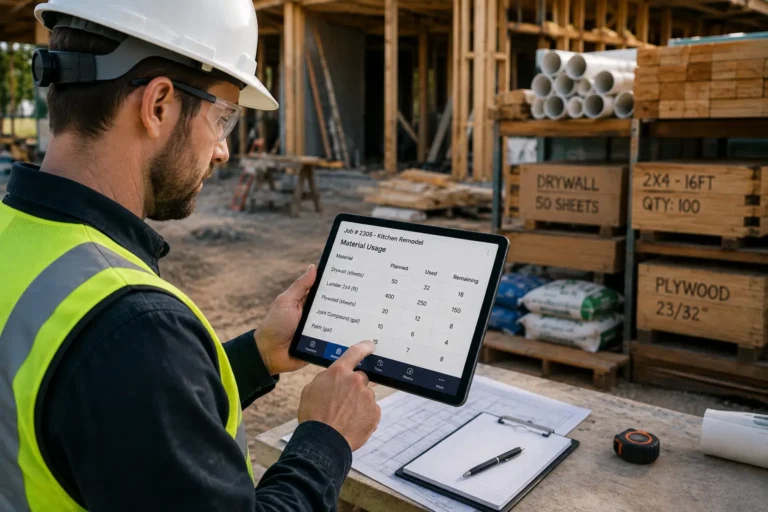
A contractor CRM is useful, but it becomes much more powerful when it connects with scheduling and work orders. If customer information lives in one system, the schedule lives in another, and field updates come through text messages, the business still has too much admin friction.
That is where workflow leakage happens.
A lead becomes a customer, but the job is not scheduled quickly. An estimate gets approved, but the field team does not receive the right details. A work order is completed, but accounting does not know it is ready for invoicing. The customer calls for an update, but nobody has the latest status.
Connecting CRM, scheduling, and work orders helps contractors move from lead intake to completed job with fewer missed steps. When CRM, HR, Inventory, Work Management, Accounting, and Calendar tools work together, office staff, field crews, managers, and customers can stay aligned from first contact to final payment.
Quick Answer
Contractors can connect CRM with scheduling and work orders by automating the estimate-to-job hand-off, syncing the scheduling Calendar, equipping field techs with mobile access, and linking completed work orders to invoicing. This gives teams one connected workflow for leads, customers, appointments, job details, field updates, Inventory needs, HR records, Work Management tasks, Accounting, and payment tracking.
Why Contractor CRM Should Not Work Alone
A CRM helps contractors manage leads, customer records, communication history, quotes, follow-ups, and service opportunities. But if the CRM is not connected to scheduling and work orders, it only solves part of the problem.
The customer may be organized, but the work may still be messy.
For example, the office may enter a lead into the CRM, but then manually copy details into a Calendar. The manager may create a work order separately. The technician may receive job notes by text. Accounting may wait for someone to confirm the job is finished before creating an invoice.
That creates repeated data entry and more chances for mistakes.
A connected contractor system should help the business move through the full job cycle:
- Lead enters the CRM
- Customer details are confirmed
- Estimate is created
- Estimate is approved
- Job is scheduled on the Calendar
- Work order is generated
- Field technician receives the details
- Materials are checked through Inventory
- Employee or subcontractor availability is checked through HR
- Job progress is tracked through Work Management
- Completed work flows into Accounting
- Invoice is created
- Payment is tracked
- Customer follow-up is sent
That is operational continuity. Every step connects to the next.
The Main Problem: Manual Handoffs
Manual handoffs are one of the biggest reasons contractors lose time. Every time information has to be copied, messaged, retyped, or manually confirmed, the risk of delay increases.
Common manual handoff problems include:
- Customer details copied from CRM into a separate schedule
- Approved estimates not converted into jobs quickly
- Work orders created without complete job notes
- Field techs missing customer instructions
- Inventory needs not checked before dispatch
- Job completion not sent to Accounting
- Invoices delayed because work status is unclear
- Customer follow-ups forgotten after the job
These are not small issues. They directly affect job speed, customer experience, and cash flow.
Connecting CRM with scheduling and work orders reduces those handoffs so information moves through the business more cleanly.
Automate the Estimate-to-Job Hand-off
Automate the Estimate-to-Job Hand-off so approved quotes become active jobs without manual re-entry. This is one of the most important workflow improvements for contractors.
When a customer approves an estimate, the system should automatically move the job into the next stage. The customer record, service details, pricing, notes, photos, requested dates, and scope of work should carry forward into the job record.
This prevents office staff from rebuilding the same information again.
An automated estimate-to-job hand-off can help contractors:
- Save admin time
- Reduce duplicated data entry
- Prevent missing job details
- Speed up scheduling
- Improve customer response time
- Keep approved work organized
- Support better Work Management tracking
The goal is simple. Once the customer says yes, the system should help the team act immediately.
What Should Transfer From CRM to the Job
When an estimate becomes a job, important details should transfer automatically.
This may include:
- Customer name
- Customer phone number
- Customer email
- Job location
- Service type
- Estimate details
- Approved pricing
- Scope of work
- Photos or documents
- Internal notes
- Customer preferences
- Requested appointment window
- Required materials
- Assigned salesperson or manager
- Follow-up history
If this information does not transfer, someone has to copy it manually. That creates room for mistakes and slows down the job.
A connected CRM and Work Management system keeps the job moving without forcing the team to chase details.
Sync the Scheduling Calendar
Sync the Scheduling Calendar so approved jobs can be placed into the team’s availability without confusion. Scheduling is where many contractor workflows start to break because the office, field crews, and managers may not be looking at the same Calendar.
A synced Calendar helps everyone see job timing, crew availability, appointment windows, and schedule changes.
This can help contractors:
- Avoid double booking
- Assign jobs faster
- Match jobs to available crews
- Track daily workload
- View appointment windows
- Update schedules in real time
- Reduce customer scheduling delays
- Coordinate office and field teams
Calendar syncing is especially important when jobs change. If the office updates an appointment, the field team should see the change quickly. If a technician reports a delay, the schedule should reflect that update.
Connect Calendar With Work Orders
The Calendar should not just show appointment times. It should connect directly to work orders.
When a job is scheduled, the system should create or update the work order with the correct time, technician, location, job notes, customer details, and required tasks.
This allows field workers to open the Calendar, select the job, and see the full work order.
A connected Calendar and work order system should show:
- Job date and time
- Customer name
- Job address
- Assigned technician
- Service details
- Scope of work
- Required materials
- Special instructions
- Safety notes
- Photos and attachments
- Status updates
- Completion steps
This reduces the need for extra calls between the office and field team.
Equip Field Techs
Equip Field Techs with mobile access so they can manage work orders from the job site. A connected CRM and schedule will not help much if field workers still need to call the office for every detail.
Field techs should be able to view their assignments, customer details, job notes, photos, materials, forms, and completion requirements from a phone or tablet.
Mobile field access should help technicians:
- View daily schedules
- Open assigned work orders
- See customer contact details
- Review job history
- Add notes
- Upload photos
- Record materials used
- Submit progress updates
- Complete checklists
- Capture signatures
- Mark jobs complete
- Trigger invoice readiness
This gives the office real-time visibility while making the technician’s day easier.
Why Mobile Work Orders Matter
Mobile work orders reduce confusion between the office and the field. Instead of sending job details through text messages or printed papers, the business keeps everything inside one trackable system.
This helps contractors avoid:
- Lost job notes
- Missing photos
- Unclear completion status
- Repeated office calls
- Forgotten customer instructions
- Delayed invoices
- Poor documentation
- Disputes over work performed
Field technicians are often the people closest to the actual work. When they can update job records directly, the business gets better information faster.
Connect Inventory to Work Orders
Inventory should connect with work orders so contractors can plan materials before the job starts and record usage during the job.
If materials are not checked until the crew arrives, the job may be delayed. If materials are used but not recorded, inventory levels become inaccurate. If inventory costs do not connect with the job, profit tracking becomes unclear.
Connecting Inventory with work orders helps contractors:
- Check material availability before scheduling
- Assign required parts to jobs
- Track tools and equipment
- Record materials used on site
- Create purchase requests
- Monitor low-stock items
- Improve job costing
- Reduce last-minute supply runs
This is especially useful for contractors managing multiple crews, trucks, warehouses, or repeat service items.
Connect HR to Scheduling and Work Orders
HR data can also support better scheduling and work order assignments. Contractors need to know who is available, qualified, certified, and approved for specific work.
HR tools can help track:
- Employee availability
- Roles and responsibilities
- Certifications
- Training records
- Licenses
- Safety requirements
- Subcontractor documents
- Time-off requests
- Crew assignments
When HR connects with scheduling, managers can assign the right person to the right job. This reduces mistakes caused by sending an unqualified or unavailable worker.
For contractors with compliance-heavy work, this matters a lot.
Link to Invoicing
Link to Invoicing so completed work orders can move into Accounting without delay. This is one of the biggest benefits of connecting CRM, scheduling, and work orders.
When the technician marks the work order complete, the system should help prepare the invoice using job details, approved estimate data, materials used, labor time, change orders, and customer information.
This reduces the gap between job completion and payment request.
Linking work orders to invoicing helps contractors:
- Send invoices faster
- Reduce billing mistakes
- Improve cash flow
- Capture materials and labor accurately
- Match invoices to completed work
- Track payment status
- Keep Accounting records cleaner
- Reduce admin follow-up
If the job is done today, the invoice should not wait until next week because someone forgot to check a text thread.
Estimate-to-Invoice Workflow Example
A connected contractor workflow may look like this:
| Step | Connected Tool | What Happens |
| Lead enters the system | CRM | Customer details and service request are recorded |
| Estimate is created | CRM and Accounting | Pricing, scope, and terms are prepared |
| Estimate is approved | CRM | Job is moved to approved status |
| Job is scheduled | Calendar | Appointment is assigned to a date and crew |
| Work order is created | Work Management | Job details transfer to the field team |
| Materials are checked | Inventory | Required items are reviewed or reserved |
| Technician completes work | Work Management | Notes, photos, and completion status are submitted |
| Invoice is generated | Accounting | Approved work details flow into billing |
| Payment is tracked | Accounting and CRM | Customer record updates with payment status |
| Follow-up is sent | CRM | Customer satisfaction or review request is triggered |
This type of connected workflow reduces manual admin and keeps every department aligned.
Benefits of Connecting CRM, Scheduling, and Work Orders
When CRM, Calendar, Work Management, Inventory, HR, and Accounting tools connect properly, contractors get better control over daily operations.
The main benefits include:
- Faster estimate-to-job conversion
- Fewer missed customer details
- Better schedule visibility
- Less duplicate data entry
- Clearer work orders
- Better field technician communication
- More accurate inventory tracking
- Faster invoicing
- Cleaner accounting records
- Better customer follow-ups
- Stronger reporting
- Less admin stress
The business becomes easier to manage because important information does not get trapped in separate systems.
Common Mistakes to Avoid
Contractors should avoid connecting systems without first cleaning up the workflow. Software cannot fix a process that nobody understands.
Common mistakes include:
- Keeping duplicate customer records
- Using different job names across systems
- Letting field techs update jobs by text only
- Not connecting work orders to invoices
- Ignoring Inventory needs before scheduling
- Forgetting HR requirements for crew assignments
- Allowing everyone to edit everything
- Skipping staff training
- Not testing the full workflow
- Keeping manual spreadsheets as the backup system forever
The goal is to create one reliable operating process, not just connect more tools.
How MBP Helps Contractors Connect the Workflow
My Business Portal helps contractors connect CRM, HR, Inventory, Work Management, Accounting, Calendar, documents, tasks, and reporting in one centralized platform.
Instead of managing leads in one place, schedules in another, work orders through messages, inventory in spreadsheets, and invoices in a separate system, MBP gives contractors a clearer way to manage the full workflow.
MBP can help contractors:
- Track leads and customers through CRM
- Convert approved work into scheduled jobs
- Manage schedules through Calendar tools
- Assign tasks and jobs through Work Management
- Support field teams with job details and updates
- Track materials, tools, and equipment through Inventory
- Manage employee and subcontractor details through HR
- Connect job completion with Accounting visibility
- Store documents and photos with the right records
- Reduce manual handoffs
- Improve office and field coordination
For contractors, connected software means fewer missed steps and more control from first contact to final invoice.
Final Thoughts
A CRM contractor should not sit alone. It should connect with scheduling, work orders, inventory, HR, Accounting, Calendar, and Work Management tools so the business can move from lead to job to payment without unnecessary friction.
By automating the estimate-to-job hand-off, syncing the scheduling Calendar, equipping field techs with mobile work orders, and linking completed jobs to invoicing, contractors can reduce admin work and improve operational continuity.
In 2026, small contractors need systems that connect the full workflow, not more scattered apps pretending to be helpful.
With MBP, contractors can centralize CRM, scheduling, work orders, Inventory, HR, Accounting, Calendar, and daily operations in one place so teams can work faster, communicate better, and keep jobs moving.
Frequently Asked Questions
How do contractors connect CRM with scheduling?
Contractors can connect CRM with scheduling by using software that turns approved leads or estimates into scheduled jobs on a shared Calendar. Customer details, service notes, appointment times, and assigned crews should transfer automatically.
Why should CRM connect with work orders?
CRM should connect with work orders so customer details, approved scope, job notes, photos, and service history can move into the field workflow without manual re-entry. This helps technicians complete jobs with better information.
What is an estimate-to-job hand-off?
An estimate-to-job hand-off is the process of turning an approved quote into an active job. Automating this step helps contractors schedule work faster and avoid missing important customer or job details.
How does connecting work orders to invoicing help contractors?
Connecting work orders to invoicing helps contractors create invoices faster after job completion. Labor, materials, approved pricing, and job details can flow into Accounting, reducing billing delays and improving cash flow.
Why should Inventory connect with work orders?
Inventory should connect with work orders so contractors can check material availability, track parts used, monitor tools, and improve job costing. This reduces delays caused by missing supplies.
How does MBP help connect CRM, scheduling, and work orders?
MBP helps contractors centralize CRM, Calendar, Work Management, Inventory, HR, Accounting, documents, and tasks so leads, schedules, work orders, field updates, and invoices can move through one connected system.