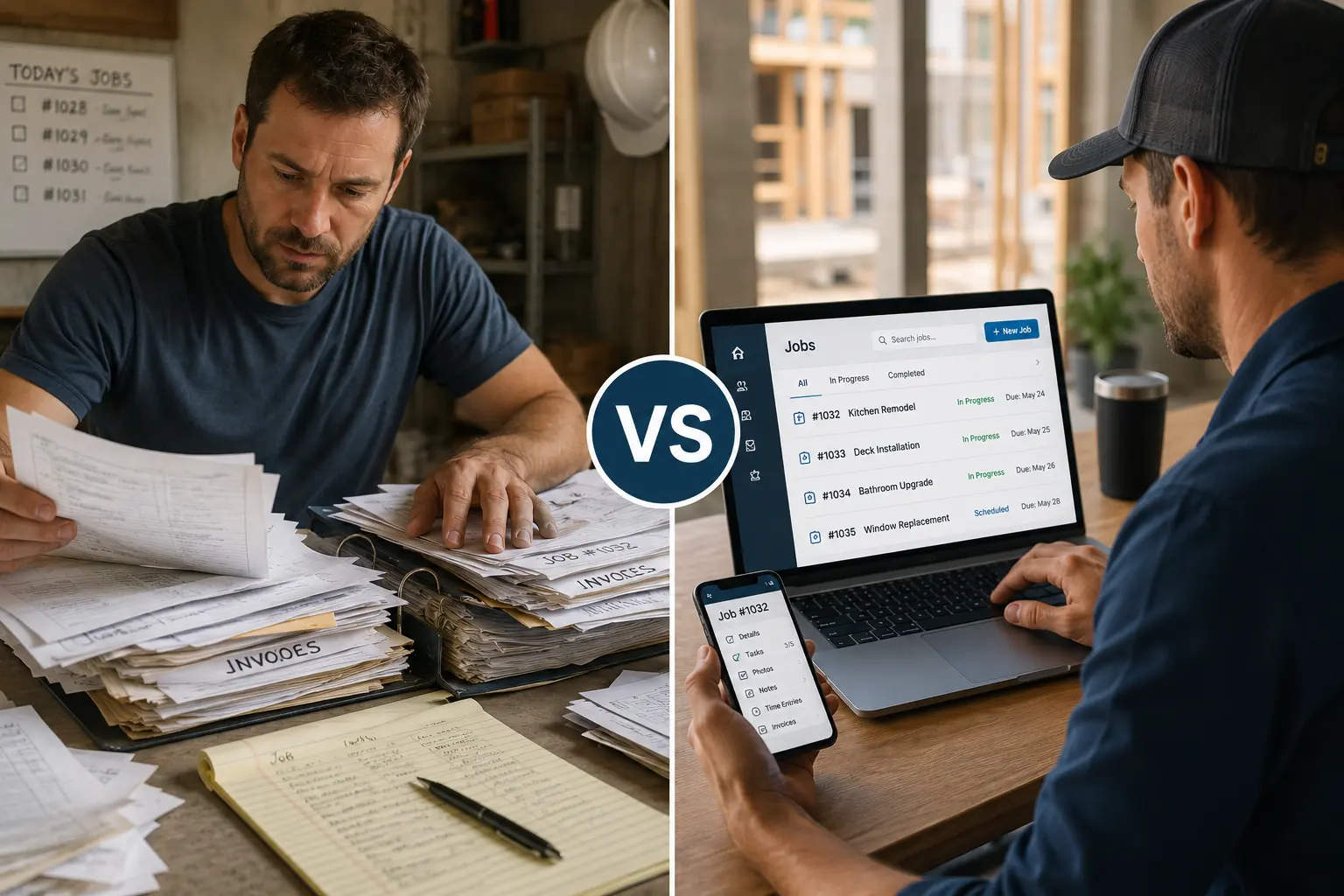
It starts with a notepad. Then a whiteboard. Maybe a few printed forms on a clipboard. Before long, your business is buried in paper and it’s costing you more than you think.
While paper systems can feel familiar, they often lead to missed appointments, lost job details, and scheduling confusion. Digital tools offer an upgrade that’s not just about convenience, it’s about better control.
Quick Answer
Why is digital job tracking better than paper trails?
Digital job tracking keeps job details, assignments, schedules, files, customer information, and progress updates in one shared system. Compared with paper-based tracking, it makes current job information easier for office and field teams to access and reduces reliance on handwritten notes, calls, and manual handoffs.
What Is Digital Job Tracking?
Digital job tracking means using software to manage job details, schedules, work orders, team updates, customer information, and progress notes in one system.
Instead of relying on paper forms, sticky notes, text messages, and scattered files, teams get one place to check what needs to happen next.
For contractors and tradesmen, digital job tracking helps answer important questions:
- Who is assigned to the job?
- What stage is the job in?
- What materials or files are needed?
- Has the client been updated?
- What still needs to be completed?
- Is the job delayed?
- Who needs to take action next?
When everyone works from the same job record, fewer details fall through the cracks.
Why Paper Trails Break Down as Jobs Increase
Paper systems may work when the business is small. But as more jobs, crews, and clients get added, paper tracking becomes harder to manage.
Common problems include:
- Lost paperwork
- Hard-to-read notes
- Duplicate job records
- Missed client updates
- Delayed approvals
- Unclear job ownership
- No real-time visibility
- Slow handoffs between team members
Paper does not update the whole team.
That is the main issue.
When one person changes a note, the rest of the team may not see it. This creates confusion, delays, and avoidable mistakes.
Paper Trails vs Digital Job Tracking
| Job Tracking Area | Paper Trails | Digital Job Tracking |
|---|---|---|
| Job Updates | Updates depend on handwritten notes, calls, or in-person communication | Updates stay visible in one shared system |
| Crew Communication | Office staff and field crews often rely on back-and-forth messages | Teams access job notes, schedules, and updates from one place |
| File Access | Paper forms, photos, and documents get misplaced or delayed | Files stay attached to the correct job record |
| Schedule Changes | Changes get missed when teams do not receive updates fast enough | Schedule changes appear in real time |
| Accountability | Harder to see who completed each step | Easier to track task progress and job status |
| Mistake Risk | Higher risk of lost notes, duplicate work, and missing details | Lower risk because information stays organized |
| Business Visibility | Managers need to chase updates manually | Managers see job progress without constant follow-ups |
Keep Every Job Moving With Less Confusion
MBP helps teams manage work orders, job updates, schedules, customer details, and team activity in one connected system so fewer jobs get delayed by missing information.
Explore Work ManagementPaper Trails vs Digital Tools by Business Size
| Business Type | Paper System Risk | Digital Tool Benefit |
|---|---|---|
| Solo contractor | Notes get scattered across phone, truck, and office | Keeps job details easier to find |
| Small crew | Team members may not get the latest update | Helps everyone check the same job status |
| Growing trade business | More jobs create more paperwork and confusion | Organizes jobs, clients, schedules, and updates |
| Multi-location team | Paper handoffs slow down decisions | Gives teams better visibility across locations |
Signs Your Paper System Is Holding You Back
Your paper process may be slowing the business down if:
- Jobs get delayed because someone missed an update
- Crew members ask the same questions repeatedly
- Client details sit in different notebooks or files
- You rely on memory to track job status
- Work orders are incomplete or hard to find
- Schedules change, but not everyone gets notified
- Admin work takes longer than the actual update
These are not small issues. They affect job speed, client experience, and revenue.
Before and After Digital Job Tracking
| Before Digital Job Tracking | After Digital Job Tracking |
|---|---|
| Job notes are scattered | Job details stay in one system |
| Updates depend on calls and texts | Teams check current job status |
| Paperwork gets misplaced | Files and records stay attached to the job |
| Managers chase updates manually | Job progress is easier to monitor |
| Clients wait longer for answers | Teams respond with better information |
| Crews repeat work or miss steps | Responsibilities are clearer |
Best Digital Tools for Keeping Jobs on Track
The best digital job tracking tools help contractors manage the full workflow, not only one piece of the job.
Look for tools that support:
- Work orders
- Scheduling
- Crew assignments
- Customer records
- Job notes
- File storage
- Status updates
- Reporting
- Invoicing or accounting connections
When these tools work together, your team spends less time chasing information and more time finishing jobs.
Why Paper Trails Cost Contractors More Than Time
Paper-based job tracking can also contribute to financial problems when missing job details delay scheduling, customer follow-ups, documentation, or invoicing.
When job notes get lost, customers wait longer. When schedule changes are missed, crews arrive late or unprepared. When completed work does not get documented, invoices get delayed.
For contractors, paper tracking often leads to:
• Missed job updates
• Lost customer details
• Delayed follow-ups
• Slower scheduling
• Duplicate admin work
• Late invoices
• Confused field teams
A digital system helps your office and field team work from the same information, instead of chasing updates across paper, texts, calls, and whiteboards.
How MBP Helps Keep Jobs on Track
MBP helps contractors replace scattered paper trails with a more organized digital work management system.
With MBP, your team gets:
- Work order visibility
- Job tracking
- Crew scheduling
- Customer records
- Team updates
- File organization
- Better handoffs
- Clearer job status
This helps your business reduce confusion, improve accountability, and keep more jobs moving from start to finish.
Keep Every Job Moving With Better Work Management
Paper trails slow your team down when job details live in notebooks, folders, texts, and emails.
MBP Work Management helps you organize job updates, tasks, files, and team communication in one place so your office and field teams stay on the same page.
Use MBP to track work clearly, reduce missed details, and keep jobs moving from start to finish.
What Digital Tools Do Better
Digital scheduling and job management tools simplify everything:
- Centralize job info, contacts, and notes in one place
- Make real-time updates visible to everyone
- Let you assign jobs through a visual calendar
- Track task status, timelines, and responsibilities through a work management dashboard
- Store records permanently without fading ink or damaged paper
Everything’s organized, searchable, and accessible even from the field. MBP connects contractors with essential business tools including Work Management, Calendar, CRM, Inventory, and Accounting. This helps teams manage jobs, customers, schedules, materials, and operations in one connected system.
Why This Matters for Small Teams
If you’re running a crew of 3, 5, or even 10 people, staying in sync is everything. A missed update or wrong job detail doesn’t just waste time, it costs money.
Digital tools make it easy for everyone to stay informed without chasing down paperwork or playing phone tag. A simple CRM helps small teams keep customer details, job history, and follow-ups in one place.
But What If You’re Not “Techy”?
You don’t need to be an IT expert to ditch paper. The best tools for contractors are designed to be simple, visual, and easy to use even from your phone.
The easier a system is to learn and use in the field, the less training and ongoing support teams may need. They just need a clean app that shows what’s next, where to go, and what needs to get done.
When Should Contractors Move From Paper to Digital Tools?
You should move from paper to digital tools when your current system starts creating missed updates, scheduling problems, delayed invoices, or repeated follow-up issues.
Paper works when the workload is small and simple. It breaks when jobs, crews, customers, and deadlines increase.
A digital work management system helps when:
• Your team handles multiple jobs per day
• Crews need real-time schedule updates
• Customer notes keep getting lost
• Office staff chase job status by phone
• Invoices are delayed because job details are incomplete
• You need a better way to track tasks and responsibilities
At that stage, digital tools can provide a more reliable way to organize jobs, schedules, customer information, and team updates as the workload grows.
Final Take
Paper might feel simple, but digital is smarter. If you’re tired of missed details, back-and-forth calls, or jobs slipping through the cracks, it’s time to level up your process.
At MyBusinessPortal.cloud, we help small teams move off paper and into a streamlined system that actually keeps jobs on track. With tools like our visual calendar, built-in CRM, and work management dashboard, your team can stay organized, informed, and efficient all in one place.
Move Your Team Off Paper
Replace notebooks, spreadsheets, and scattered updates with one connected system for job tracking, scheduling, customer details, and team communication.
Frequently Asked Questions
Why should contractors stop using paper job tracking?
Contractors should stop using paper job tracking when notes, job updates, customer details, and schedules become hard to manage. Paper systems increase the risk of missed updates, lost information, delayed invoices, and team confusion.
What is better than paper job tracking?
Digital job management software is better than paper tracking because it keeps job details, tasks, schedules, customer notes, and updates in one place. It gives office and field teams access to the same information.
What contractor tasks should be digital?
Contractors should digitize lead tracking, customer records, job notes, task assignments, scheduling, work orders, invoices, and follow-ups. These areas directly affect customer experience and revenue.