Running a small team means wearing a lot of hats. One day you’re scheduling shifts, the next you’re double-checking timecards and calculating payroll. For many contractors and service businesses, HR tasks are often handled manually through spreadsheets, texts, or even sticky notes.
That might work when you’re just starting out. But as your team grows and jobs multiply, manual processes become time-consuming and error-prone.
Quick Answer
How do HR tools make scheduling and payroll easier for small teams?
HR tools make scheduling and payroll easier by connecting employee schedules, time tracking, attendance, and payroll information in one system. This reduces manual calculations, prevents scheduling conflicts, and helps businesses maintain accurate employee records.
For contractors and service teams, HR software helps manage employees across job sites by keeping schedules, hours, and workforce information organized.
Smarter Employee Scheduling Without Manual Back-and-Forth
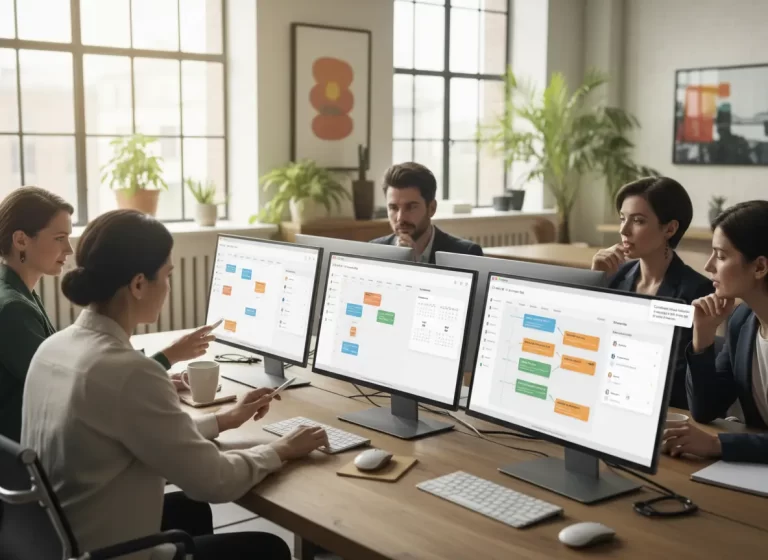
Connecting HR with calendar software helps teams manage shifts, availability, and scheduling changes more efficiently.
Common HR Challenges Small Teams Face
Small teams often struggle with HR because employee information is spread across different tools. Scheduling may happen through messages, attendance may be recorded manually, and payroll calculations may require multiple spreadsheets.
| Challenge | Business Impact |
|---|---|
| Changing schedules | Employee confusion and missed updates |
| Missing time entries | Payroll mistakes and corrections |
| Manual overtime tracking | Incorrect employee payments |
| Multiple job locations | Poor workforce visibility |
| Separate HR files | More administrative work |
A connected HR system helps businesses replace manual coordination with a more reliable process for managing schedules, employee information, and payroll activities.
Coordinating work hours across even a small team can feel like solving a puzzle, especially when you’re managing multiple job sites, time-off requests, and last-minute changes.
HR tools streamline this process by letting you:
- Assign shifts with a few clicks
- See employee availability at a glance
- Prevent scheduling conflicts
- Track hours automatically
Instead of back-and-forth messages or scribbled notes, your schedule is centralized and clear for both you and your team.
Small teams need scheduling tools that connect employee availability with real job assignments. Employee scheduling tools help managers assign shifts, update schedules, and reduce confusion when crew availability changes during the week.
Managing Scheduling and Payroll Across Job Sites and Locations
Many small teams do not work from one fixed location. Contractors, service crews, and mobile staff often move between job sites throughout the day. Managing schedules and payroll across different locations adds complexity that manual systems cannot handle well.
HR tools simplify multi-location coordination by:
- tracking hours based on job site or location
- managing shift changes across different work areas
- keeping payroll accurate even when employees move between assignments
- giving managers visibility into where teams are working
- reducing confusion when schedules change between locations
When scheduling and payroll reflect real job locations, small teams stay organized and pay remains accurate no matter where work happens.
Time Tracking That Keeps Payroll Accurate
Manual time tracking is a recipe for mistakes. Did someone forget to clock out? Did the crew start early or take a longer lunch?
With built-in time tracking, HR software can:
- Let workers clock in/out from mobile devices
- Auto-calculate hours worked
- Flag missed punches or inconsistencies
- Sync time data directly with payroll
This saves hours of manual entry and ensures every paycheck is accurate, no more guesswork or backpay issues.
Time tracking becomes easier when it connects to the work being performed. With work management software for tracking employee tasks and job progress managers can see which jobs employees worked on, what tasks were completed, and how labor hours connect to active projects.
| Manual HR Process | Common Problem | HR Tool Fix |
|---|---|---|
| Spreadsheet schedules | Easy to miss changes | Centralized schedule updates |
| Manual timecards | Incorrect hours | Digital time tracking |
| Text-based shift changes | Confusion and missed updates | Shared employee schedule |
| Manual payroll math | Errors and delays | Payroll-ready reports |
| Paper records | Hard to find information | Centralized employee records |
Payroll Tools That Reduce Manual Calculations and Errors
One of the biggest stress points for small businesses is getting payroll right. When you’re dealing with hourly employees, overtime, and multiple job sites, calculating pay manually can become a full-time job.
Modern HR tools automate this by:
- Pulling hours straight from timesheets
- Applying wage rates and overtime rules
- Generating payroll reports
- Integrating with accounting software or payment processors
You’ll reduce payroll errors, stay compliant, and get your team paid faster with less effort on your part.
Payroll, scheduling, and employee records work better when they stay connected. HR software for contractors helps small teams manage employee details, schedules, payroll-related records, and job assignments without relying on scattered spreadsheets.
Example: How HR Tools Prevent Payroll Mistakes
A small contractor has 6 employees working across 3 job sites in one week. Two employees switch shifts, one technician works overtime, and another forgets to clock out. If the team tracks everything through texts and spreadsheets, payroll becomes a guessing game.
With HR tools, employee schedules, clock-ins, job site hours, overtime, and missed punches are tracked in one system. The manager can review exceptions before payroll runs instead of fixing problems after employees are already paid incorrectly. This saves time and reduces payroll disputes.
Features Small Teams Should Look For in HR Software
The right HR software should help businesses manage employees, schedules, and payroll information without relying on manual processes.
| Feature | Benefit |
|---|---|
| Employee scheduling | Easier shift planning |
| Time tracking | More accurate payroll |
| Attendance management | Reduces missed hours |
| Employee records | Centralized information |
| Reporting tools | Faster HR decisions |
| Availability tracking | Prevents scheduling conflicts |
Simplify Scheduling, Time Tracking, and Payroll
MBP helps small teams manage employee schedules, track work hours, organize job details, and reduce payroll errors from one connected HR system.
Explore MBP HRWhy Organized HR Systems Improve Employee Trust
When your HR systems are messy, your team feels it. Missed shifts, late paychecks, or unclear schedules can lead to frustration and turnover.
HR software gives your crew:
- A clear view of their schedule
- Easy access to timesheets and pay info
- Transparency and trust in how hours and pay are handled
A happier, better-informed team is more likely to stick around and perform at their best.
Why Contractors Need Connected HR Tools
Contractors often manage employees working across different locations, schedules, and projects. Without a centralized HR system, tracking hours, availability, and payroll information becomes difficult.
HR tools help contractors:
- Manage employee schedules across job sites
- Track accurate working hours
- Reduce payroll corrections
- Organize employee records
- Improve workforce planning
When HR connects with scheduling and work management tools, contractors gain better visibility into their daily operations.
HR Software for Contractors and Service Teams
MyBusinessPortal.Cloud provides HR management software for contractors and field service businesses across the United States, including electricians, plumbers, HVAC companies, and installation teams. The platform helps small service businesses manage employee scheduling, time tracking, payroll preparation, and workforce coordination in one centralized system. Teams use MBP to organize job site schedules, track work hours accurately, and simplify HR operations as their workforce grows.
Final Take
If you’re still managing HR with paper, spreadsheets, or memory, it’s only a matter of time before things slip through the cracks. What seems “simple” now becomes stressful as your business grows.
That’s where MyBusinessPortal.cloud comes in. Our built-in HR tools make it easy to manage scheduling, time tracking, and payroll all in one place. And when paired with your calendar, CRM, and work management system, you’ve got a streamlined setup that saves time and reduces costly mistakes.
For service teams, payroll accuracy also depends on clean customer and job records. A connected contractor CRM software setup helps keep customer information, service history, and job details organized before work is scheduled and tracked.
For customer-facing teams, connecting HR with CRM software helps keep customer jobs, employee responsibilities, and service information aligned.
Simplify Scheduling and Payroll for Your Team
Avoid errors, missed hours, and stressful payroll calculations. MyBusinessPortal.cloud helps you manage scheduling, time tracking, and payroll in one system so your team stays organized and your process stays accurate.
Book a demo today
See how HR tools can streamline your operations
Frequently Asked Questions
Why do small teams struggle with scheduling and payroll?
Small teams often rely on manual tools like spreadsheets, texts, or notes. As schedules change and jobs increase, these methods cause errors, missed shifts, and payroll mistakes.
What problems does manual time tracking cause?
Manual tracking leads to missed punches, incorrect hours, and disputes. These errors slow down payroll and create frustration for both managers and employees.
How do HR tools improve employee scheduling?
HR tools centralize schedules in one place. You can assign shifts quickly, see availability, avoid conflicts, and adjust schedules in real time without endless back-and-forth.
How could HR tools improve the efficiency of HR?
HR tools automate scheduling, time tracking, and payroll. This reduces manual work, prevents errors, and saves hours every week. Less admin. More focus on running jobs and growing the business.
How do you prioritize and allocate resources when your team is too small?
Use scheduling and planning tools to see availability, workloads, and time off in one place. This helps you assign the right people to the right jobs, avoid burnout, and make better use of limited staff.
What features should HR software include for small teams?
HR software for small teams should include employee scheduling, time tracking, attendance management, employee records, availability tracking, reporting, and payroll support.
How does HR software reduce payroll mistakes?
HR software reduces payroll mistakes by collecting accurate time data, tracking attendance, managing overtime information, and reducing manual calculations.
Can HR tools help contractors manage employees across multiple locations?
Yes. HR tools help contractors manage employees across multiple locations by organizing schedules, tracking hours, and providing better visibility into workforce activity.
Why should scheduling and payroll systems be connected?
Scheduling and payroll systems should be connected because employee schedules directly affect working hours, overtime calculations, and payroll accuracy.