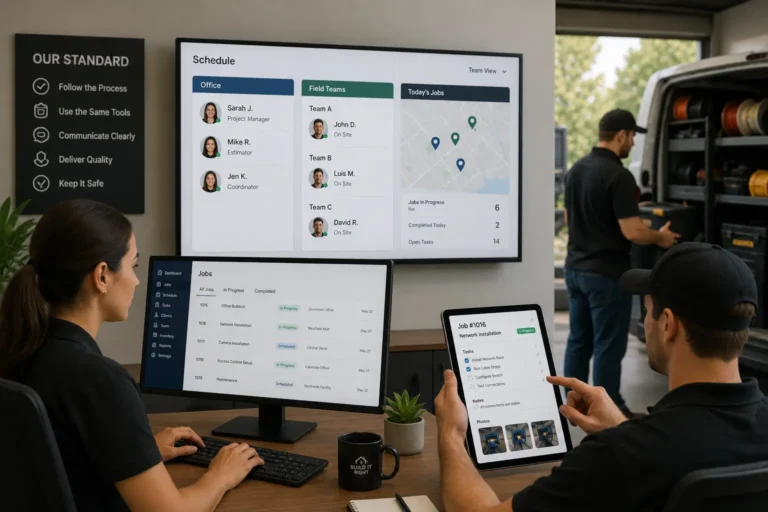
When most business leaders hear “CRM,” they immediately think of sales pipelines and marketing campaigns. While these are critical functions, treating your contractor CRM software solely as a sales tool significantly limits its value.. This siloed approach often leads to disconnected departments and missed opportunities for growth. At MyBusinessPortal.Cloud (MBP), we believe your CRM should be the central nervous system of your entire organization. By adopting a cross-departmental CRM strategy, you can break down internal barriers and streamline workflows. In this post, we will explore how expanding your CRM usage unlocks powerful data insights, enhances customer service, and drives operational efficiency across every level of your enterprise.
At MyBusinessPortal.Cloud, we believe CRM should power the entire organization, not just sales teams. When CRM data connects operations, support, scheduling, and leadership, businesses gain clarity instead of silos.
Quick Answer: How can CRM software help beyond sales and marketing?
CRM software helps beyond sales and marketing by organizing customer records, job history, follow-ups, service requests, schedules, team notes, and customer communication in one system. For contractors and service businesses, CRM can support operations, customer service, work management, scheduling, billing coordination, and repeat business.
CRM Uses Beyond Sales and Marketing
| CRM Use Case | How It Helps the Business | Why It Matters |
|---|---|---|
| Customer service | Stores customer notes, requests, and communication history. | Teams can respond with better context. |
| Job history | Keeps past work connected to each customer. | Repeat service and future quotes become easier. |
| Scheduling support | Connects customer needs with appointment planning. | Jobs can move from inquiry to scheduled work faster. |
| Follow-up tracking | Shows which customers need calls, emails, or quote updates. | Opportunities are less likely to be forgotten. |
| Team visibility | Gives office staff, sales, and operations the same customer record. | Fewer updates get lost between departments. |
| Billing support | Keeps job details and customer records easier to review. | Invoices and follow-ups can move faster. |
| Customer retention | Helps teams track past customers and future needs. | Repeat business becomes easier to manage. |
Why CRM Should Not Only Be Used for Sales
CRM is often treated as a sales tool, but customer information affects the entire business. When customer notes, job history, schedules, service requests, and follow-ups are only used by sales, other teams may still work from incomplete information.
| Business Area | What Happens When CRM Is Sales-Only |
|---|---|
| Customer service | Staff may not see past conversations or service issues. |
| Scheduling | Approved work may not move smoothly into the calendar. |
| Operations | Field teams may not receive full customer context. |
| Billing | Office staff may need to search for job or customer details. |
| Follow-ups | Repeat customers may not receive timely check-ins. |
| Management | Leaders may not see the full customer lifecycle. |
| Retention | Opportunities for repeat work may be missed. |
How CRM Improves Operations for Contractors
For contractors, CRM is not only about leads. It helps connect customer information with daily work, scheduling, job updates, and follow-ups. This makes it easier for office staff, managers, and field crews to work from the same customer context.
| Contractor Workflow | How CRM Helps |
|---|---|
| New inquiry | Captures customer details, service needs, and contact information. |
| Quote follow-up | Tracks estimates, next steps, and customer questions. |
| Job scheduling | Helps approved work move into the calendar. |
| Field preparation | Gives crews access to customer notes and job history. |
| Service updates | Keeps communication tied to the customer record. |
| Repeat work | Helps identify customers who may need future service. |
| Customer issues | Keeps complaints, requests, and resolutions easier to review. |
CRM Features That Support the Whole Business
A business gets more value from CRM when the system supports sales, service, operations, and customer retention together. The right CRM should help teams work from one customer record instead of switching between notes, spreadsheets, inboxes, and separate tools.
| CRM Feature | Business Benefit |
|---|---|
| Customer profiles | Keeps contact details, notes, preferences, and history organized. |
| Communication history | Helps staff understand past calls, emails, and follow-ups. |
| Lead and quote tracking | Shows which opportunities still need attention. |
| Follow-up reminders | Helps prevent missed calls and stale opportunities. |
| Job history | Gives teams context for repeat service or future work. |
| Team notes | Keeps customer updates visible across departments. |
| Workflow connections | Helps CRM connect with scheduling, work management, and accounting. |
Use CRM Across Sales, Service, and Operations
MBP CRM helps contractors organize customer records, leads, quotes, follow-ups, job history, notes, and customer communication in one connected system.
If your CRM only supports sales, MBP gives your team a cleaner way to connect customer information with scheduling, work management, and daily operations.
Explore MBP CRMHow Shared CRM Data Improves Customer Support Operations
One of the most immediate CRM benefits outside of sales is found in customer service and support. When support agents have access to the same data as the sales team, the customer experience transforms from fragmented to seamless. Instead of asking clients to repeat their history, support staff can instantly view past purchases, previous interactions, and specific preferences.
This level of transparency empowers your team to resolve issues faster and with greater personalization. At MBP, our platform ensures that data flows freely between departments. This means that when a customer calls, the agent knows exactly where they are in the customer lifecycle. This holistic view not only improves satisfaction scores but also turns your service department into a retention engine, leveraging data insights to predict needs before they become problems.
How CRM Improves Efficiency Across Multiple Departments
Operational efficiency thrives when manual tasks are automated and communication is streamlined. A robust CRM system acts as a productivity multiplier for teams well beyond the revenue-generating departments. Here are key ways a broader CRM strategy supports the wider organization:
Use CRM to Simplify HR Onboarding
Use CRM workflows to manage the recruitment pipeline, automate onboarding document delivery, and track employee development, ensuring HR teams focus on people rather than paperwork.
Connect CRM With Finance and Billing Workflows
By connecting your CRM with invoicing tools, finance teams can automate billing triggers based on sales milestones, reducing errors and accelerating cash flow.
Improve Inventory and Supply Chain Visibility
Operations teams can utilize sales forecasts stored in the CRM to optimize inventory levels, ensuring resources are available exactly when needed without overstocking.
Keep Project Management Aligned With Client Expectations
When project managers can see the original scope promised by sales within the CRM, it ensures deliverables match client expectations, minimizing scope creep.
How MBP Creates One Connected Operational System
Implementing a cross-departmental CRM is not just about software; it is about refining your overall business strategy. At MyBusinessPortal.Cloud, we design our tools to foster collaboration. When you centralize your operations on MBP, you eliminate the “data silos” that often paralyze decision-making.
The process begins by auditing your current workflows to identify where information gets stuck. We then help you map these processes into the MBP ecosystem. This creates a single source of truth where leadership can analyze real-time performance metrics across the board. Whether it is tracking employee productivity trends or analyzing operational costs against customer value, MBP provides the high-level visibility required to make agile, informed strategic decisions.
Why Cross-Department CRM Creates Smarter Operations
A strong CRM isn’t just a contact list, it’s the engine that keeps your entire operation running smoothly. When CRM extends beyond sales and marketing, you unlock insights that connect teams, improve decision-making, and create a more cohesive business strategy. Data stops living in silos and starts working for everyone.
MyBusinessPortal.Cloud makes this possible by integrating CRM, Work Management, Calendar, and HR into one unified platform. From onboarding and scheduling to customer communication and task execution, every team stays aligned and productive with shared, real-time information.
Don’t let valuable data sit unused. Take a cross-departmental approach to CRM and maximize your business potential. Visit MBP today and see how integrated operations can transform the way you work.
A stronger CRM workflow works best when customer records connect with schedules, daily work, and billing. MBP helps contractors connect CRM with work management, team scheduling, and accounting so customer data, quotes, job updates, follow-ups, and invoices stay organized in one platform.
CRM Beyond Sales and Marketing FAQs
How does shared CRM data improve customer support?
When support teams access full customer history, interactions become faster and more personalized. Clients do not need to repeat information, and agents can resolve issues with complete context.
Why is breaking down data silos so important?
Data silos slow decision-making and create inconsistent information across teams. A centralized CRM strategy ensures that leadership sees one accurate version of performance data.
What does a cross-departmental CRM strategy look like?
It connects customer data, operational workflows, scheduling, HR processes, and financial triggers into one unified ecosystem. Every department works from the same real-time information, reducing friction and improving coordination.
How can CRM help beyond sales and marketing?
CRM can help beyond sales and marketing by organizing customer records, job history, follow-ups, service requests, schedules, notes, and communication history in one system.
Why should operations teams use CRM?
Operations teams should use CRM because customer details affect scheduling, job planning, service delivery, billing, and follow-ups. When operations can see customer history, work becomes more organized.
How does CRM improve customer service?
CRM improves customer service by giving teams access to past conversations, service notes, quotes, job history, and follow-up details before they respond to a customer.
Can CRM help contractors manage repeat customers?
Yes. CRM helps contractors manage repeat customers by tracking service history, past quotes, customer preferences, and future follow-up opportunities.
When should a business use CRM across departments?
A business should use CRM across departments when customer information affects sales, scheduling, service, operations, billing, and customer retention.