Quick Answer
The best accounting software for small contractors includes fast invoicing, expense tracking, job costing, payment tracking, mobile access, and simple financial reports. Contractors need tools that connect money to real jobs, crews, materials, and client work instead of forcing them to manage accounting in a separate system.
Most accounting software is packed with features, but let’s be real — if you’re a small contractor, you probably only use a few of them. And that’s okay.
You don’t need enterprise-level tools or complex dashboards. You just need something simple, fast, and reliable to help you stay on top of your numbers without taking time away from actual work.
Contractor Accounting Features That Matter Most
| Feature | How Contractors Use It | Business Impact |
|---|---|---|
| Job-Based Invoicing | Create invoices from completed jobs, labor, and materials | Helps contractors bill faster and avoid missed charges |
| Expense Tracking | Track fuel, tools, materials, subcontractors, and receipts | Reduces profit leaks and tax-time confusion |
| Job Costing | Compare estimated costs against actual job costs | Shows which jobs protect margin and which jobs lose money |
| Payment Tracking | Monitor unpaid, paid, and overdue invoices | Improves cash flow follow-up |
| Mobile Access | Send invoices and upload receipts from the field | Reduces end-of-day admin work |
| Simple Reports | Review job profit, cash flow, unpaid invoices, and expenses | Helps contractors make faster business decisions |
Features Small Contractors Actually Need
Small contractors do not need accounting software packed with enterprise features they will never use. They need practical tools that help them get paid, track job costs, manage expenses, and understand their numbers without adding extra office work.
Fast Invoicing
Contractors need to send invoices quickly after a job is finished. A good system should let you add labor, materials, job notes, and payment details without rebuilding the invoice from scratch.
Real Job Costing
Job costing helps contractors compare the price they quoted against the real cost of labor, materials, travel, and subcontractor work. This helps prevent underpricing and protects profit margins.
Expense Tracking From the Field
Receipts and material costs should not sit in trucks, text messages, or paper folders. Contractors need a way to capture expenses from the field and connect them to the right job.
Payment Follow-Up
Small contractors need a clear view of paid, unpaid, and overdue invoices. This makes it easier to follow up before cash flow becomes a bigger problem.
Simple Reports
Reports should show what matters most: job profit, unpaid invoices, cash flow, and expenses. Contractors need clear numbers, not complicated dashboards.
Accounting Tools Built for Contractors
MBP Accounting helps contractors manage invoices, job costs, expenses, payments, and reports without disconnecting accounting from daily field work.
Explore MBP AccountingWhat to Look for in Accounting Software for Contractors
- Simple invoicing with templates
- Real-time expense tracking
- Job-based costing
- Mobile access
- Integration with scheduling and CRM
Here are the features that really matter to small contractors and how the right system can make your business easier to manage.
1. Fast, Hassle-Free Invoicing That Gets You Paid Quickly
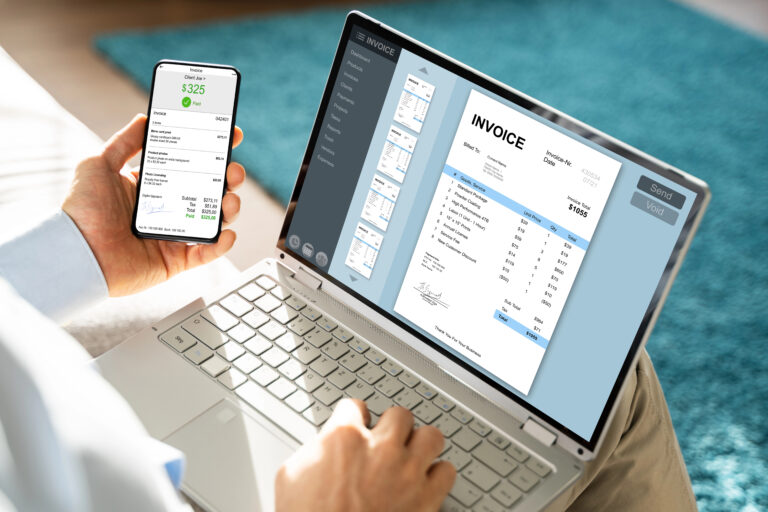
No one wants to spend an hour creating an invoice. The best tools let you create invoices in just a few clicks, add job descriptions, labor, and materials, send directly by email or text, and track which invoices are unpaid or overdue.
Look for an invoicing system that saves templates and syncs with your job schedule. That way, billing becomes part of your workflow, not an extra task.
2. Centralized Expense Tracking That Prevents Profit Leaks
Contractors often juggle receipts, fuel charges, materials, and subcontractor payments. Without a central place to track them, it’s easy to lose money or miscalculate profits.
Useful features include uploading receipts via phone, categorizing expenses automatically, and linking expenses to specific jobs or clients.
The goal is simple: Know where your money is going without sorting through paperwork at tax time.
3. Real-Time Job Costing to Protect Your Profit Margins
Not every job is profitable. You need to know which ones are worth your time.
A good system will let you track labor and materials per project, compare budgeted vs actual costs, and view profit margins in real time.
This helps you price smarter and avoid underquoting in the future.
4. Clear Financial Reports You Can Understand at a Glance
Most small contractors don’t need complex reports. What you really want is a quick view of how much you made this month, a breakdown of which jobs brought in the most money, and an easy way to see unpaid invoices or overdue expenses.
If your accounting software gives you these in a clean dashboard, you’re already ahead of most.
5. Mobile Accounting That Works Wherever You Work
You’re not always at a desk. Whether you’re in the field, at a supplier, or on a lunch break, you need to send an invoice, check payments, or snap a photo of a receipt.
Mobile access saves you hours each week by letting you handle finances from your phone.
Why Accounting Software Should Connect to the Rest of Your Workflow
Accounting gets harder when it lives in a separate system from your jobs, scheduling, and client records. You finish the work in one place, track the client in another, and build the invoice somewhere else. That separation creates delays, missed billable items, and incomplete job costing.
When accounting software connects with your scheduling and CRM, invoicing becomes faster and more accurate. Job details, labor, expenses, and client information stay connected, which gives contractors a clearer view of profit and fewer admin mistakes.
Why the Best Accounting Software Supports Daily Job Operations
The best accounting software for contractors does more than track numbers, it supports how work actually gets done each day. When your accounting system reflects real job activity, invoices, expenses, and payments stay aligned with what happens in the field. This reduces the need to re-enter data or double-check information across different tools. As a result, you get faster billing, more accurate job costing, and clearer visibility into your cash flow without adding extra admin work.
When It’s Time to Upgrade Your Accounting System
- You forget to send invoices
- You don’t know your real profit per job
- Expenses are scattered across notes and receipts
- You only check your numbers at tax time
- You feel unsure about cash flow
Final Take
You don’t need every accounting feature out there. You just need the ones that help you get paid faster, track expenses clearly, and see your numbers without getting buried in reports.
MBP’s Accounting Tools Are Built for Contractors
At MyBusinessPortal.cloud, we built our accounting features with small service businesses in mind. You can easily create invoices, track real-time job costs, organize your expenses, and access clean, quick financial reports, all from one platform, even on your phone.
Frequently Asked Questions
What accounting software features do contractors actually need?
Contractors need fast invoicing with job-linked templates, real-time expense tracking, job-based costing to monitor profit per project, mobile access for field use, and integration with scheduling and CRM. Enterprise features like complex forecasting and multi-entity reporting add complexity without solving the daily operational problems contractors face.
What is job costing in contractor accounting software?
Job costing is a feature that tracks labor, materials, and expenses against a specific project so contractors can compare budgeted costs to actual costs and see real profit margins per job. Without job costing, contractors cannot identify which jobs are profitable and which are being underquoted.
When should a contractor upgrade their accounting system?
A contractor should upgrade their accounting system when invoices are being forgotten, profit per job is unclear, expenses are tracked across scattered notes and receipts, or cash flow is only reviewed at tax time. These are signs the current system is creating financial blind spots that will cost more to fix the longer they go unaddressed.
Why do many contractors avoid their accounting software?
Contractors avoid accounting software when it is built for large businesses rather than small service teams. Cluttered dashboards and reports that are hard to interpret make it easier to ignore the system entirely — which leads to cash flow surprises, missed invoices, and unclear profit margins.
How does mobile accounting help contractors?
Mobile accounting lets contractors send invoices, check payment status, and log expenses directly from a phone while on the job site, at a supplier, or between jobs. For contractors who are rarely at a desk, mobile access reduces the hours lost to administrative backlog at the end of the week.
What is the real cost of poor expense tracking for contractors?
The real cost of poor expense tracking is profit loss that never shows up as a single obvious mistake. Fuel charges, material costs, and subcontractor payments that go unlogged quietly reduce margins on every job. Without centralized expense tracking linked to specific jobs, contractors routinely underestimate costs and overprice or underprice future work as a result.