Why Whiteboard Job Tracking Fails as Your Business Grows
Relying on a whiteboard to track jobs leads to missed updates, scheduling errors, lack of visibility for field crews, and no historical records. As teams grow, whiteboards create confusion instead of clarity.
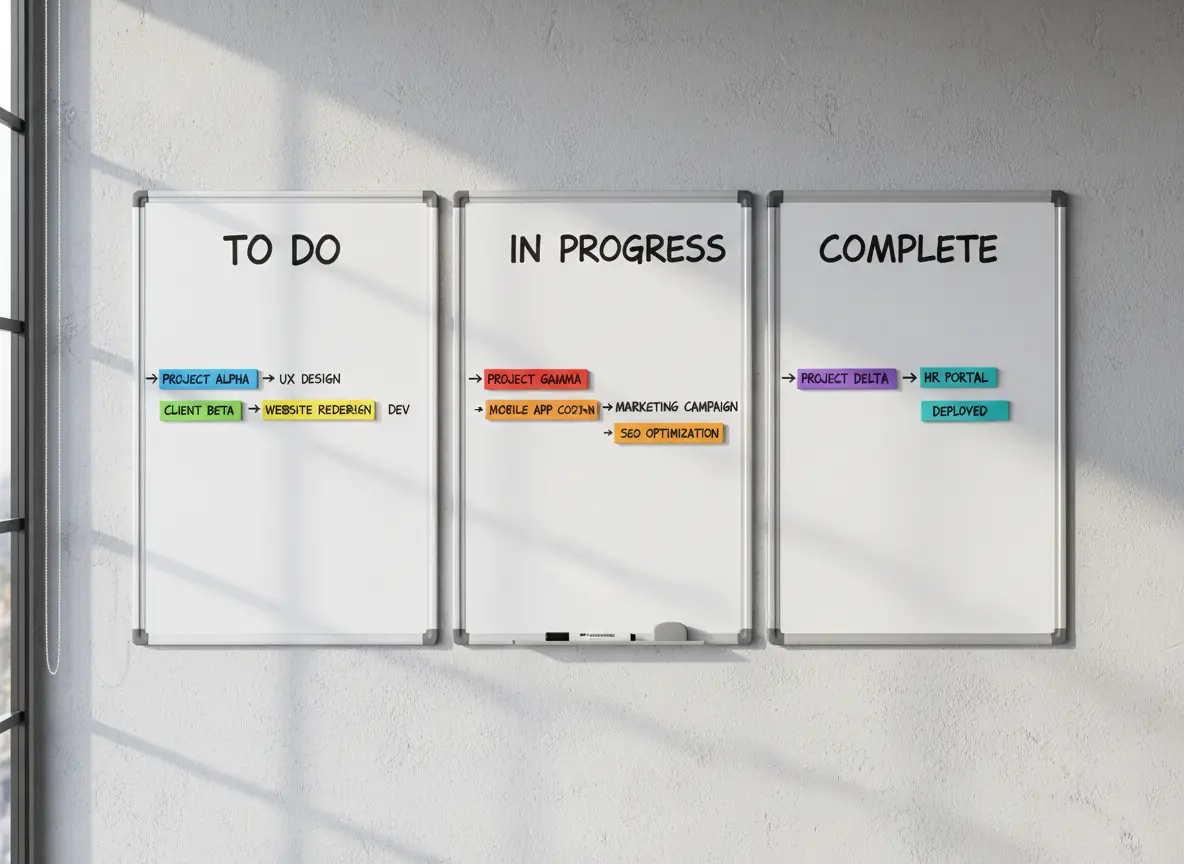
Whiteboards are great for quick notes and team huddles, but when they become your main system for managing jobs, you’re one rainstorm, erased update, or missed glance away from total chaos.
At MyBusinessPortal.cloud, we help teams replace whiteboards with real-time job tracking that works in the office and in the field. Our calendar-driven scheduling software for tradesmen keeps crews, schedules, and updates aligned without guesswork.
If you’re still using a whiteboard to track job schedules, crews, or project updates, here’s what might be happening behind the scenes (whether you realize it or not).
Quick Answer: Why do whiteboards fail for job tracking?
Whiteboards fail for job tracking because they do not update in real time, support remote access, store job history, assign ownership, or alert teams when schedules change. As jobs, crews, and deadlines increase, teams need job tracking software that keeps schedules, updates, notes, and progress visible in one place.
Whiteboards vs Job Tracking Software Table
| Job Tracking Area | Whiteboards | Job Tracking Software |
|---|---|---|
| Schedule updates | Changes must be written manually. | Updates appear in real time for the team. |
| Remote access | Field crews cannot see the board unless they call the office. | Office and field teams can view updates from anywhere. |
| Job history | Erased notes disappear. | Completed jobs, changes, and notes stay recorded. |
| Accountability | Ownership may be unclear unless someone writes it down. | Tasks and jobs can show assigned owners and statuses. |
| Client updates | Staff must check the board before answering clients. | Teams can access job details faster during client calls. |
| Rescheduling | Changes may not reach everyone on time. | Schedule changes can be tracked and shared quickly. |
| Growth | Works only for simple schedules and small teams. | Scales better as jobs, crews, and service areas grow. |
Signs Your Team Has Outgrown Whiteboard Job Tracking
Your team may need job tracking software if the whiteboard no longer gives everyone a clear view of what is happening. A whiteboard works for simple notes, but it starts to fail when jobs change often, crews work in the field, and clients expect fast updates.
Signs include:
| Sign | What It Means |
|---|---|
| Crews call the office for schedule updates | Field teams do not have remote access to job information. |
| Jobs get erased or changed without backup | Your team lacks reliable job history. |
| Clients wait while staff checks the board | Customer communication depends on a manual process. |
| Schedule changes confuse the team | Updates are not shared in real time. |
| Managers keep asking who is assigned | Ownership and accountability are not clear. |
| Completed jobs are hard to review later | The business has no searchable job record. |
| The board gets crowded or messy | The current system cannot handle job volume. |
No Backup System Means Critical Updates Get Lost
Whiteboards don’t come with backups. Once someone accidentally wipes off a job or makes a last-minute change and doesn’t tell the rest of the team, the result is confusion.
Missed job? Wrong address? Technician shows up late?
It’s all possible, and it all starts with one overlooked change.
No Remote Access Leaves Field Teams Disconnected
The minute you step out of the office, that board is useless. Need to check who’s scheduled today? Or update a client on your crew’s ETA?
You’re stuck calling someone back at base and hoping they’re near the board.
Lack of Real-Time Updates Creates Team Confusion
With no real-time sync, your team is always a few steps behind.
One person updates the board, but did the crew actually see it? Are the changes already outdated?
Without alerts or mobile access, your team is left guessing instead of executing.
No Data Tracking Means No Operational Insight
A whiteboard won’t show you:
- Who completed what job and when
- Which jobs were rescheduled and why
- How many hours each technician worked this week
You lose out on insights that help you run smarter and grow faster.
Manual Scheduling Damages Client Confidence
Let’s be honest. When a client calls and you have to say,
“Hold on, let me check the whiteboard…”
It doesn’t inspire confidence.
Modern businesses use modern tools, even small ones.
Upgrade to Digital Job Tracking for Real-Time Control
You don’t have to overhaul your business overnight. But replacing your whiteboard with a simple digital job tracking tool is one of the fastest ways to:
- Eliminate confusion
- Keep your team on the same page
- Save time on every job
- Look more professional to your clients
MBP Helps You Track Jobs Without the Headaches
With MyBusinessPortal.cloud, you get a drag-and-drop calendar, real-time updates for your crew, and an easy way to track every job from quote to completion — all in one place.
No more markers. No more wiped-out schedules. Just smart, simple team management.
Replace Whiteboard Scheduling With Real-Time Job Tracking
MBP Calendar helps teams manage schedules, crew assignments, job updates, and changes in one place. Instead of relying on a physical board, your office and field teams can stay aligned with clearer job visibility.
If your whiteboard creates confusion, missed updates, or too many calls to the office, MBP gives your team a cleaner way to track jobs from schedule to completion.
Explore MBP CalendarWhiteboard Job Tracking FAQs
Why do whiteboards fail for job tracking?
Whiteboards fail for job tracking because they do not update in real time, provide remote access, store job history, or notify teams when schedules change. As the business grows, whiteboards create more confusion.
What is the best replacement for whiteboard job tracking?
The best replacement is job tracking software that helps teams manage schedules, crew assignments, job updates, customer details, and completed work in one place.
Why is remote access important for job tracking?
Remote access matters because field crews need updated job details without calling the office. It helps teams respond faster when schedules, locations, or assignments change.
How does job tracking software improve client communication?
Job tracking software improves client communication by giving staff faster access to job status, crew schedules, service details, and update history during client calls.
When should a business stop using whiteboards to track jobs?
A business should stop using whiteboards when jobs change often, crews work outside the office, updates get missed, clients wait for answers, or managers lack a reliable job history.