There is a version of scheduling that most small business owners know well. Someone needs to confirm a shift. A client wants to move an appointment. A team member calls in and coverage needs to be arranged. Each of these situations triggers a chain of calls, texts, and messages that pulls at least two people away from whatever they were doing, often for longer than the actual scheduling change required.
Multiply that across a week, and a significant portion of everyone’s time is being spent not on the work itself, but on coordinating the work. That cost rarely shows up on a report, but it is real, and it compounds.
Real-time scheduling changes that equation entirely.
Quick Answer
How does real-time scheduling reduce calls and texts?
Real-time scheduling reduces calls and texts by giving office staff, managers, and field crews access to the same updated schedule. Teams can view job assignments, customer details, availability, schedule changes, and job status without repeatedly calling to confirm what changed or where they need to go next.
Manual Calls vs Real-Time Scheduling: Side-by-Side Comparison
| Scheduling Task | Manual Calls and Texts | Real-Time Scheduling |
|---|---|---|
| Assigning jobs to crews | Office calls or texts each crew member individually | Assignments appear directly in the shared schedule |
| Communicating job changes | Updates get missed in call logs or buried in group chats | Changes are visible to everyone in one system immediately |
| Checking crew availability | Managers ask around before assigning the next job | Availability is visible before scheduling any job |
| Sharing job notes and addresses | Notes sent separately through messages, easy to miss | Notes stay connected to the scheduled task |
| Tracking job progress | Office calls crews mid-job to check status | Crews update job status directly in the system |
| Handling delays and changes | Delays are discovered late after clients call in | Schedule visibility helps the team react earlier |
| Planning the next job | Crews wait for a call or text telling them where to go | Crews see what is scheduled next without asking |
| Preventing double bookings | Conflicts surface only after a crew is already booked | Schedule shows conflicts before the booking is confirmed |
How Teams Reduce Back-and-Forth Calls
Back-and-forth calls usually happen when teams do not have one reliable place to check schedule updates. The office calls the crew. The crew calls back for details. A manager sends a text. Then someone asks if the update was confirmed. Productivity gets cooked by communication chaos.
Real-time scheduling reduces that friction by making schedule information easier to access.
| Call Reason | How Real-Time Scheduling Reduces It |
|---|---|
| “Where should I go next?” | Crews can check the next scheduled job. |
| “Did the customer reschedule?” | Schedule changes are easier to view in one place. |
| “Who is assigned to this?” | Crew assignments stay visible. |
| “What are the job notes?” | Notes stay connected to the schedule. |
| “Is this job done?” | Status updates can be tracked directly. |
| “Can we fit another job today?” | Availability and workload are easier to review. |
| “Did everyone see the update?” | Teams work from the same schedule instead of scattered messages. |
When teams reduce unnecessary calls, office staff spend less time chasing updates and field crews spend more time completing work.
The Hidden Cost of Manual Scheduling Coordination
Manual scheduling is not just inefficient. It is fragile. Every piece of information that exists in a text thread, a voicemail, or someone’s memory is one miscommunication away from becoming a problem. A shift change that was confirmed verbally but never updated on a shared calendar. A client appointment that was moved in the booking system but never communicated to the technician handling it. A coverage arrangement that two people remember differently.
These gaps are not the result of careless employees or disorganized managers. They are the predictable outcome of a scheduling process that depends on human communication to stay current. The more people involved and the faster the pace of the operation, the more often those communication chains break down.
Why Calls and Chats Create Scheduling Gaps
Calls and chats feel fast, but they are easy to lose track of.
A manager might confirm a schedule change by phone. A technician might miss the text. A client might reschedule, but the field team never sees the update. The problem is not effort. The problem is that the schedule lives in too many places.
For contractors, this creates:
• Missed appointments
• Delayed job starts
• Double bookings
• Confused crews
• Repeated check-ins
• Slower customer responses
• More admin work for managers
Real-time scheduling fixes this by updating the system once and making the change visible to everyone who needs it.
What Real-Time Scheduling Actually Means
Real-time scheduling means that when anything changes, every person who needs to know about that change sees it immediately, without anyone having to tell them. The update happens in the system, and the system handles the rest.
No confirmation call to make sure someone got the message. No group chat where the important update gets buried under unrelated replies. No version of the schedule that lives in one person’s head and nowhere else.
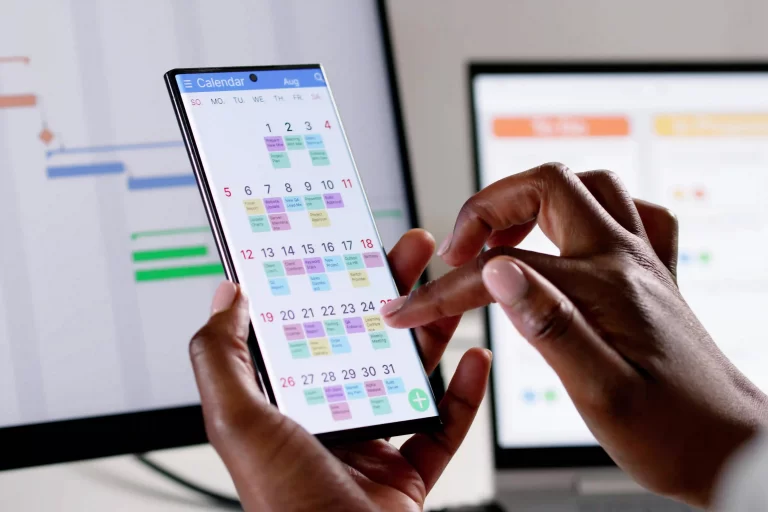
Everyone works from the same current information at all times, whether they are in the office, in the field, or between jobs. A connected calendar system helps contractors update job schedules, crew availability, and appointment changes in real time.
How It Keeps Teams in Sync
Shift Changes Happen Without the Scramble
When an employee needs to swap a shift or a manager needs to adjust coverage, real-time scheduling tools update the calendar instantly and notify the affected team members automatically. The right people see the change, confirm availability if needed, and the schedule reflects reality without a single phone call being made.
For businesses running multiple crew members across different locations or job sites, this is the difference between a smooth operational adjustment and a thirty-minute interruption to someone’s afternoon.
Client Appointments Stay Accurate for Everyone
In service businesses, appointment changes are a constant. Clients reschedule, jobs run long, and availability shifts. When those changes are reflected in real time, the technician, the front desk, and the client are all working from the same updated picture.
The technician does not show up to an appointment that was moved two hours earlier. The client does not get a confirmation reminder for a time they already changed. The front desk does not field a call from a confused client wondering why someone just knocked on their door.
New Bookings Flow Directly Into the Work Schedule
When scheduling integrates with your booking and work management systems, a new appointment does not just appear on a calendar. It becomes a task, a route stop, or a job assignment that the relevant team member can see and prepare for without waiting for someone to manually pass along the details.
The information moves through the system automatically, and the team stays ahead of the day rather than catching up to it.
A complete work management system helps new bookings become assigned tasks, job updates, and work orders without manual handoffs.
How It Benefits Client Relationships
Clients Get Accurate Information Without Follow-Up
When clients book, reschedule, or receive confirmations, they are interacting with a system that reflects what is actually happening. They do not have to call to verify an appointment time. They do not receive a reminder for a slot they already changed. The experience feels organized and professional because the underlying system is organized, not because someone is working hard behind the scenes to manually keep everything aligned.
Fewer No-Shows and Missed Appointments
Automated reminders tied to real-time scheduling mean that clients are notified based on the current schedule, not a snapshot of it from two days ago. A confirmation sent for an appointment that has since been moved is worse than no confirmation at all. Real-time systems eliminate that problem by ensuring every outgoing communication reflects the current state of the calendar.
Response Time Feels Faster
When a client requests a change and the system updates immediately, the response they receive is instant and accurate. There is no lag while someone checks availability, calls a team member, and calls the client back. The availability is visible in real time, the change is made in real time, and the client experiences a business that operates with speed and clarity.
How It Changes the Manager’s Day
Less Time Dispatching, More Time Managing
A significant portion of what passes for management in many small businesses is actually manual dispatching. Checking who is available, communicating assignments, confirming that the right person has the right information at the right time. Real-time scheduling automates the information layer of that work, which means managers can direct their attention toward decisions that actually require judgment rather than logistics that the system can handle on its own.
Visibility Without Micromanagement
When the schedule is live and accurate, managers do not need to check in with individual team members to know where things stand. The current state of the day is visible at a glance. Who is on site, who is between jobs, what is coming up in the next two hours, and where gaps or conflicts exist are all visible without a single status update being requested.
That visibility reduces the need for check-in calls and status messages, which frees up the team to stay focused on the work rather than reporting on it.
Problems Surface Earlier
A scheduling conflict that exists in a live system gets flagged before it becomes a missed appointment or a double-booked crew member. When everything is visible in real time, the window between a problem forming and someone catching it is as small as it can possibly be. Businesses managing multiple crews should also review how to prevent scheduling overlaps between field crews.
The Difference Between a Scheduling Tool and a Scheduling System
A standalone calendar app is a tool. It holds information and displays it. But it does not connect that information to the rest of the business, and it does not move that information to the people who need it automatically.
A real-time scheduling system is something broader. It connects the calendar to client records, work assignments, team availability, and communication, so that a change in one place ripples correctly through all the others. The schedule is not a separate document that needs to be kept in sync with everything else. It is woven into the operation itself.
That distinction matters because it determines whether scheduling coordination remains a daily manual task or becomes something that largely runs itself.
For contractors, the scheduling system should connect the calendar to crew availability, customer records, job assignments, work orders, and follow-up tasks.
How Real-Time Scheduling Keeps Office and Field Teams Aligned
The most common source of scheduling breakdowns in field service businesses is not a lack of effort. It is a gap between what the office knows and what the field knows at any given moment. Real-time scheduling closes that gap by making sure both sides are always working from the same information.
The Office and Field See the Same Schedule
When a job is added, moved, or cancelled, the update appears on every device connected to the system. The office does not need to notify each crew member individually. The crew does not need to call in to confirm whether the schedule changed. Everyone checks the same place and sees the same current state.
This matters most when things change quickly. A client reschedules on short notice. A technician runs long on the previous job. A new booking comes in and needs to be slotted into the day. In a manual scheduling environment, each of these events triggers a chain of calls. In a real-time system, the schedule updates once and everyone adjusts accordingly.
Field Teams Spend Less Time Waiting for Instructions
One of the biggest hidden costs of manual scheduling is the time field crews spend waiting for confirmation before they move to the next job. They finish a job, they are not sure where to go next, and they call in. The office is on another call. Five minutes pass. Ten minutes. That dead time adds up across a team of four, five, or ten technicians every single day.
When the next job is already visible in the schedule before the current one is finished, crews move without waiting. The day flows instead of stalling at every transition.
Job Notes and Customer Details Travel With the Schedule
A schedule update that does not include the job notes, site address, customer contact, and special instructions is only half useful. When scheduling is connected to customer records and work orders, the information the crew needs is attached to the task. They are not calling the office for a gate code or an apartment number. They are not arriving at a job site without knowing what the client requested.
This kind of connected scheduling is what separates a calendar tool from a real scheduling system. MBP Calendar connects job assignments to customer records, crew availability, and work orders so every scheduled task carries the full context the field team needs.
Managers See the Day Without Chasing Updates
A manager who can see at a glance which crews are on site, which jobs are in progress, and what is coming up in the next two hours does not need to make check-in calls. The information is already there. That shift alone recovers a significant amount of time that currently gets spent on coordination instead of management.
Teams that move from manual scheduling to real-time systems typically find that the first thing that changes is not the number of jobs completed. It is the number of interruptions. The calls drop first. Then the day gets longer in all the right ways.
For a broader look at how connected scheduling fits into a full field service workflow, review MBP Work Management.
Scheduling That Works the Way Your Business Actually Moves
Small businesses move fast and change constantly. The scheduling system that supports them needs to move just as fast. When the calendar is always current, always visible to the right people, and always connected to the work that flows from it, the calls and chats that currently fill the gaps become unnecessary.
MyBusinessPortal.cloud brings real-time scheduling together with HR, CRM, work management, and payroll in a single platform built for small business owners who need their tools to stay connected. When a shift changes, a job gets booked, or a client reschedules, the whole operation updates together, and everyone stays in sync without anyone having to make that happen manually.
That is time back in your day, and clarity back in your team’s.
Reduce Scheduling Calls
Keep Every Crew Working From the Same Schedule
MBP helps contractors manage crew assignments, customer appointments, availability, schedule changes, and job updates from one shared calendar.
Explore MBP Calendar Schedule a DemoFrequently Asked Questions
What is real-time scheduling for contractors?
Real-time scheduling for contractors means schedule changes, job assignments, crew availability, and client appointment updates appear instantly in one shared system. This helps office staff and field teams work from the same current information.
How does real-time scheduling reduce calls and texts?
Real-time scheduling reduces calls and texts by updating the schedule in one place and making the change visible to everyone who needs it. Teams do not need to confirm every update manually.
What problems happen without real-time scheduling?
Without real-time updates, teams deal with missed appointments, outdated schedules, and conflicting information. A technician may follow an old schedule while the office has a new one. These gaps lead to confusion, wasted time, and poor client experience.
How does real-time scheduling improve client experience?
Clients receive accurate confirmations, reminders, and updates based on the current schedule. They do not need to call to verify appointments or deal with incorrect timing. This creates a more organized and professional experience.
Why is real-time scheduling important for field teams?
Real-time scheduling is important for field teams because crews need accurate job times, locations, assignments, and updates while they are on the move. Live updates reduce confusion and missed appointments.
Can real-time scheduling help prevent double bookings?
Yes. Real-time scheduling helps prevent double bookings by showing current availability, assigned jobs, and schedule conflicts before another appointment is added.