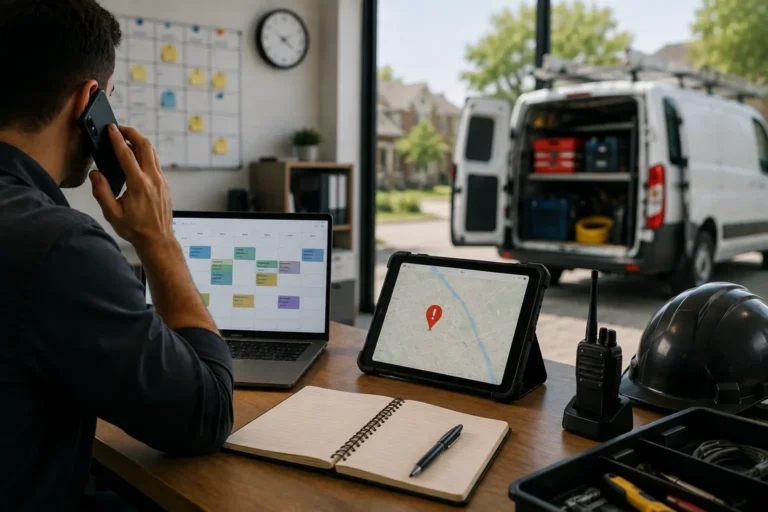
Missed appointments and last-minute cancellations cost businesses time and revenue. Without automated scheduling, customers forget bookings or cancel too late to refill slots.
Manual systems also create gaps in scheduling, leading to inefficient time use and reduced operational output.
Digital scheduling helps reduce no-shows through reminders, automated confirmations, and real-time booking updates.
Quick Answer
How does digital scheduling reduce no-shows and cancellations?
Digital scheduling reduces no-shows and cancellations by sending automated reminders, appointment confirmations, and real-time updates to clients and teams. Everyone sees the latest schedule, which reduces forgotten appointments, missed communication, and last-minute confusion.
No-Show Problems and Digital Scheduling Fixes
| Problem | Impact | Fix |
|---|---|---|
| Missed reminders | Customers forget appointments | Automated reminders |
| Manual booking | Human error in scheduling | Online scheduling system |
| Late cancellations | Lost revenue | Rescheduling automation |
Why Service Businesses Deal With No-Shows and Last-Minute Cancellations
Missed appointments usually come down to one of three things:
- The client forgot the appointment
- The crew didn’t get the latest update
- The job details weren’t clear or confirmed
When you’re managing everything manually, it’s easy for something to fall through the cracks.
How Digital Scheduling Prevents Missed Appointments
A digital scheduling tool is more than just a calendar. It actively helps you avoid costly gaps in your day by automating reminders, updates, and confirmations.
Here’s how it works:
- Instant Scheduling Alerts Keep Teams Updated
Both your team and your clients get notified the moment a schedule is created or changed. - Automated Appointment Reminders Reduce Forgetfulness
Send reminders by text or email before every job, so no one forgets. - Centralized Job Details Reduce Scheduling Confusion
Job details like time, location, and contact info are all in one place, so there’s no confusion. - Real-Time Schedule Sync Keeps Office and Field Teams Aligned
Everyone sees the latest schedule, whether they’re in the office or out in the field.
How Digital Scheduling Helps Businesses Complete More Jobs
When everyone knows what’s happening and when, your day runs more smoothly:
- Clients are less likely to cancel when they get reminders
- Your crew wastes less time chasing updates
- You fill your schedule with real work, not apologies
A digital system turns scheduling from a guessing game into a reliable workflow.
Why Small Scheduling Improvements Create Big Operational Gains
Even just cutting your no-show rate by 10 percent can lead to significant gains in revenue, client satisfaction, and team efficiency.
Imagine:
- One less canceled job per day
- One more slot open for paying work
- One less crew sitting idle waiting for instructions
That’s the kind of improvement that stacks up fast.
Prevent Missed Jobs With Smarter Digital Scheduling
No-shows and last-minute cancellations are frustrating, but they’re not random. With a digital scheduling system, you take control of your calendar, your team, and your time.
How MBP Helps Businesses Reduce Scheduling Gaps
MyBusinessPortal.cloud offers a scheduling system designed for small businesses and contractors. With real-time updates, team coordination, and built-in reminders, you’ll never miss another job due to poor scheduling.
Reduce Scheduling Gaps
Keep Clients and Crews Updated Automatically
MBP helps contractors manage appointments, reminders, schedule changes, customer details, and crew assignments in one shared calendar so fewer jobs are missed because of outdated information.
Explore MBP Calendar Schedule a DemoFrequently Asked Questions
How does digital scheduling reduce no-shows and cancellations?
Digital scheduling reduces no-shows by sending automated reminders, confirmations, and real-time updates to clients and teams. This keeps everyone informed before the appointment and lowers the chance of missed communication. When schedules stay clear, businesses waste less time and complete more jobs.
Why do no-shows usually happen?
No-shows usually happen because clients forget appointments, crews miss updates, or job details are unclear. Manual scheduling systems make these problems more likely because they depend on calls, texts, or handwritten reminders. Digital scheduling reduces those gaps by keeping appointment details visible and updated.
How do automated reminders help clients remember appointments?
Automated reminders notify clients before their scheduled appointment through email or text. These reminders give clients time to confirm, prepare, or reschedule if needed. That simple step helps prevent empty time slots and last-minute confusion.
How does real-time scheduling help field teams?
Real-time scheduling helps field teams see the latest job details, changes, and assignments from anywhere. When a schedule changes, technicians and office staff receive the same updated information. This reduces delays, missed visits, and unnecessary back-and-forth communication.