Notebooks are great for jotting down ideas, grocery lists, or quick reminders on the job. But when it comes to tracking your clients, your projects, and your payments, relying on a notebook is holding your business back.
If you’ve ever flipped through pages trying to remember what a client said, where their project stands, or whether they’ve paid, you already know the problem.
Here’s the reality: a notebook can’t grow with your business. But the right tools can.
Why Paper Notes Break Down as Your Client List Grows
Paper notes break down when client details grow faster than you can manage them. As more conversations, quotes, and follow-ups stack up, it becomes harder to find accurate information quickly. Without a system that organizes and updates client data in one place, missed details and lost opportunities become part of daily operations.
How Centralized Client Management Helps Contractors Win More Jobs
Every client interaction generates important information. Contact details, project requirements, quotes, and follow-up conversations all influence whether a job moves forward or stalls.
When this information is scattered across notebooks, text messages, and emails, it becomes difficult to keep track of what has already been discussed.
A centralized client management system helps businesses maintain clear records, improve communication, and ensure that no opportunity gets overlooked.
The Real Cost of Tracking Clients on Paper (And What You’re Losing)
There’s nothing wrong with writing things down. The issue is what happens next.
When you use a notebook to manage client information:
- You can’t search for anything quickly
- Pages get torn, lost, or coffee-stained
- Follow-ups and deadlines fall through the cracks
- There’s no backup, once it’s gone, it’s gone
And most importantly, you’re spending more time managing information than actually using it.
How Poor Client Tracking Limits Business Growth for Contractors
Let’s say you have 5 clients. Easy enough to write down names, notes, and job details. But what happens when that grows to 20? Or 50?
Without a digital system, things start slipping:
- Missed callbacks
- Forgotten job details
- Confusion over who was quoted what
- Delayed payments from lack of reminders
When you’re still tracking clients on paper, you’re running your business with a blindfold on.
What CRM Software Gives You That a Notebook Never Can
Modern client management tools let you:
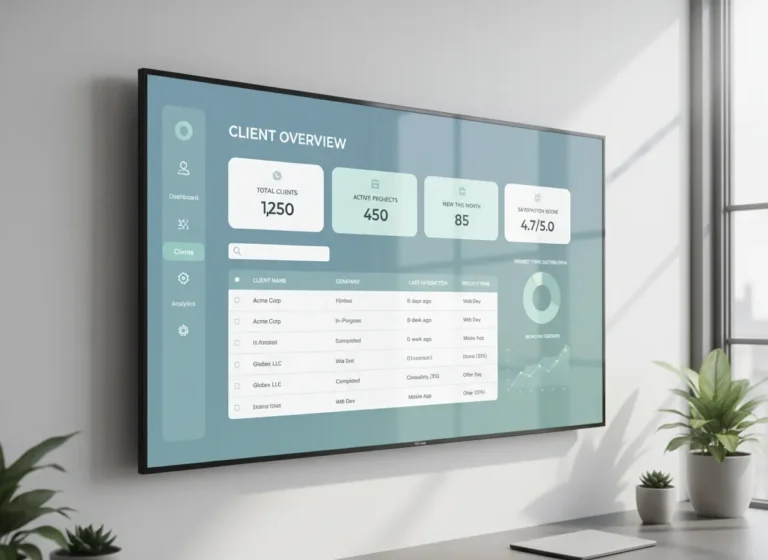
- Store all contact info, project history, and notes in one place
- See where each job stands at a glance
- Set automatic follow-up reminders
- Track quotes, approvals, and payments without flipping through pages
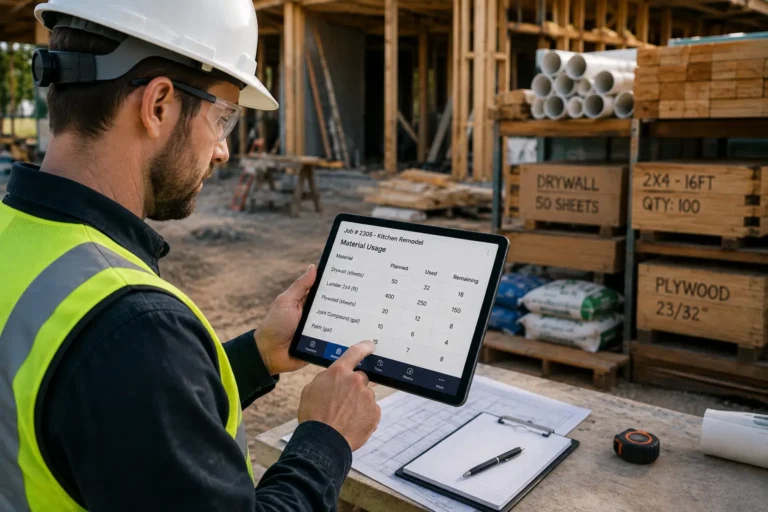
With one quick search, you can pull up everything you need, whether you’re at your desk or out in the field.
How Automated Follow-Up Reminders Help Contractors Close More Jobs
When a client says, “Follow up with me next month,” do you write it down and hope you remember? Or do you lose that lead to someone else who followed up first?
With a digital CRM tool, follow-ups aren’t a guessing game, they’re part of your daily workflow. You’ll know exactly who to call, when to reach out, and what was said last time. That kind of consistency builds trust and closes more jobs.
Replace Your Notebook with CRM Software Built for Small Contractors
If you’re still tracking clients in a notebook, you’re working harder than you need to and putting your reputation at risk every time a detail gets lost or forgotten.
MyBusinessPortal.cloud offers simple, smart business management software that replaces the notebook with an organized, searchable, mobile-friendly system built specifically for small contractors and field-based teams. From client records to job tracking to invoicing, it’s all in one place so nothing gets missed.
Stop flipping pages. Start getting paid faster, smarter, and more professionally with MyBusinessPortal.cloud.
Frequently Asked Questions
Why is a notebook not enough to track clients as your business grows?
Paper notes break down when client details grow faster than you can manage them. As conversations, quotes, and follow-ups stack up, finding accurate information quickly becomes impossible. There’s no search function, no backup if pages are lost or damaged, and no way to connect related information like quotes, approvals, and payment status. What works for 5 clients falls apart at 20 or 50.
What does poor client tracking actually cost a contractor?
The costs are concrete: missed callbacks that hand jobs to competitors, forgotten job details that create confusion, inconsistent quoting, and delayed payments from lack of follow-up reminders. Every lost detail is a potential lost job or damaged reputation — and most of it happens gradually enough that you don’t notice until the damage is done.
What can CRM software do that a notebook never can?
A CRM lets you store all contact info, project history, and notes in one searchable place, see where every job stands at a glance, set automatic follow-up reminders, and track quotes, approvals, and payments without flipping through pages. All of it is accessible whether you’re at your desk or out in the field.