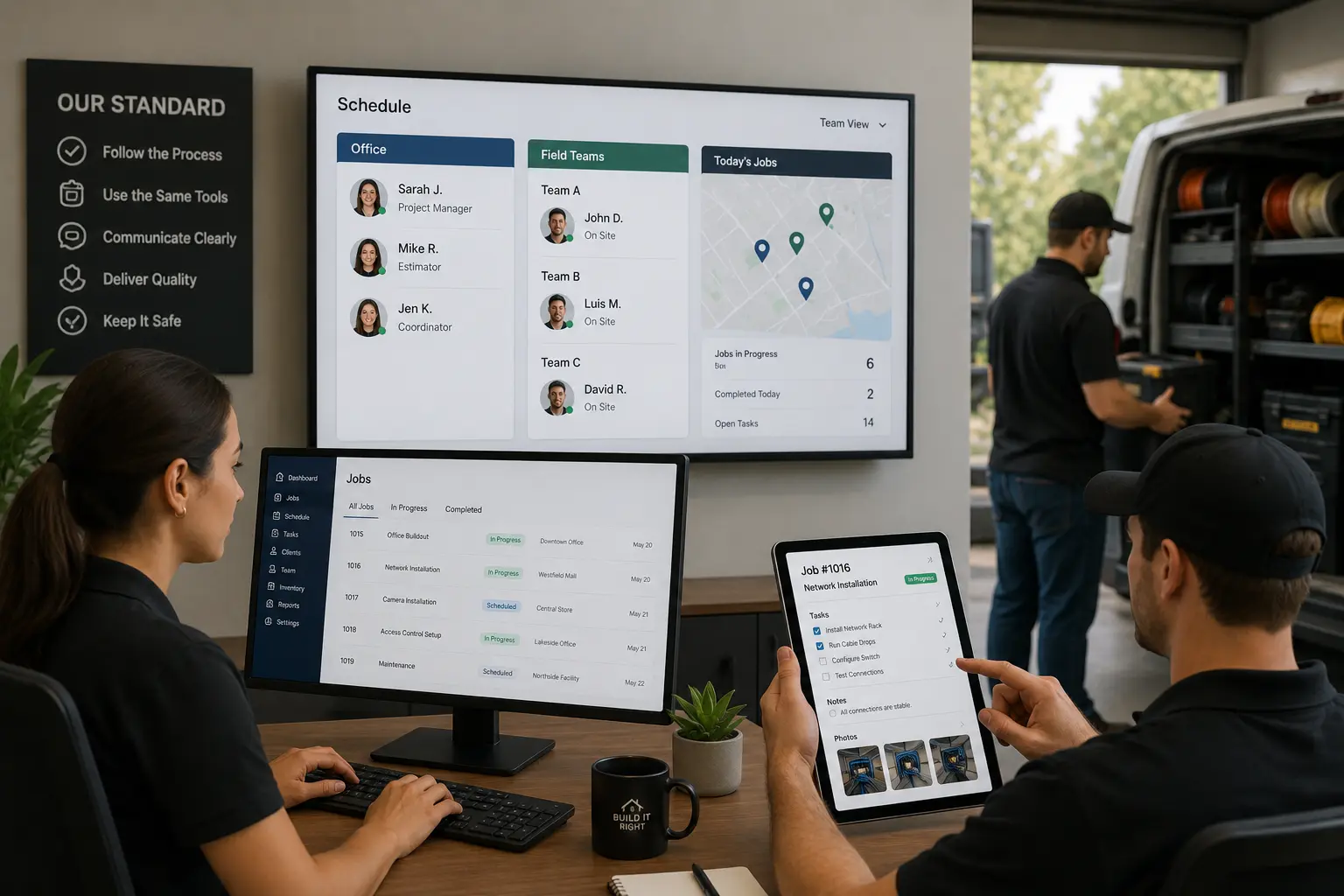
Contractor operations become messy when office staff, field crews, managers, HR, inventory, and accounting teams all work from different systems. Schedules may live in one tool, job notes in text messages, documents in folders, costs in spreadsheets, and invoices in another platform.
That creates handoff friction. Jobs slow down, materials go missing, documents become hard to find, customers receive inconsistent updates, and managers spend too much time chasing information.
Standardizing contractor operations gives every team one shared way to manage jobs, documents, approvals, communication, costs, and accountability. With connected CRM, HR, Inventory, Work Management, Accounting, and Calendar tools, contractors can reduce confusion and keep office and field teams aligned.
Quick Answer
How can contractors standardize operations across office and field teams?
Contractors can standardize operations by creating consistent workflows, assigning ownership, organizing documents, defining approvals, and connecting daily operations through one system.
MBP helps contractors connect CRM, HR, Inventory, Work Management, Accounting, and Calendar tools so office and field teams can follow the same processes and access reliable information.
Why Contractor Operations Need Standardization
Contractors often grow through speed, relationships, and hands-on problem solving. That works early. But once the business has more crews, more customers, more jobs, and more admin, informal processes start to break.
A field worker may know how one supervisor wants reports done, but another supervisor wants something different. The office may store documents by customer name while the field team organizes them by job site. Accounting may need cost information that crews never record. HR may track employee certifications in a separate file that project managers cannot see.
The result is governance drift, where the business slowly moves away from a consistent operating process.
Standardization helps prevent that.
It gives everyone a shared structure for tasks, documents, approvals, job updates, costs, communication, reporting, and accountability.
| Area to Standardize | Common Problem | Best Fix |
|---|---|---|
| Customer records | Duplicate names | CRM ownership |
| Job records | Missing updates | Work Management |
| Cost codes | Inconsistent costs | Accounting rules |
| Documents | Hard to find files | Folder structure |
| Materials | Stock confusion | Inventory tracking |
| Employee records | Expired documents | HR system |
Contractors can use work management software to standardize job tasks, updates, documents, approvals, and field reports in one shared system.
Better field team communication helps contractors reduce missed updates and keep office and field operations aligned.
For customer records, leads, quotes, and follow-ups, CRM software helps teams keep client information consistent across the business.
When standardization affects crews, schedules, and job timing, calendar software helps office and field teams stay aligned.
For employee records, certifications, onboarding, and compliance files, HR software gives contractors a cleaner way to manage workforce data.
For materials, tools, equipment, and stock levels, inventory software helps reduce missing supply issues.
For cost codes, invoices, payments, expenses, and job costing, accounting software helps keep financial records consistent.
Before and After Standardizing Contractor Operations
| Before Standardization | After Standardization |
|---|---|
| Teams use different tools | Teams follow one process |
| Job notes live in texts | Job notes stay with the job |
| Documents are scattered | Files follow one structure |
| Costs are coded differently | Cost codes are consistent |
| Approvals are unclear | Decision rights are defined |
| Managers chase updates | Status is visible in real time |
Manual Contractor Operations vs Connected Operations Systems
| Manual Operations | Connected Operations System |
|---|---|
| Job details stored across texts and spreadsheets | Job information stored in one system |
| Teams follow different processes | Teams follow standardized workflows |
| Managers chase updates manually | Progress is visible in real time |
| Documents are difficult to locate | Files follow a consistent structure |
| Cost tracking requires cleanup | Job costs are easier to monitor |
| Office and field teams work separately | Teams operate from shared information |
Define Master Data Ownership Across Teams
Master data ownership means deciding who is responsible for maintaining the core information the business relies on.
For contractors, master data can include customer records, employee details, job numbers, cost codes, vendor information, equipment lists, inventory items, project documents, and accounting categories.
If nobody owns this data, errors spread quickly. A customer name may appear three different ways in the CRM. A job number may not match the invoice. A material item may be duplicated in inventory. An employee certification may expire without anyone noticing.
Contractors should assign clear ownership for:
- CRM customer records
- HR employee records
- Inventory item lists
- Job and project records
- Vendor details
- Accounting categories
- Cost codes
- Standard document templates
- Equipment and asset records
When master data ownership is clear, every team knows who updates information, who approves changes, and where the correct version lives.
Standardize Cost Codes for Job Costing
Standardize cost code processes so office, field, and accounting teams classify job costs the same way. Cost codes help contractors understand where money is going across labor, materials, equipment, subcontractors, travel, overhead, and change orders.
Without standardized cost codes, job costing becomes unreliable. One crew may record materials under general expenses. Another may record the same type of cost under job supplies. Accounting then has to clean up the information later.
Contractors can also improve material visibility by connecting job costs with inventory tracking.
That creates delays and makes reporting less useful.
Standardized cost codes help contractors:
- Track job profitability
- Compare similar projects
- Improve estimating accuracy
- Reduce accounting cleanup
- Support faster invoicing
- Improve budget control
- Identify cost overruns earlier
Cost code standardization works best when it connects Work Management, Inventory, and Accounting systems. Field teams should be able to select the correct cost code easily when recording labor, materials, photos, notes, or expenses.
Create One Document Structure for Office and Field Teams
Unify document hierarchies so every team stores and finds documents the same way. Contractors depend on many documents, including estimates, contracts, permits, drawings, site photos, safety forms, employee certifications, invoices, purchase orders, change orders, and customer approvals.
If those documents are scattered across email, folders, phones, paper files, and messaging apps, teams waste time searching.
A unified document hierarchy creates a clear structure for storing and naming documents.
For example:
- Customer
- Project or job
- Phase
- Document type
- Date
- Version
- Responsible owner
This structure helps office and field teams find the same documents without asking around.
A connected platform can organize documents inside CRM, HR, Inventory, Work Management, and Accounting workflows. That means customer agreements live with the customer record, job photos live with the job, certifications live with employee records, and invoices connect to accounting.
Define Decision Rights and Approval Rules
Map decision rights so everyone knows who can approve, change, reject, or escalate a decision.
Many contractor delays happen because teams are unsure who has authority. Can the field supervisor approve extra materials? Can the office reschedule a job without manager approval? Who approves overtime? Who signs off on a change order? Who handles a customer complaint?
When decision rights are unclear, employees either wait too long or make decisions they should not make.
Contractors should define decision rights for:
- Schedule changes
- Material purchases
- Change orders
- Customer discounts
- Overtime approval
- Safety issues
- Equipment use
- Job completion signoff
- Invoice adjustments
- Escalated complaints
Clear decision rights reduce delays and protect accountability. They also help new employees understand how the business operates without needing constant verbal instructions.
Formalize High-Volume Contractor Workflows
Formalize high-volume workflow paths for the tasks that happen repeatedly. These are the processes that run through the business every day or every week.
For contractors, high-volume workflows may include:
- New lead intake
- Estimate creation
- Job scheduling
- Job assignment
- Material request
- Daily progress update
- Site photo upload
- Change order approval
- Job completion signoff
- Invoice generation
- Payment follow-up
- Employee onboarding
- Safety documentation
If these workflows are not standardized, every employee may handle them differently. That creates inconsistent customer experiences and internal confusion.
A formal workflow path should answer:
- Who starts the process?
- What information is required?
- Who reviews it?
- Who approves it?
- What happens next?
- Where is it documented?
- What system tracks the status?
Work Management software helps contractors formalize workflows by turning repeated tasks into trackable steps.
Simple Contractor Operations SOP Checklist
Use this checklist for repeated workflows like lead intake, job scheduling, material requests, field updates, change orders, and invoicing.
| SOP Step | What to Define |
|---|---|
| Trigger | What starts the process |
| Owner | Who is responsible |
| Required info | What must be collected |
| Approval | Who signs off |
| System | Where it is tracked |
| Deadline | When it must be done |
| Next step | What happens after completion |
Use Field-First Digital Tools to Standardize Daily Work
Deploy field-first digital tools that are easy for crews to use from job sites. Standardization fails when the office creates processes that field workers cannot realistically follow.
Field teams need tools that work on mobile devices, load quickly, show only relevant information, and make updates simple.
A field-first system should help crews:
- View job details
- Upload site photos
- Submit daily progress reports
- Complete safety forms
- Record materials used
- Update job status
- Capture customer signatures
- Report delays
- Access documents
- Confirm arrival and completion
If the field team has to fight the system, they will avoid it. Then the office loses real-time visibility.
Good contractor software should support the field team first, not treat them like an afterthought.
| Field Need | Why It Matters |
|---|---|
| Mobile access | Crews update jobs on site |
| Simple forms | Fewer skipped updates |
| Photo uploads | Better proof of work |
| Offline access | Works in weak signal areas |
| Job notes | Less office back-and-forth |
| Status buttons | Faster progress updates |
Role-Based Interfaces for Office and Field Teams
Role-based interfaces show each employee the information they actually need.
A field technician does not need the same dashboard as the owner. An accounting user does not need the same view as a crew lead. An HR user does not need full project cost controls. A project manager does not need to see every payroll detail.
Role-based interfaces reduce clutter and help each person focus on their work.
For example:
- Field crews see tasks, job notes, forms, schedules, photos, and customer details.
- Office admins see schedules, leads, customer records, documents, and follow-ups.
- Managers see workload, approvals, delays, costs, and performance reports.
- HR users see employee records, certifications, onboarding, and compliance files.
- Inventory users see stock levels, materials, equipment, and purchase needs.
- Accounting users see invoices, payments, expenses, and job costing.
Role-based access also protects sensitive information and improves accountability.
Logic-Based Forms for Better Field Data Collection
Logic-based forms help contractors collect accurate information without overwhelming employees. These forms change based on the answers provided.
For example, if a field worker marks a safety issue as present, the form can automatically request photos, notes, severity level, and supervisor notification. If a job is marked incomplete, the form can ask for the reason, required materials, estimated delay, and next action.
Logic-based forms can be used for:
- Safety inspections
- Daily reports
- Equipment checks
- Job completion forms
- Change order requests
- Customer signoffs
- HR onboarding
- Incident reports
- Inventory requests
- Quality checks
This helps contractors collect better data while making the process easier for employees.
Real-Time Project Controls for Contractor Operations
Real-time project controls give contractors visibility into job progress, schedules, costs, resources, and risks while the work is still happening.
Without real-time controls, managers often discover problems too late. A job may already be over budget. A crew may already be behind. Materials may already be missing. A customer may already be unhappy.
Real-time project controls help managers monitor:
- Job status
- Schedule changes
- Labor hours
- Material usage
- Inventory availability
- Change orders
- Safety documentation
- Customer approvals
- Field updates
- Budget variance
- Invoice readiness
This helps contractors move from reactive management to better operational control.
When CRM, Work Management, Inventory, HR, and Accounting tools are connected, managers can see how one issue affects the entire business.
Build a Clear Communication Rhythm Between Office and Field Teams
Structure the communication rhythm so office and field teams know when and how updates happen.
Poor communication is not always caused by people failing to talk. Sometimes it is caused by the lack of a clear communication system.
Contractors should define:
- What gets reported daily
- What gets reported weekly
- Who attends which meetings
- Which updates belong in the system
- Which issues require escalation
- Which updates go to customers
- Which updates go to managers
- What communication should not happen through text only
A structured communication rhythm reduces noise. It also prevents important updates from being buried in casual message threads.
Operational Lookaheads for Upcoming Jobs
Operational lookaheads help contractors plan upcoming work before problems appear. Instead of only focusing on today’s tasks, managers review the next several days or weeks to identify risks early.
A good operational lookahead may include:
- Upcoming jobs
- Crew availability
- Material requirements
- Equipment needs
- Customer access requirements
- Permits or documents needed
- Weather risks
- Subcontractor coordination
- Job dependencies
- Scheduling conflicts
Lookaheads help teams prepare before job sites are waiting. They are especially useful when connected to Inventory, Work Management, and Accounting systems.
Morning Huddles for Daily Crew Alignment
Morning huddles give teams a simple way to align before the day starts. These meetings should be short, structured, and focused on execution.
A contractor morning huddle may cover:
- Today’s jobs
- Crew assignments
- Safety notes
- Priority tasks
- Customer issues
- Material needs
- Schedule changes
- Delays from yesterday
- Escalation items
The huddle should not become a long meeting that steals time from the day. It should create clarity.
When morning huddles connect with the company’s Work Management system, teams can use real job data instead of relying on memory.
Escalation Rules for Urgent Contractor Issues
Strict escalation slates define which issues must be escalated, who receives them, and how quickly they should be handled.
Without escalation rules, small issues either get ignored or sent to everyone. Both are bad.
Contractors should create escalation rules for:
- Safety incidents
- Customer complaints
- Job delays
- Missing materials
- Failed inspections
- Crew shortages
- Change order disputes
- Equipment breakdowns
- Payment issues
- Compliance risks
A strict escalation slate helps the business respond faster without creating unnecessary panic.
The goal is simple. Send the right problem to the right person at the right time.
Audit Compliance and Improve Contractor Processes
Audit compliance and refine processes regularly so standardization does not fade after the first rollout. Even strong systems can drift if nobody checks whether teams are using them correctly.
Contractors should review whether:
- Field teams submit reports on time
- Job photos are attached correctly
- Cost codes are used consistently
- Documents follow the correct hierarchy
- Safety forms are completed
- Inventory updates are accurate
- HR records are current
- Accounting data matches job records
- Workflows are followed
- Escalation rules are being used
The goal of audits is not to blame employees. The goal is to find where the process is unclear, too slow, or hard to follow.
Track Contractor Operations KPIs
Establish core integration KPIs to measure whether the office and field systems are working together properly.
Useful KPIs may include:
- Job update completion rate
- Estimate-to-job conversion rate
- Average time from job completion to invoice
- Number of missing job documents
- Cost code accuracy rate
- Inventory stockout frequency
- Safety form completion rate
- On-time job start rate
- Change order approval time
- Customer follow-up completion rate
- Payment collection time
- Field report submission rate
These KPIs help contractors see whether standardization is actually improving the business.
Run Regular Process Audits
Run regular process audits to check whether workflows still match how the business operates.
A process that worked for five employees may not work for fifteen. A document structure that worked for one service line may not work for multiple crews. A manual approval step that once made sense may now slow everything down.
Regular process audits help contractors identify:
- Outdated steps
- Duplicate work
- Missing approvals
- Unused forms
- Confusing fields
- Workflow bottlenecks
- Poor system adoption
- Reporting gaps
- Integration issues
Process audits are how contractors keep operations sharp instead of letting the system become digital clutter.
Use Employee Feedback to Improve Workflows
Incentivize feedback loops so employees help improve the system. Field workers and office staff often know exactly where processes break, but they may not speak up if feedback feels ignored.
Contractors should create simple ways for employees to report:
- Confusing forms
- Missing information
- Repeated delays
- Unclear responsibilities
- Difficult mobile steps
- Document issues
- Customer communication gaps
- Inventory problems
- Accounting handoff issues
Feedback loops help the business improve from real use, not just management theory.
The best standardization is not created once and then forgotten. It evolves with the team.
Signs Your Contractor Business Needs an Operations System
Your contractor business may need a connected operations system if:
- job information is stored in multiple places
- crews depend on texts for updates
- managers spend hours chasing status reports
- documents are difficult to locate
- inventory information is outdated
- scheduling changes create confusion
- accounting needs manual cleanup
A standardized system helps contractors replace scattered processes with repeatable workflows that improve visibility and accountability.
How MBP Helps Standardize Contractor Operations
My Business Portal helps contractors bring office and field operations into one connected platform. Instead of managing CRM, HR, Inventory, Work Management, Accounting, documents, and daily updates across disconnected tools, MBP gives teams a more centralized way to work.
MBP can help contractors:
- Centralize customer records through CRM
- Manage employee data, certifications, and documents through HR
- Track materials, tools, and stock through Inventory
- Organize tasks, schedules, workflows, and field updates through Work Management
- Improve billing, expenses, job costing, and payment visibility through Accounting
- Reduce scattered admin
- Improve office-to-field communication
- Standardize documents and workflows
- Track responsibilities and approvals
- Give managers real-time visibility into operations
For contractors, standardization is not about adding more bureaucracy. It is about making the business easier to run.
Final Thoughts: Give Office and Field Teams One Operating System
Contractor operations become harder to control when office and field teams work from different systems, different documents, and different expectations. Standardization gives the business a shared operating structure.
By defining master data ownership, standardizing cost codes, unifying document hierarchies, mapping decision rights, formalizing workflows, deploying field-first tools, using role-based interfaces, creating logic-based forms, monitoring real-time project controls, and building a strong communication rhythm, contractors can reduce confusion and improve execution.
With connected CRM, HR, Inventory, Work Management, and Accounting tools, MBP helps contractors create one reliable system for office and field teams.
The result is less chasing, fewer missed details, better accountability, and a business that runs with more control.
Give Office and Field Teams One Connected Operating System
MBP helps contractors standardize daily operations by connecting CRM, HR, Inventory, Work Management, Accounting, and Calendar tools in one platform.
Reduce scattered information, improve team visibility, and create consistent workflows that help your business scale.
Schedule a DemoRelated Contractor Operations Resources
- Field Service Software Requirements Checklist for Small Contractors
- How Work Management Software Improves Field Team Communication
- How Real-Time Job Updates Keep Office and Field Teams Aligned
- Why Projects Fall Behind and How Work Management Systems Prevent Delays
- 12 Time-Wasting Contractor Tasks You Should Automate in 2026
Frequently Asked Questions
How do contractors standardize operations across office and field teams?
Contractors can standardize operations by creating shared workflows, defining data ownership, using consistent cost codes, organizing documents, setting decision rights, deploying field-first tools, and connecting CRM, HR, Inventory, Work Management, and Accounting systems.
Why is standardization important for contractors?
Standardization helps contractors reduce confusion, improve communication, control costs, track job progress, manage documents, support field crews, and create more consistent customer experiences.
What are cost codes in contractor operations?
Cost codes are categories used to track project expenses such as labor, materials, equipment, subcontractors, travel, overhead, and change orders. Standardized cost codes help improve job costing and accounting accuracy.
What are field-first digital tools?
Field-first digital tools are systems designed for crews to use easily on job sites. They help field teams access job details, submit reports, upload photos, complete forms, and update job status from mobile devices.
How does CRM help contractor operations?
CRM helps contractors manage leads, customers, job history, communication, follow-ups, quotes, and customer records. It keeps customer-facing work organized across the business.
How can MBP help contractors standardize workflows?
MBP helps contractors centralize CRM, HR, Inventory, Work Management, Accounting, documents, tasks, and reporting. This gives office and field teams one connected system for managing daily operations.
What software helps contractors standardize operations?
Contractors can use connected operations software that combines CRM, HR, Inventory, Work Management, Accounting, and Calendar tools to manage jobs, employees, materials, and customer information in one system.
How does standardizing contractor operations improve efficiency?
Standardizing contractor operations improves efficiency by reducing repeated work, improving communication, creating consistent workflows, and helping teams access accurate information faster.
Why do contractor businesses struggle with disconnected systems?
Contractor businesses struggle with disconnected systems because job details, schedules, documents, costs, and communication are often stored across multiple tools. This creates delays and increases administrative work.
When should contractors invest in operations software?
Contractors should invest in operations software when manual processes create missed updates, scheduling problems, document issues, inventory confusion, or difficulty managing growing teams.