For small contractors and service teams, strong client relationships are the foundation of steady work, repeat business, and referrals. But building those relationships consistently can be hard especially when your day is already packed with site visits, crew management, quotes, and scheduling.
Even when the service itself is good, delayed replies, missed follow-ups, and forgotten client details can weaken the customer experience.
If you’ve ever meant to check in with a customer, send a quote, or confirm a job but forgot you’re not alone. That’s where a CRM (Customer Relationship Management) system quietly becomes your most powerful relationship tool.
For contractors, client relationships are often won or lost through small moments. A delayed quote, missed check-in, forgotten job detail, or slow reply can make a client feel like they are not a priority.
CRM software gives contractors a simple way to keep every client interaction organized. Instead of relying on memory or scattered notes, teams can track what was promised, who needs a reply, and what should happen next.
Quick Answer
How does a CRM build stronger client relationships?
A CRM helps contractors build stronger client relationships by keeping customer details, job history, quotes, follow-ups, communication notes, and next steps organized in one place. This makes it easier for teams to respond consistently, remember important details, and avoid missed follow-ups.
Client Relationship Problems and CRM Fixes
| Client Relationship Problem | How It Hurts Trust | CRM Fix |
|---|---|---|
| Missed follow-ups | Clients feel ignored or move to another contractor | Follow-up reminders and task alerts |
| Delayed quotes | Leads lose interest before the business responds | Quote tracking and next-step reminders |
| Scattered client notes | Teams forget preferences, job details, or past conversations | Centralized customer profiles |
| Slow response times | Clients question reliability and professionalism | Real-time lead and message visibility |
| Team miscommunication | Different staff members give inconsistent updates | Shared client history and team notes |
| No repeat-client process | Past customers are not re-engaged | Scheduled check-ins and relationship tracking |
Here’s how a CRM helps you build stronger, longer-lasting client relationships without adding more to your plate.
1. Centralize Client Information in One CRM
When a client calls or messages you, do you know right away:
- When was their last job?
- What quote did you send them?
- Who spoke to them last?
- What stage of the project they’re in?
If you’re digging through emails, notes, or spreadsheets to find that info, you’re already starting the conversation behind.
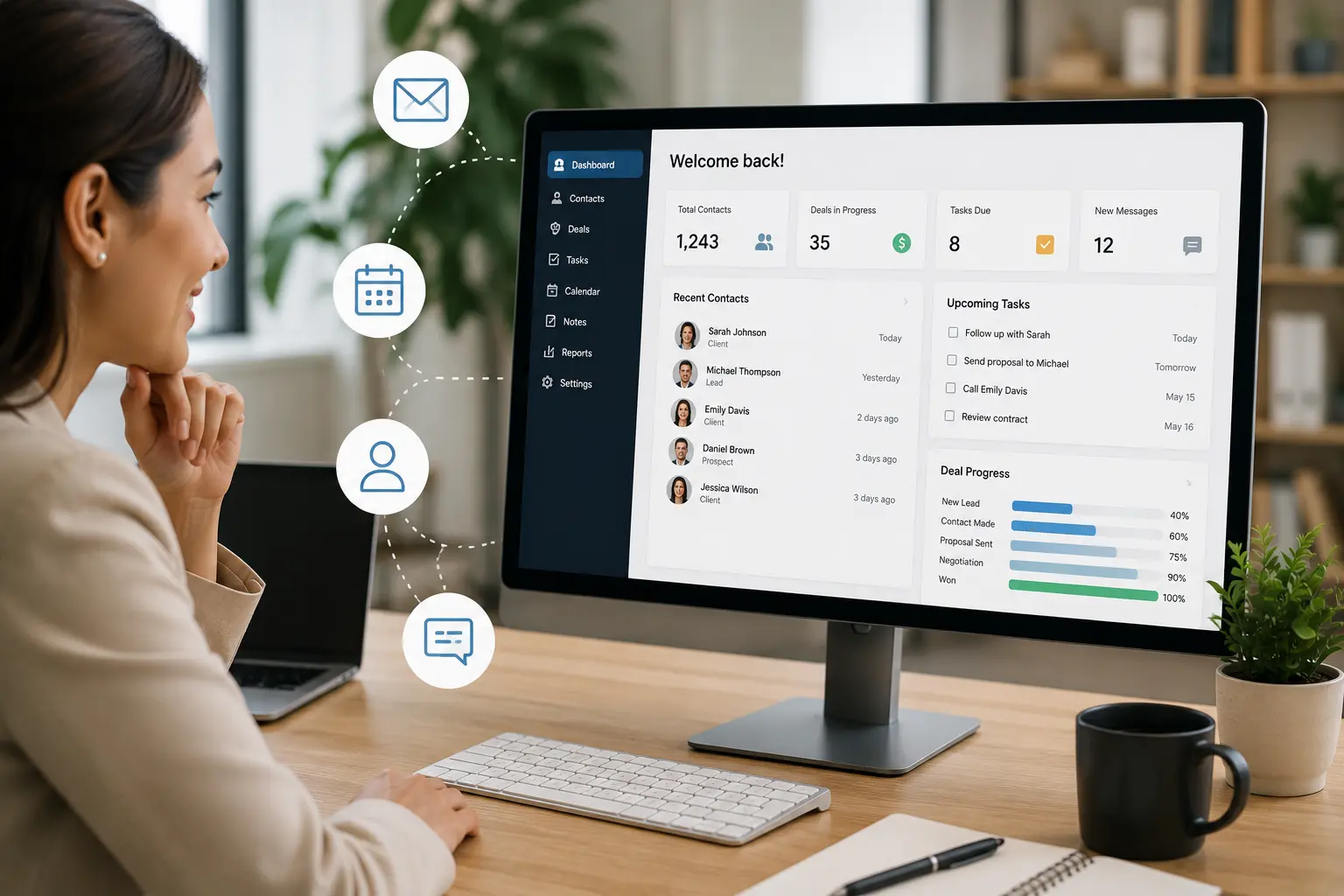
A CRM centralizes every interaction, calls, quotes, invoices, messages, and site visits in one place. You can open their profile and instantly see everything you need to know.
That makes clients feel remembered, understood, and valued.
Stronger client relationships are easier to manage when CRM software connects with calendar and scheduling tools, work management software, and accounting tools. This helps contractors connect customer records, appointments, jobs, invoices, and follow-up tasks in one organized system.
2. Automate Client Follow-Ups and Lead Tracking
A lead may stop responding for many reasons, including timing, competing priorities, budget, or simply forgetting to reply. Consistent follow-up gives contractors another opportunity to reconnect without relying on memory.
With a CRM, you can set reminders or even automated follow-up messages based on actions:
- Send a check-in 3 days after a quote is sent
- Remind a client about an upcoming job
- Ask for feedback after a project is completed
These small, timely touches show professionalism and care and help convert leads into jobs without needing a sales background.
3. Personalize Client Communication More Easily
A CRM lets you take notes that make future conversations smoother and more personal.
- “Clients prefer early morning appointments.”
- “Kids’ bedrooms are upstairs, be careful with noise.”
- “Mentioned they’re planning to renovate the kitchen next year.”
The next time you call or visit, you can bring up these details. That level of personal attention builds trust fast, and makes your business stand out from competitors who treat every client the same.
4. Improve Response Times With CRM
The faster you respond, the more professional you seem. But keeping track of who needs a reply and what they asked for, gets harder as your client list grows.
A CRM gives you a real-time view of:
- Open leads
- Unanswered messages
- Pending quotes
- Upcoming jobs
No more guessing. No more sticky notes. You know exactly who needs what and when.
5. Keep Your Team Updated on Every Client Interaction
If you’re not the only one talking to clients, miscommunication is a risk. One team member might promise something another can’t deliver.
With a CRM, your whole team can access the same client history and notes. Whether it’s your scheduler, technician, or office assistant, everyone is on the same page which keeps your service consistent and your clients happier.
Strengthen Client Relationships
Keep Every Client Conversation and Follow-Up Organized
MBP CRM helps contractors organize customer details, quotes, job history, follow-ups, and communication while connecting client records with scheduling and daily work.
Explore MBP CRM Contact MBPCRM Client Relationship FAQs
How does CRM software improve client relationships?
CRM software improves client relationships by keeping customer details, job history, follow-ups, communication notes, and team updates organized in one place. This helps businesses respond faster and provide more consistent service.
Why do contractors need CRM software for client communication?
Contractors need CRM software for client communication because calls, texts, quotes, job updates, and reminders can easily get scattered across different tools. A CRM keeps communication history connected to each client.
Can CRM software help contractors get more repeat business?
Yes. CRM software can help contractors get more repeat business by tracking past clients, scheduling follow-ups, saving job history, and helping teams stay connected after the first project.
What client details should contractors track in a CRM?
Contractors should track contact information, job history, quote status, preferred appointment times, communication notes, follow-up dates, invoices, and future service opportunities.
How does CRM reduce extra admin work?
CRM reduces extra admin work by organizing client information, reminders, communication history, lead status, and follow-up tasks in one system instead of forcing teams to search through emails, texts, spreadsheets, and notes.