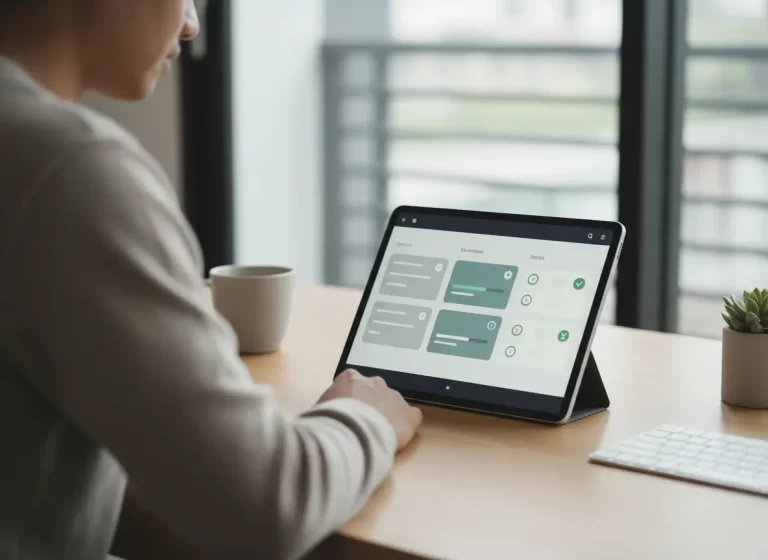
Double booking crews is one of the fastest ways contractor schedules fall apart. When two jobs overlap, office staff have to reshuffle crews, call customers, update routes, and explain delays while technicians lose productive time.
The real cost is not only one missed appointment. Double booking can waste labor hours, increase fuel costs, delay revenue, damage customer trust, and make the business look disorganized.
For contractors and trade businesses managing multiple crews, job sites, and same-day changes, double booking is usually a system problem. A connected scheduling calendar helps prevent overlaps by showing crew availability, job assignments, customer details, and schedule changes in one place.
Quick Answer
Why is double booking expensive for contractors?
Double booking is expensive for contractors because it wastes crew time, delays jobs, increases fuel costs, frustrates customers, and creates scheduling conflicts that office staff must fix manually.
Contractor scheduling software helps prevent double booking by showing crew availability, job assignments, customer details, and schedule conflicts before crews are sent to the wrong job or time slot.
What is the hidden cost of double-booking in trade businesses?
Double-booking in trade businesses costs more than most owners realize. The direct losses include wasted labor hours, unnecessary fuel and vehicle wear, and missed revenue from blocked time slots. The indirect costs are often worse — damaged client trust, frustrated technicians, and a reputation for being disorganized. Most double-bookings stem from disconnected scheduling tools and the fix is a single centralized calendar that shows real-time crew availability, job assignments, and updates in one place.
Double-bookings don’t just create headaches. They damage your reputation, waste your team’s time, and cost your business real money.
In the trades, time is your most valuable asset. When two crews show up at the same job or a technician arrives at a site that was already canceled, you’re not just dealing with confusion. You’re losing hours, fuel, labor, and trust.
And the worst part? Most double-bookings are avoidable.
The Real Cost of Double Booking Crews
| Cost Area | What Happens | Business Impact |
|---|---|---|
| Lost labor hours | Crews arrive at the wrong job or wait for schedule updates | Paid time gets wasted without completed work |
| Customer frustration | Customers experience delays, missed appointments, or last-minute changes | Trust drops and repeat business becomes harder |
| Schedule disruption | Managers need to move jobs, crews, and time slots around | The whole day becomes harder to control |
| Fuel and travel waste | Crews drive to jobs that need rescheduling | Costs increase without added revenue |
| Missed revenue | A job gets delayed, canceled, or pushed to another day | Cash flow and job completion slow down |
| Admin overload | Office staff spend time calling customers and crews | Admin work increases and productivity drops |
| Team confusion | Crews receive conflicting instructions | Mistakes increase and accountability weakens |
Why Scheduling Conflicts Happen in Trade Businesses
Trade businesses manage multiple jobs, crews, and locations every day. When scheduling tools are disconnected, it becomes difficult to see real-time availability.
Without a centralized system, businesses often rely on:
• spreadsheets
• text messages
• whiteboards
• separate calendars
These systems increase the risk of scheduling conflicts and missed updates.
Contractors can use contractor scheduling software to see crew availability, assigned jobs, open time slots, and schedule changes from one shared calendar.
When scheduled work needs job notes, task status, photos, or completion updates, work management software helps connect the schedule to the actual work.
For customer details, access instructions, service history, and follow-up reminders, contractor CRM software keeps client information attached to each scheduled job.
How Double-Bookings Damage Customer Trust and Sales
Double bookings do more than disrupt the schedule. They make customers question whether your business is organized enough to handle the job.
When a customer experiences a missed appointment, late arrival, or last-minute schedule change, trust drops fast. That affects repeat work, referrals, and quote approvals.
For contractors and trade businesses, scheduling accuracy is part of the sales process.
A clear scheduling system helps your team:
• Confirm availability before booking
• Assign the right crew to the right job
• Keep customer details connected to each appointment
• Update field teams in real time
• Avoid missed appointments and wrong-site visits
• Create a smoother customer experience
When your schedule feels reliable, your business feels reliable. A CRM system helps contractors keep customer details, job history, and follow-ups connected to each scheduled appointment.
The Most Common Causes of Double-Booking
It usually starts with a lack of visibility. You might be using whiteboards, spreadsheets, text messages, or multiple calendars to manage your jobs. When your scheduling process isn’t centralized, mistakes slip through.
| Cause of Double Booking | Why It Happens | How to Prevent It |
|---|---|---|
| Disconnected calendars | Office staff cannot see the full schedule in one place | Use one shared contractor scheduling calendar |
| No crew availability view | Jobs get assigned without checking who is free | Track crew availability before confirming jobs |
| Last-minute changes | Updates do not reach everyone in time | Send real-time schedule alerts |
| Text-based scheduling | Job changes get buried in message threads | Keep schedule updates inside the calendar |
| Manual rescheduling | Staff forget to update every tool after a change | Use centralized schedule updates |
| Missing customer/job details | Crews are assigned without enough context | Connect appointments to customer records and job notes |
| No conflict warning | Overlaps are not visible until it is too late | Use scheduling software with conflict detection |
Even one small oversight can lead to a major disruption.
The Real Operational Cost of Scheduling Mistakes
Here’s what you really lose when jobs overlap or get scheduled incorrectly:
Wasted labor hours
– Crews show up to jobs that are already in progress, canceled, or rescheduled. You pay for time that delivers no value.
Fuel and vehicle wear
– Driving to the wrong location or circling back wastes fuel and puts extra miles on your vehicles.
Lost trust with clients
– Clients get frustrated when jobs are missed, delayed, or rescheduled at the last minute. It makes your business look disorganized and unreliable.
Reduced team morale
– Technicians get frustrated when their day is constantly shifting or when they’re sent to the wrong job. Over time, this leads to burnout or high turnover.
Missed opportunities
– Every time you double-book, you block off time that could have been used for another paying job.
What Scheduling Errors Really Cost Contractors
Most trade business owners underestimate the financial impact of double booking because the cost spreads across labor, fuel, missed revenue, admin time, customer trust, and crew morale. Even when a single scheduling mistake looks small, repeated overlaps can create serious monthly losses.
How Double-Bookings Waste Billable Labor Hours
Double bookings waste paid labor whenever technicians spend time driving to the wrong job, waiting for updated instructions, or rearranging work that should have been completed elsewhere. The actual cost depends on crew size, labor rates, travel time, and how quickly the schedule can be corrected.
How Scheduling Errors Increase Fuel and Vehicle Expenses
Wrong-site visits and unnecessary return trips increase fuel use, mileage, and vehicle wear. These costs may seem small per incident, but repeated scheduling mistakes can create a meaningful operating expense across multiple vehicles and crews.
Why Missed Time Slots Lead to Lost Revenue
A double-booked time slot can prevent the business from completing another paying job. The revenue impact depends on the value of the displaced work and whether the appointment can be recovered later.
How Double-Bookings Hurt Long-Term Customer Relationships
Customers who experience missed appointments, unexpected delays, or repeated schedule changes may become less likely to approve future work, return for additional services, or recommend the business. For contractors that depend on repeat business and referrals, this indirect cost can be significant.
How Small Scheduling Mistakes Turn Into Major Annual Losses
A few double bookings per month can create a recurring pattern of wasted labor, lost job capacity, extra admin work, and customer frustration. Over time, these mistakes become more expensive than most contractors realize because they affect both daily productivity and future repeat business.
Simple Double-Booking Cost Formula
Contractors can estimate the real cost of a double booking by looking beyond the missed appointment. Use this basic formula:
Wasted labor time + fuel and travel waste + missed job revenue + admin recovery time + customer trust risk = true double-booking cost
| Cost Factor | What to Measure |
|---|---|
| Wasted labor time | Hours crews spent waiting, driving, or correcting the schedule |
| Fuel and travel waste | Extra miles, fuel, and vehicle wear caused by wrong-site visits |
| Missed job revenue | Jobs delayed, canceled, or pushed outside the day |
| Admin recovery time | Calls, rescheduling, customer updates, and internal coordination |
| Customer trust risk | Lost repeat work, poor reviews, or lower referral chances |
How Smart Scheduling Systems Prevent Double-Bookings
The best way to stop double-booking is to centralize your schedule. A contractor calendar should not only show appointments. It should connect each job to the assigned crew, customer record, job location, work order, and follow-up task. Everyone on your team should be working from the same real-time calendar. Job details should include location, assigned team members, time slots, and updates all in one place.
When your calendar is accurate and easy to manage, you don’t need to guess or double-check multiple tools. You just schedule with confidence.
A connected contractor calendar helps teams manage job schedules, crew availability, and real-time updates from one place.
Best Scheduling Software Options for Trade Businesses
Most trade businesses evaluate general scheduling tools before realizing those tools were not built for crew-based, multi-job field operations. Here is how the most commonly considered options compare — and where each falls short for contractors and tradesmen.
Why Google Calendar Falls Short for Contractors
Google Calendar is free, familiar, and easy to set up. For a sole operator managing personal appointments, it works adequately. For a trade business managing multiple crews, job sites, and client bookings simultaneously, it breaks down quickly. There is no native job detail tracking, no crew availability visibility, no job-to-invoice connection, and no way to see at a glance which technician is assigned to which site. Double-bookings happen precisely because businesses outgrow Google Calendar and do not replace it with something purpose-built.
Best for: Sole operators with simple, low-volume scheduling needs.
Why Calendly Is Limited for Field Service Scheduling
Calendly automates appointment booking by letting clients self-schedule based on available time slots. It is well suited for consultation-based businesses where meetings are the primary scheduling unit. It is not designed for job-based scheduling — it does not support crew assignment, job site details, work order tracking, or invoicing. A trade business using Calendly for field scheduling is using the wrong tool for the job.
Best for: Service businesses where client-facing appointment booking is the primary scheduling function.
How Jobber Helps Trade Businesses Manage Scheduling
Jobber is a field service management platform with scheduling built specifically for trade businesses. It supports crew assignment, job tracking, client communication, and invoicing in one platform. It is a strong dedicated option for trade businesses that need field service management without broader business operations integration. Plans start at approximately $49 per month and scale with team size and features.
Best for: Trade businesses that need dedicated field service scheduling and are comfortable managing CRM, HR, and accounting through separate tools.
Why Large Trade Businesses Use ServiceTitan
ServiceTitan is an enterprise-grade field service platform used primarily by larger trade businesses and franchises. It offers advanced dispatching, real-time technician tracking, revenue reporting, and deep integration with accounting platforms. It is one of the most capable tools in the category and one of the most expensive, pricing is not publicly listed but is widely reported to start above $400 per month. For small trade businesses, the cost and implementation complexity are significant barriers.
Best for: Established trade businesses with large teams, high job volume, and budget for enterprise software.
How MBP Connects Scheduling With Daily Operations
MyBusinessPortal.cloud is built for contractors, tradesmen, and small field service teams that need scheduling integrated with the rest of their business operations. Unlike Google Calendar and Calendly, it is designed specifically for job-based field scheduling with real-time crew availability, job assignment, and location tracking. Unlike Jobber and ServiceTitan, it connects scheduling directly with CRM, HR, work order management, and invoicing in a single platform, so a scheduled job flows through to assignment, execution, and billing without re-entering data across multiple tools. For trade businesses experiencing double-bookings from disconnected systems, MyBusinessPortal.cloud replaces the patchwork of separate tools with one centralized operational platform.
Best for: Contractors, tradesmen, and small field service businesses that need scheduling, CRM, job management, HR, and invoicing connected in one place.
| Scheduling Tool | Best For | Main Limitation |
|---|---|---|
| Google Calendar | Simple appointments | Not built for crew scheduling or work orders |
| Calendly | Booking calls or meetings | Limited for trade jobs and field crews |
| Jobber | Service business scheduling | May still require separate tools for broader operations |
| ServiceTitan | Larger trade companies | Can be more complex and quote-based |
| MyBusinessPortal.cloud | Contractors that need scheduling, CRM, work management, HR, and invoicing together | Best fit for teams that want an all-in-one system |
Pricing and features can change, so contractors should confirm current packages directly before choosing a platform.
Signs Your Trade Business Has Outgrown Basic Scheduling Tools
A basic calendar works when one person manages a small number of appointments. It breaks down when your business handles multiple crews, job sites, customer requests, and same-day schedule changes.
You should upgrade your scheduling system when:
• Jobs overlap more often
• Customers call for updates your office cannot answer
• Crews miss schedule changes
• Job details get copied into multiple tools
• Appointments get missed or rescheduled too often
• Invoices are delayed because job updates are incomplete
At that point, scheduling is no longer a calendar problem. It is an operations problem.
Why Centralized Scheduling Protects Profit and Productivity
Double-booking isn’t just a mistake. It’s a hidden cost that affects your schedule, your budget, and your reputation. When you rely on disconnected tools or manual processes, these errors become a pattern instead of a one-off. A complete work management system helps contractors connect schedules, job updates, crews, work orders, and invoices in one workflow.
With MyBusinessPortal.cloud, you get a centralized calendar built for trade businesses. It shows team availability, job assignments, and updates in real time, so you can avoid costly overlaps and keep your day running smoothly. It works alongside your HR, CRM and work management to keep your team moving together and stronger.
Work Smarter With MBP
Prevent Double Booking Before It Costs Another Job
MBP Calendar helps contractors see crew availability, assign jobs, manage schedule changes, and prevent overlapping appointments from one connected system.
Schedule a DemoRelated Scheduling Resources
- Smart Calendar Software That Does More Than Track Appointments
- Scheduling Software vs Google Calendar for Contractors and Service Teams
- How to Prevent Scheduling Conflicts With Automated Updates
- Why Not Knowing Technician Availability Creates Scheduling Chaos
- Manual Scheduling Problems: Signs It Is Hurting Your Team
Trade Business Scheduling FAQs
What is the hidden cost of double-booking in trade businesses?
Double-booking leads to wasted labor hours, fuel costs, and lost revenue from missed job slots. The bigger impact comes from damaged client trust and a reputation for poor organization. Over time, these small mistakes create long-term financial loss and reduced growth.
Why do double-bookings happen so often?
Double-bookings usually happen because scheduling systems are disconnected. When teams rely on spreadsheets, texts, or multiple calendars, updates do not reach everyone in real time. This lack of visibility creates scheduling conflicts and missed changes.
How do double-bookings affect technicians and team performance?
Double-bookings disrupt technician schedules and create unnecessary stress. Crews may arrive at the wrong job or deal with constant changes, which lowers morale and productivity. Over time, this leads to burnout and higher turnover.
How much can double-booking cost a business?
A single double-booking can cost hundreds of dollars in lost labor, fuel, and missed job opportunities. When these incidents happen regularly, businesses can lose thousands each year. The total cost grows quickly because it affects multiple areas at once.
What is double booking in a trade business?
Double booking happens when two jobs, crews, or appointments are scheduled for the same time slot without enough availability. It often happens when contractors use disconnected calendars, spreadsheets, texts, or manual scheduling systems.
How can contractors prevent double bookings?
Contractors prevent double bookings by using scheduling software that shows crew availability, job assignments, customer details, and real-time updates in one shared calendar.
Is Google Calendar enough for contractor scheduling?
Google Calendar works for simple appointments, but it is limited for contractors managing crews, job sites, work orders, customer details, and schedule changes. Contractor scheduling software gives teams more control over daily operations.