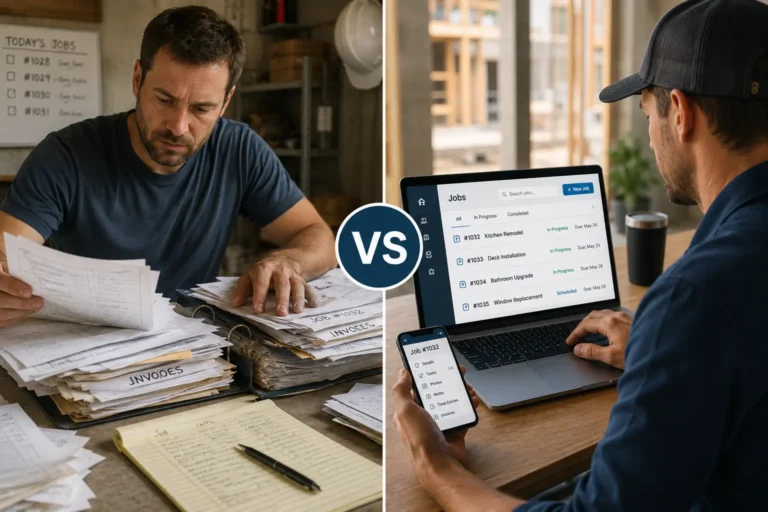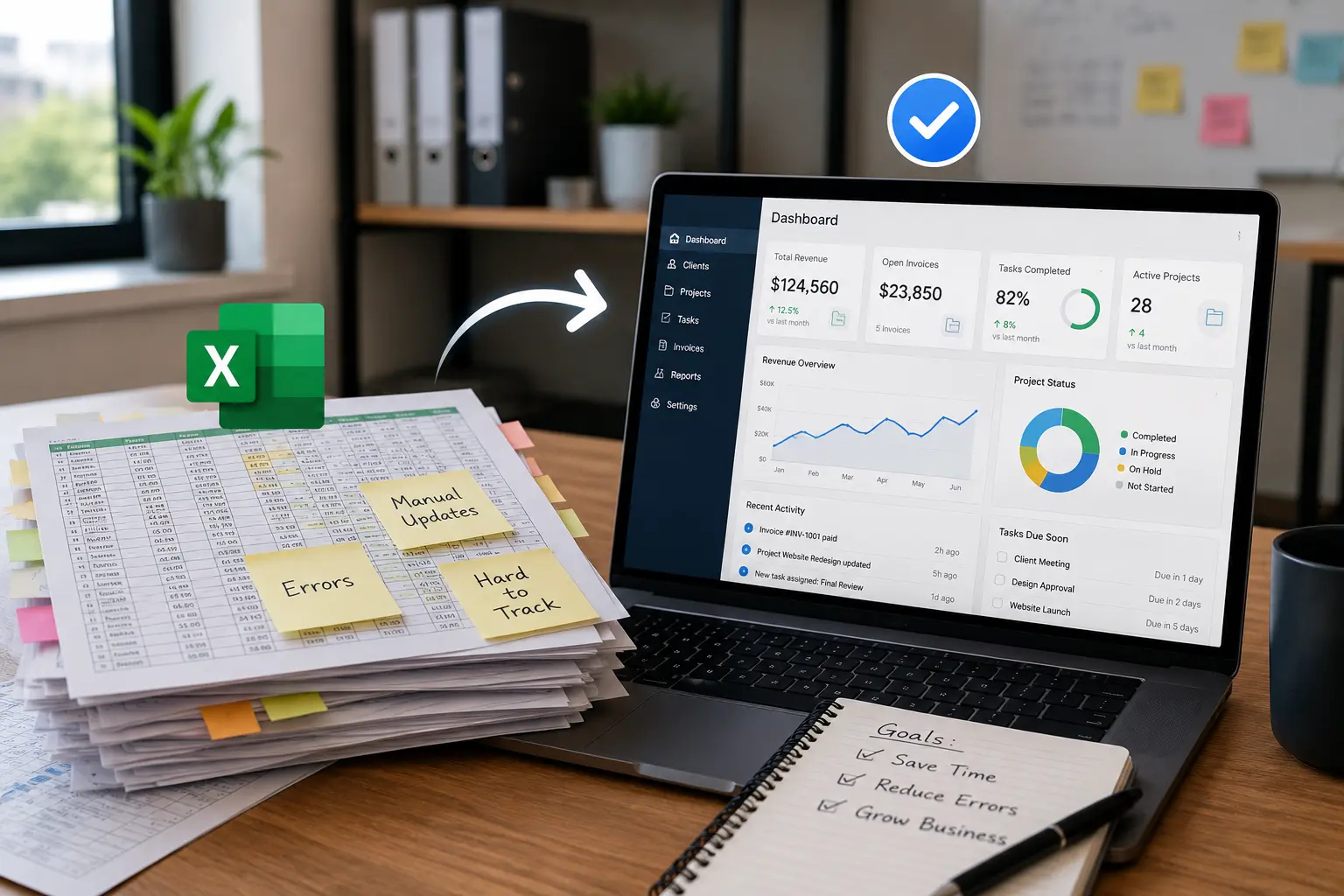
If you run a contracting or service business and manage jobs, crews, clients, and materials in spreadsheets, this is for you. If your team tracks updates across multiple files, chases missing information, or fixes scheduling mistakes every week, your system is slowing your work. This explains when spreadsheets stop supporting operations and why integrated tools take control of daily business management.
When your team is managing leads, scheduling jobs, tracking materials, and following up with clients all across separate sheets, it’s only a matter of time before something slips through the cracks.
That’s where integrated tools come in. They replace scattered systems with a single source of truth that saves time, reduces stress, and keeps your business on track.
For small contractors, spreadsheets usually start as a simple way to track jobs, customers, schedules, materials, and team updates. The problem starts when those sheets become the main system for running the business.
Once crews, office staff, clients, job updates, and reports depend on separate files, the risk of missed information grows fast. At that point, the business does not just need better spreadsheets. It needs connected software that keeps work visible and organized.
Quick Answer
How do you know when your business has outgrown spreadsheets?
Your business has likely outgrown spreadsheets when multiple files contain conflicting information, employees constantly ask for updates, scheduling changes create confusion, data is entered more than once, and reports take too long to prepare. A connected business management system gives teams one place to manage jobs, customers, schedules, tasks, and operational updates.
Why Spreadsheets Work at First
Spreadsheets often become the first tool businesses use to organize operations. They are simple, flexible, and easy to start with. Many contractors build their first scheduling lists, customer records, and material trackers using spreadsheets.
In the early stages, this approach works because:
• the team is small
• job volume is manageable
• one person handles most coordination
• information rarely changes during the day
As the business grows, however, operations move faster than spreadsheets can support. Updates happen constantly, multiple people need access, and information must stay accurate in real time.
This is where spreadsheets begin to show their limits.
Signs Your Business Has Outgrown Spreadsheets
Spreadsheets stop working when daily operations move faster than manual tracking. Your system likely needs an upgrade if:
- information lives in multiple files
- your team asks for updates constantly
- scheduling changes cause confusion
- data gets duplicated or lost
- reports take too long to prepare
- decisions rely on incomplete information
If these problems happen often, spreadsheets no longer support your operations. A connected system becomes necessary.
Spreadsheet Problems vs Integrated Work System Solutions
| Spreadsheet Problem | Business Impact | Integrated System Fix |
|---|---|---|
| Multiple file versions | Teams work from outdated information | One shared source of truth |
| Manual updates | Staff waste time repeating data entry | Real-time updates across connected tools |
| Scattered job details | Crews and office teams miss important information | Centralized job tracking |
| Delayed reports | Managers make decisions without current data | Live dashboards and reporting |
| Missed follow-ups | Leads, clients, and tasks fall through the cracks | Automated reminders and task ownership |
| Scheduling confusion | Jobs overlap or updates are missed | Shared scheduling visibility |
Why Spreadsheet Systems Break Down
At first, a spreadsheet for leads, one for schedules, and another for materials seems manageable. But over time, you hit roadblocks like:
- Version control issues – Who updated it last? Are you looking at the latest version?
- No automation – Everything is manual. From reminders to status updates.
- Poor visibility – You can’t quickly see job status or assign tasks without jumping between files.
- High error risk – One wrong cell and your quote, schedule, or client info is off.
- Limited access – If the sheet isn’t shared correctly, your team can’t access the info they need on-site.
These issues lead to delays, confusion, and unnecessary rework, all things you can’t afford in a fast-moving business.
What an Integrated Work Management System Does?
An integrated work management system is software that connects your CRM, scheduling, job tracking, team communication, and reporting into one platform. Instead of managing separate spreadsheets for leads, jobs, and materials, everything lives in a single dashboard.
This allows contractors to see real-time updates, reduce manual entry, and make decisions based on accurate, connected data.
Businesses can replace scattered spreadsheets with connected tools for work management, scheduling, CRM, inventory tracking, and accounting. These connected systems help teams manage jobs, customers, materials, schedules, and business records from one organized platform.
How Integrated Tools Improve Daily Operations
Integrated tools combine your CRM, scheduling, work management, and more into one cohesive system. Instead of juggling tabs, you log into one dashboard and get real-time access to everything.
Here’s how that saves time and improves performance:
1. One Update = System-Wide Sync
Change a job date in the calendar? It updates across the system, including your crew’s view, customer reminders, and internal task list.
2. No More Double Entry
Client info added in the CRM automatically connects to quotes, job orders, and follow-ups. No need to copy and paste between spreadsheets.
3. Instant Job Visibility
View upcoming jobs, pending quotes, and overdue tasks in one place. This keeps you proactive instead of reactive.
4. Accurate Data = Faster Decisions
Accurate data leads to confident planning. You know who’s available, what materials are on hand, and which clients need follow-up all without cross-checking multiple files.
How Integrated Tools Help Small Contractors
Whether you have 3 crew members or 30, switching to integrated tools can:
- Free up admin hours each week
- Improve communication between office and field
- Help you close jobs faster
- Reduce stress caused by “Where is that info?” moments
You don’t need a big team to see big benefits, you just need the right system.
What to Look for When Replacing Spreadsheets
When replacing spreadsheets, small contractors should choose software that solves the problems spreadsheets create, not just another place to store information.
Look for a system that includes:
- Real-time job visibility
- Shared scheduling
- CRM and customer records
- Task ownership
- Field and office communication
- Inventory or material tracking
- Reporting dashboards
- Mobile access for crews
- Fewer manual updates
The goal is not to make spreadsheets prettier. The goal is to remove scattered tracking, reduce admin work, and give the business one reliable system for daily operations.
Replace Spreadsheet Chaos With One Connected System
Spreadsheets are great for tracking. But they weren’t built for managing an entire business. When tasks, jobs, and client info live in different places, stress and mistakes start to build.
MyBusinessPortal.cloud replaces spreadsheet chaos with one connected platform that handles your HR, CRM, scheduling, work management, and more. It’s designed for small service-based teams who want to save time, reduce stress, and grow with less guesswork.
Move Beyond Spreadsheets
Connect Your Business Operations in One System
MBP helps contractors connect customer records, scheduling, work management, HR, accounting, and inventory so teams can stop maintaining disconnected spreadsheets and work from shared information.
Explore Work Management Schedule a DemoSpreadsheets vs Integrated Work Systems FAQs
Why do spreadsheets stop working as a business grows?
Spreadsheets were built for tracking, not managing operations. As jobs, clients, and teams increase, data becomes scattered, outdated, and harder to trust.
What problems do contractors face when using multiple spreadsheets?
Version conflicts, manual updates, missing information, and high error risk. One wrong edit can affect schedules, quotes, or client details.
How do spreadsheets limit visibility for office and field teams?
Information lives in separate files. Teams cannot see job status, priorities, or updates in one place, especially while on-site.
What is the best replacement for business spreadsheets?
The best replacement for business spreadsheets is an integrated work management system that connects jobs, schedules, customer records, tasks, reporting, and team updates in one platform.
When should a business stop using spreadsheets?
A business should stop relying on spreadsheets when teams are using multiple file versions, updates are getting missed, reports take too long, and daily operations depend on manual tracking.
Why are integrated tools better than spreadsheets?
Integrated tools are better than spreadsheets because they update information in real time, reduce duplicate entry, improve visibility, and connect workflows across teams.
Can small contractors use work management software instead of spreadsheets?
Yes. Small contractors can use work management software to manage jobs, schedules, customers, crews, materials, and reports without depending on scattered spreadsheet files.
What features should replace spreadsheet tracking?
Useful features include job tracking, shared calendars, CRM, task assignments, automated reminders, dashboards, reporting, mobile access, and inventory tracking.