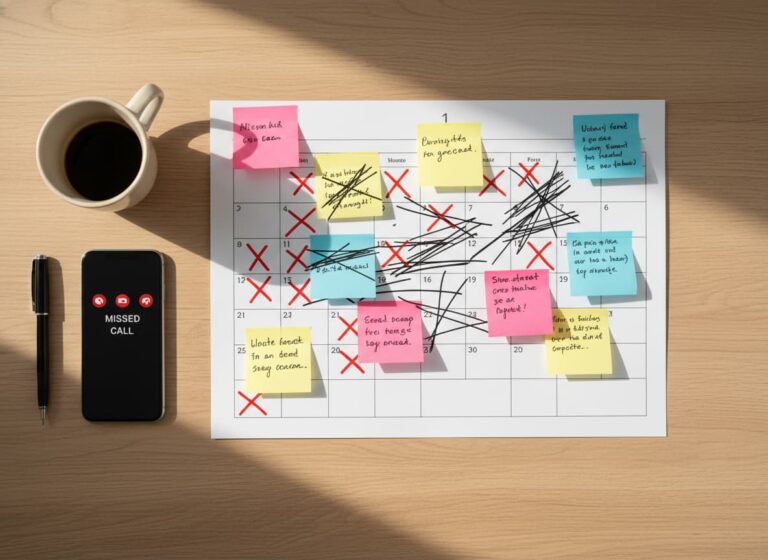
Every service business has done it.
8:00 AM.
Coffee in hand.
Everyone standing around.
Reviewing the same schedule that was already printed yesterday.
It feels productive. It feels organized. But in reality, daily morning scheduling meetings often waste more time than they save.
For contractors, HVAC companies, electricians, plumbers, and other field service businesses, morning huddles often feel necessary. Crews need job clarity. Dispatchers need updates. Managers want alignment. But when daily scheduling meetings become routine, they signal a deeper issue: your scheduling system is not giving technicians real-time visibility. MyBusinessPortal.Cloud (MBP) is built for trades businesses that need live calendar updates, mobile job access, and clear assignments without pulling everyone off the clock each morning.
Quick Answer
Why do daily scheduling meetings hurt productivity?
Daily scheduling meetings hurt productivity because they take technicians, dispatchers, and managers away from billable work to review information that should already be available through a real-time scheduling system.
Scheduling software improves productivity by providing instant updates, clear assignments, and mobile access so field teams can start work faster without relying on repetitive meetings.
How Daily Scheduling Meetings Waste Billable Labor Time
A 20-minute meeting with:
- 5 technicians
- 1 dispatcher
- 1 manager
That’s 7 people × 20 minutes.
You just burned 140 minutes of labor before the first job even starts.
Multiply that across a month. That is hours of billable time gone.
And here’s the kicker. Most of the information shared could have been updated digitally.
How Much Productivity Is Lost During Daily Scheduling Meetings?
Daily scheduling meetings may seem short, but the combined labor cost increases when multiple employees attend every day.
| Meeting Length | Team Size | Total Lost Labor Time |
|---|---|---|
| 20 minutes | 5 technicians + 1 manager | 120+ minutes of labor lost |
| 30 minutes | 10 team members | 5 hours of labor lost |
| Daily meetings | Entire field team | Significant monthly productivity loss |
Why Field Technicians Should Not Depend on Verbal Schedule Updates
Most morning scheduling meetings cover:
- Today’s job list
- Address confirmations
- Special instructions
- Last-minute changes
- Who is assigned where
All of that should already live in your scheduling system.
If technicians need a verbal explanation every morning, it means your job details are not clearly documented.
Meetings are compensating for a broken process.
How Poor Scheduling Visibility Creates Daily Field Confusion
Morning meetings often become reactive.
“Client moved the job.”
“Materials didn’t arrive.”
“Tech B is covering Tech C.”
Now the room turns into a scramble.
Instead of clean execution, your day starts in confusion.
With real-time job updates, changes reflect instantly in your calendar. Technicians check their mobile app and see exactly where to go and what changed. No group huddle required.
How Morning Scheduling Huddles Slow Down Field Teams
Your technicians cannot be in two places at once.
If your first appointment is at 8:30 AM, but your meeting runs until 8:20, you already reduced your margin for error.
Traffic. Setup time. Unexpected delays.
A digital system allows technicians to review jobs before they leave home. They arrive prepared and on time without waiting for instructions.
Why Verbal Scheduling Updates Cause Missed Tasks and Errors
When information is delivered verbally:
- Details get forgotten
- Instructions get misheard
- Responsibilities become unclear
Then someone says, “I didn’t know that.”
A structured work management system removes that excuse. Using Work Management helps teams assign tasks, track progress, and keep job information organized. Every job has clear assignments, documented notes, and defined expectations. Everyone sees the same data.
No confusion. No blame shifting.
Signs Your Field Service Scheduling Process Is Failing
Ask yourself a few questions.
• Do technicians wait each morning to hear their assignments?
• Do meetings repeat information already written on the schedule?
• Do technicians still ask questions after the meeting ends?
• Do last-minute changes turn the meeting into a scramble?
If this happens often, your team likely lacks real-time visibility into the schedule.
How Real-Time Scheduling Software Keeps Field Teams Aligned
Modern scheduling software allows:
- Drag-and-drop job changes
- Instant technician notifications
- Clear job status tracking
- Live updates from the field
When a dispatcher adjusts the calendar, technicians see it immediately.
When a technician marks a job complete, the office sees it instantly.
There is no need to gather everyone in one room just to read information that already exists in the system.
What a Real-Time Scheduling Workflow Looks Like
A connected scheduling workflow replaces repetitive meetings with live information that teams can access anytime.
- Dispatchers assign jobs directly through the calendar.
- Technicians receive updated schedules instantly.
- Job notes and instructions stay attached to each assignment.
- Completed work updates the office automatically.
- Managers monitor progress without interrupting crews.
This keeps teams aligned while allowing technicians to spend more time completing jobs instead of waiting for updates.
When Field Service Team Meetings Still Make Sense
Not all meetings are bad.
Strategic meetings are valuable for:
- Performance reviews
- Safety discussions
- Training
- Process improvement
But daily schedule recaps? That is an operational inefficiency.
If your meeting exists only to explain what is already on the calendar, your system should replace it.
A connected Calendar system allows teams to manage appointments, crew availability, and schedule updates in real time.
Replace Manual Schedule Updates With Better Visibility
Daily meetings often exist because teams do not have one reliable source of scheduling information. A connected system removes the need to repeat job details, assignments, and changes every morning.
With better visibility, field service teams can:
- Reduce unnecessary meetings.
- Improve technician preparation.
- Prevent missed schedule changes.
- Increase daily job capacity.
- Keep office and field teams connected.
How Connected Scheduling Systems Improve Team Coordination
Instead of daily scheduling meetings:
- Use a centralized calendar visible to office and field
- Assign jobs clearly within your work management system
- Track customer history through CRM
- Monitor team availability with HR visibility
- Allow technicians to update status in real time
When your systems connect, your morning becomes execution-focused, not discussion-focused.
Replace Daily Scheduling Meetings With Real-Time Scheduling Visibility
Morning scheduling meetings often feel productive. In reality, they signal a lack of real-time coordination.
If your team depends on daily verbal updates to function, you are losing billable hours every week.
A connected platform that integrates your calendar, CRM, work management, and HR tools eliminates the need for repetitive morning huddles. Everyone starts the day with clarity. Everyone sees the same schedule. Everyone knows their role.
Less talking.
More working.
More revenue.
If you want your mornings to generate profit instead of meetings, it may be time to upgrade how your jobs are scheduled and managed.
Keep Field Teams Aligned Without Daily Scheduling Meetings
MBP helps contractors manage schedules, job assignments, updates, and team communication in one connected platform.
Explore MBP CalendarField Service Scheduling Meeting FAQs
Why do daily scheduling meetings waste time?
Daily scheduling meetings often repeat information that should already exist inside the scheduling system. When multiple technicians, dispatchers, and managers spend time reviewing updates verbally, businesses lose valuable labor hours before the first job even begins.
Why do field service businesses rely on morning huddles?
Many field service businesses rely on morning meetings because technicians lack real-time visibility into schedules, assignments, and updates. When job details are unclear or scattered, managers use meetings to fill communication gaps manually.
How do repetitive meetings reduce productivity?
Repetitive meetings interrupt execution time and delay crews from reaching job sites early. Instead of starting productive work immediately, employees spend time reviewing updates that could have been delivered digitally.
What problems happen when schedule updates are communicated verbally?
Verbal communication causes details to get forgotten, misunderstood, or inconsistently shared across the team. Employees may leave meetings unclear about assignments, responsibilities, or schedule changes, which creates confusion later in the day.
Why do last-minute schedule changes create chaos?
Without real-time scheduling tools, last-minute changes force teams to stop and reorganize manually during meetings. This reactive process creates confusion, delays, and wasted time before the workday even starts.
How does scheduling software improve field team productivity?
Scheduling software improves field team productivity by giving technicians access to updated assignments, job details, and schedule changes without requiring repeated meetings.
Can scheduling software replace daily morning meetings?
Scheduling software can replace routine schedule review meetings by providing real-time visibility into jobs, assignments, and updates. Teams can still hold meetings when planning, training, or solving larger issues.
Why do technicians need real-time schedule visibility?
Technicians need real-time schedule visibility because job changes, customer updates, and assignments can change throughout the day. Immediate access prevents confusion and unnecessary delays.