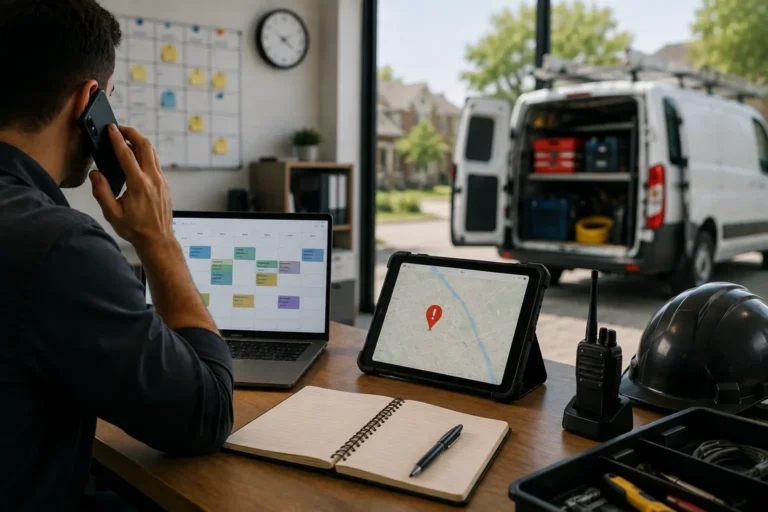
If your day is full of back-and-forth texts, missed appointments, and last-minute rescheduling, your manual scheduling process might be to blame. For many contractors and small service teams, scheduling jobs by hand may seem simple until it starts creating gaps that hurt productivity and client trust.
You don’t need a bigger team or more hours in the day. You just need a smarter system that connects your schedule with everything else in your business.
Let’s take a look at how manual scheduling slows you down and how to fix it with better tools.
Quick Answer
How does manual scheduling create workflow gaps?
Manual scheduling creates workflow gaps when appointments, crew assignments, customer details, job notes, and schedule changes are managed across spreadsheets, texts, calls, or paper calendars. This causes missed updates, double bookings, late crews, unclear responsibilities, and delays between scheduling, field work, invoicing, and customer follow-up.
| Manual Scheduling Problem | Workflow Gap Created | Better Scheduling Fix |
|---|---|---|
| Schedule updates are entered by hand | Teams may work from outdated information | Use one shared calendar with real-time updates |
| Crews are assigned through calls or texts | Instructions can be missed or misunderstood | Attach assignments and instructions to the scheduled job |
| Availability is not checked clearly | Crews may become overbooked or assigned while unavailable | Review employee and crew availability before booking |
| Job notes live outside the schedule | Crews arrive without complete instructions | Connect customer details and job notes to the appointment |
| Changes are not shared quickly | Late arrivals, missed jobs, and confusion become more likely | Send schedule changes through one central system |
| Managers cannot see scheduling gaps early | Problems are discovered after they affect the workday | Use calendar visibility and conflict alerts |
| Completed work is not updated clearly | Billing and customer follow-up are delayed | Connect job completion with invoicing and follow-up tasks |
How Scheduling Gaps Hurt Daily Operations
Scheduling gaps hurt daily operations because they create confusion before the work even starts. If the office team, field team, and manager are looking at different information, every schedule change becomes harder than it should be.
A small scheduling gap can turn into a bigger operational problem quickly. A crew may arrive late because the updated time was only sent in a text. A customer may call for an update that the office team cannot answer. A manager may assign a job without knowing another appointment already overlaps. These issues create wasted time, frustrated customers, and unnecessary pressure on the team.
Manual scheduling also makes it harder to plan ahead. Without a clear view of availability, job status, and workload, businesses react to problems instead of preventing them. That creates more last-minute calls, more rescheduling, and more admin cleanup.
MBP Calendar helps businesses manage schedules, appointments, crew assignments, reminders, and customer details in one connected system. When paired with Work Management, scheduled work can connect with tasks, job updates, and accountability. For related scheduling issues, read how to avoid missed jobs with real-time scheduling alerts. To ask about setup, visit the Contact page.
Close the Gaps in Your Daily Schedule
MBP Calendar helps teams manage appointments, crew assignments, customer details, reminders, and schedule changes from one connected system.
Explore MBP CalendarSigns Scheduling Is Slowing Down Your Team
Manual scheduling usually slows teams down in small ways before it causes major problems. One missed update becomes a late crew. One unclear assignment becomes a customer complaint. One crowded spreadsheet becomes a day of confusion.
Signs include:
| Sign | What It Means |
|---|---|
| Crews keep asking where to go next | Assignments are not clear enough. |
| Schedule changes get missed | Updates are not reaching everyone on time. |
| Managers spend too much time confirming jobs | The schedule is not visible or reliable enough. |
| Customers call for updates often | Your team does not have quick schedule answers. |
| Jobs overlap or get double-booked | Availability and workload are not being checked clearly. |
| Field teams rely on screenshots or texts | Crews are not working from a live schedule. |
| Work stalls between jobs | The next step is not connected to the schedule. |
If these problems happen often, your team does not need more reminders. It needs a scheduling system that keeps assignments, updates, and job details connected.
Why Manual Scheduling Creates Workflow Gaps
Using paper calendars, whiteboards, spreadsheets, or even group chats to manage your team might work at first. But as your jobs increase and your crew expands, the cracks start to show.
Here’s what manual scheduling often leads to:
- Missed jobs or late arrivals
- Double bookings
- Crew members unsure where to go or what to bring
- Inconsistent communication between the office and field
- Gaps between job stages that create downtime
The more you grow, the more manual scheduling becomes a bottleneck. A shared contractor scheduling calendar gives office staff and field teams one place to view appointments, crew assignments, availability, customer details, and schedule changes.
Manual Scheduling vs Scheduling Software
| Area | Manual Scheduling | Scheduling Software |
|---|---|---|
| Schedule Updates | Changes depend on calls, texts, or manual edits | Updates appear instantly across the team |
| Crew Assignments | Availability is difficult to track | Teams can view schedules and assignments clearly |
| Job Information | Details may be stored in different places | Customer details and job notes stay connected |
| Communication | Requires repeated follow-ups | Centralized updates reduce confusion |
| Growth | Becomes harder as jobs increase | Supports larger teams and more workflows |
Signs Manual Scheduling Is Hurting Your Team
Manual scheduling does not fail all at once. It usually breaks down through small problems that repeat every week. If your team keeps fixing the same scheduling issues, the system is the problem.
- Jobs get missed or delayed. Crews arrive late because the schedule changed but not everyone received the update.
- Double bookings happen. Two jobs get assigned to the same person, truck, or time slot.
- Field teams lack job details. Technicians leave without the right address, notes, tools, or customer information.
- Office staff repeat the same updates. Dispatchers spend too much time confirming schedules by phone, text, or chat.
- Customers wait for answers. Your team cannot confirm availability quickly because the schedule is not centralized.
- Last-minute changes create confusion. One update forces several manual messages, edits, and follow-ups.
These gaps cost more than time. They reduce trust, slow job completion, and make your team look less organized than they are.
Challenges With Manual Scheduling Systems
Manual scheduling systems create problems because they depend on people to remember updates, pass along changes, and keep every detail organized by hand. As job volume grows, this leads to missed updates, double bookings, delayed responses, and confusion between office staff and field crews. What starts as a simple way to manage jobs quickly turns into a slow, error-prone process that creates workflow gaps and makes daily operations harder to control.
Why Manual Scheduling Gets Harder as Your Team Grows
Manual scheduling becomes harder as your team handles more jobs, locations, and last-minute changes. What worked for a small crew starts creating confusion when updates depend on calls, texts, or memory. Without one central system, missed updates and unclear assignments happen more often. This makes scheduling slower, less reliable, and harder to control.
How Manual Scheduling Reduces Team Efficiency
Workflow gaps happen when your schedule isn’t clearly aligned with your team, your clients, and your job details. Without visibility into who is doing what, where, and when, small delays start piling up into lost hours.
This often results in:
- Wasted time between tasks
- Crew members arriving without proper info
- Delayed project completions
- Lost follow-up opportunities
A disconnected schedule doesn’t just affect the current job. It weakens your entire workflow from sales to completion.
Common Causes of Scheduling Bottlenecks
Scheduling bottlenecks occur when information moves slower than the work.
Common causes include:
• Jobs assigned through text or calls without central tracking
• Last-minute changes not communicated to the full team
• No real-time visibility into crew availability
• No clear ownership of schedule updates
• Manual re-entry of data between tools
When scheduling depends on memory or scattered messages, delays multiply.
How Integrated Scheduling Software Fixes Workflow Issues
The fix isn’t just “more scheduling.” It’s smarter scheduling that ties into the rest of your operations.
With a built-in CRM, you can schedule jobs directly from client records, view follow-up tasks, and ensure nothing slips through the cracks. When someone requests a service, it gets tracked, scheduled, and assigned all in one place.
With work management tools, your schedule connects to task lists, job notes, team assignments, and real-time updates. You can track progress, reassign jobs quickly, and keep your crew focused without constant check-ins.
Instead of treating scheduling as a standalone task, you make it part of a system that supports your entire job flow.
A connected scheduling system works best when combined with other business tools. MBP helps teams connect Calendar, Work Management, CRM, HR, and Accounting to manage jobs, customers, employees, schedules, and daily operations from one platform.
Best Way to Eliminate Scheduling Gaps in Your Business
Manual scheduling may seem simple, but it creates avoidable gaps that cost you time, money, and momentum. When your schedule, tasks, and client info are all working together, your business runs smoother and your team wastes less time figuring out what to do next.
At MyBusinessPortal.cloud, our calendar is fully connected with CRM and work management tools to give you a complete view of your jobs, clients, and crews all in one system
Fix Scheduling Gaps Before They Cost Your Business
MBP Calendar helps contractors manage appointments, crew availability, job details, and schedule changes in one connected system. Reduce confusion and keep every team member aligned.
Manual Scheduling Problems FAQs
What are common manual scheduling problems?
Common manual scheduling problems include missed updates, double bookings, unclear crew assignments, scattered customer details, late schedule changes, and poor visibility into job status.
How does manual scheduling create workflow gaps?
Manual scheduling creates workflow gaps when appointments, job details, crew assignments, and customer updates are managed across separate tools instead of one connected system.
When should a business replace manual scheduling?
A business should replace manual scheduling when missed jobs, double bookings, rescheduling delays, customer confusion, or admin cleanup start affecting daily operations.
How does scheduling software help prevent missed jobs?
Scheduling software helps prevent missed jobs by centralizing appointments, team assignments, reminders, customer details, and schedule updates in one place.
Can scheduling software connect with work management?
Yes. Scheduling software can connect with work management so appointments, tasks, job updates, and team accountability stay aligned.
What features should contractors look for in scheduling software?
Contractors should look for shared calendars, automated reminders, crew availability tracking, job details, customer information, scheduling updates, and integrations with other business systems.
Can scheduling software reduce administrative work?
Yes. Scheduling software reduces administrative work by automating reminders, updates, assignments, and schedule changes that would otherwise require manual follow-up.
Why is real-time scheduling important for field teams?
Real-time scheduling helps field teams receive accurate job information, updated assignments, and schedule changes immediately. This reduces confusion and prevents delays.
How does scheduling software improve customer experience?
Scheduling software improves customer experience by reducing missed appointments, improving response times, and helping teams provide accurate updates.