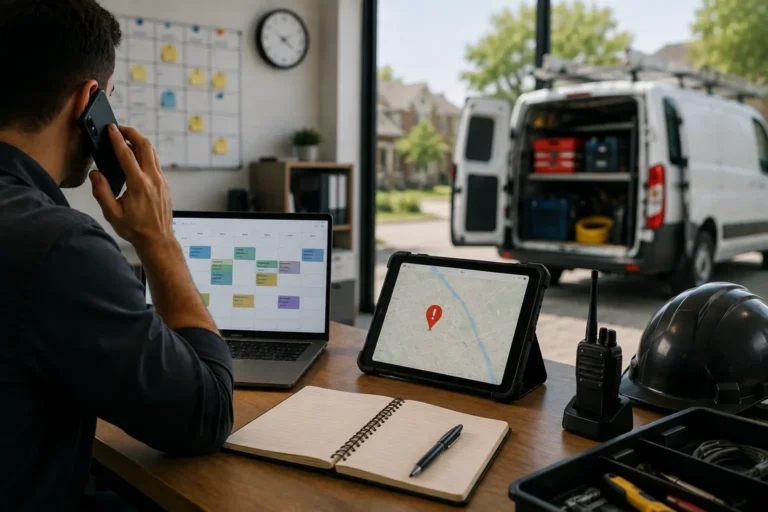
A basic calendar can show when an appointment is scheduled, but it cannot fully manage crews, job details, customer updates, reminders, availability, or last-minute schedule changes. That becomes a problem when contractors and service teams handle multiple jobs, moving crews, customer requests, and changing timelines every day.
Smart calendar software gives businesses more than date and time tracking. It connects schedules with job details, assigned crews, customer records, reminders, status updates, and field communication so the whole team can work from the same schedule.
For contractors, this helps reduce missed jobs, double bookings, late crews, scheduling gaps, and confusion between office staff and field teams.
Quick Answer
What is smart calendar software for business?
Smart calendar software for business helps teams manage appointments, job schedules, crew assignments, reminders, customer details, availability, and schedule changes in one connected system.
For contractors and field teams, it does more than track dates. It helps prevent missed jobs, double bookings, late crews, scheduling gaps, and communication issues between the office and the field.
Smart Calendar Features for Business Scheduling
| Smart Calendar Feature | How It Helps Businesses |
|---|---|
| Crew assignment tracking | Shows which technician, employee, or crew is responsible for each job |
| Real-time schedule updates | Keeps office staff and field teams aligned when appointments change |
| Customer detail connection | Links appointments with customer records, job notes, and contact details |
| Reminder automation | Helps reduce missed appointments and forgotten follow-ups |
| Availability visibility | Makes open time slots easier to find and fill |
| Conflict detection | Helps prevent double bookings before they happen |
| Job status connection | Keeps scheduled work tied to job progress updates |
| Mobile access | Lets field teams check the current schedule from any device |
| Centralized communication | Reduces calls, texts, and scattered instructions |
Smart Calendar vs Basic Calendar: What Is the Difference?
| Feature | Smart Contractor Calendar | Basic Calendar |
|---|---|---|
| Job scheduling | Built for assigning crews, jobs, and service appointments | Tracks time blocks only |
| Double-booking prevention | Shows availability and conflicts before work gets assigned | Requires manual checking |
| Crew updates | Sends real-time schedule updates to the team | Often needs calls, texts, or manual reminders |
| Job details | Connects appointment time with customer, location, scope, and status | Usually stores only date, time, and basic notes |
| Best for | Contractors, service teams, dispatchers, and field crews | Personal appointments or simple schedules |
Stop Managing Jobs With a Basic Calendar
MBP Calendar helps contractors assign crews, prevent double bookings, update schedules, and keep every appointment connected to the full job record.
View MBP CalendarFeatures That Help Teams Avoid Missed Jobs
Missed jobs usually happen when schedules, customer details, crew assignments, and updates are not connected. A smart calendar helps teams avoid those gaps by giving everyone a clearer view of what is scheduled, who is responsible, and what needs to happen next.
Important features include:
| Feature | How It Helps Prevent Missed Jobs |
|---|---|
| Crew assignment tracking | Shows who is responsible for each scheduled job. |
| Real-time schedule updates | Helps teams see changes before they cause delays. |
| Customer details | Keeps contact information and job notes easy to find. |
| Job reminders | Helps teams remember upcoming work and follow-ups. |
| Schedule visibility | Lets managers spot conflicts or gaps earlier. |
| Task connection | Links scheduled jobs with related tasks or updates. |
| Field access | Helps crews check current job information without calling the office. |
A smart calendar should help the team move from appointment tracking to complete schedule control.
Scheduling Problems Smart Calendars Help Contractors Fix
Contractor scheduling problems usually happen when appointments, customer details, crew availability, reminders, and job updates are managed in separate places. A basic calendar might let you block off time, but it does not help you decide who should handle the job. Job scheduling software for contractors goes further by letting you assign work by crew, role, availability, or skill set.
| Scheduling Problem | What Usually Happens | Smart Calendar Fix |
|---|---|---|
| Double bookings | Two jobs are assigned to the same crew or time slot | Conflict detection shows scheduling overlaps before they happen |
| Missed appointments | Crews forget jobs or do not receive reminders | Automated reminders keep jobs visible |
| Late crews | Teams do not see schedule changes quickly enough | Real-time updates keep crews aligned |
| Wrong crew assigned | A technician is booked for the wrong type of job | Crew assignment tracking helps match people to the work |
| Customer notes missing | Field teams arrive without instructions or access details | Customer records and job notes stay attached to appointments |
| Open time slots missed | Managers do not see gaps in the schedule | Availability visibility makes open slots easier to fill |
How Smart Calendars Reduce Scheduling Gaps and Missed Appointments
Scheduling gaps usually happen when availability, job details, crew assignments, and customer updates are not managed in the same place. A basic calendar may show an appointment time, but it does not always show whether the right crew is assigned, whether the customer confirmed, or whether the job details are complete.
Smart calendar software reduces these gaps by giving the business a clearer view of the full schedule. Managers can see open time slots, overloaded days, crew availability, and schedule conflicts before they turn into missed appointments or wasted labor hours.
For service businesses, this matters because one missed appointment can affect the whole day. A late crew can delay the next job. A forgotten update can cause a customer to cancel. A double booking can force emergency rescheduling. When scheduling is connected to job details, reminders, CRM, and work management, the team can react faster and keep work moving.
MBP Calendar helps businesses move beyond appointment tracking by connecting schedules with jobs, customers, team assignments, and updates. This gives office staff and field teams one shared schedule instead of forcing everyone to rely on texts, spreadsheets, or last-minute calls.
For a more connected workflow, use MBP Calendar with Work Management, Scheduling, and CRM so appointments, job updates, and customer details stay organized. To ask about setup, visit the Contact page.
Use a Calendar Built for Real Business Scheduling
MBP Calendar helps teams manage appointments, crew assignments, reminders, customer details, and schedule changes from one connected system.
Explore MBP CalendarWhy Contractor Scheduling Breaks Down
Manual scheduling creates problems fast:
- Double bookings
- Missed appointments
- Technicians sent to the wrong job
- Last-minute changes with no visibility
When your schedule lives in texts, calls, or spreadsheets, mistakes are guaranteed. When scheduling problems affect customer follow-ups too, connect your calendar with contractor CRM software so customer records, job details, and communication stay in one place.
Smart scheduling tools fix this by giving you real-time control over your jobs and team. For contractors, scheduling software becomes more valuable when it connects every appointment to the customer record, assigned crew, job status, and follow-up task.
Why Basic Calendars Fail Growing Contractors
A basic calendar works when you only track a few appointments. It starts failing when you manage crews, job sites, customer changes, travel time, and last-minute rescheduling.
If your team keeps asking where to go, who is assigned, or whether a job moved, the calendar is no longer doing enough. Contractor scheduling software gives every job a clear owner, time, location, and status so the whole team works from the same schedule.
For a more complete workflow, combine your schedule with work management software so every appointment stays connected to job progress, task updates, and completed work.
What Makes Contractor Scheduling Software Smarter
A smart calendar system is not just a digital version of a paper planner. It connects schedules with people, job details, locations, and constraints. Instead of only showing when work happens, it helps control how work is planned, assigned, and executed in real-world conditions.
When most people think of calendars, they think of one thing: setting appointments. That is a good start, but it barely scratches the surface of what a smart calendar system actually does for service businesses and small contracting teams.
If you are still using a basic calendar to schedule jobs, you are missing tools that save hours of admin work, reduce miscommunication, and keep your entire team aligned. Modern scheduling software for tradesmen is built to manage work in motion, not just block time on a screen.
How Online Scheduling Improves Daily Field Operations
An online job scheduling calendar gives your team a shared, real-time view of every job, appointment, and crew assignment. Instead of relying on phone calls, handwritten notes, or outdated calendar entries, everyone can see the latest schedule from any device with internet access. This helps office staff and field teams stay aligned throughout the day, even when jobs shift at the last minute.
For service businesses, this kind of visibility improves speed and accuracy. Managers can assign or move jobs faster, crews can check updates without calling the office, and open time slots become easier to fill. The result is a smoother workflow, fewer scheduling mistakes, and better control over daily operations.
How Scheduling Systems Improve Team Accountability
A job scheduling calendar makes it clear who is responsible for each job and when it needs to be completed. Instead of vague assignments or verbal instructions, every task is tied to a specific person, time, and job detail in one system. This removes confusion and makes it easier for both office staff and field crews to stay aligned.
When accountability is visible, follow-ups become faster and mistakes become easier to catch early. Teams spend less time asking for updates and more time completing work because everyone knows exactly what they are responsible for.
How Smart Scheduling Helps Reduce Operational Costs
Scheduling errors create hidden expenses. Missed appointments, idle crews, and repeat site visits increase labor and fuel costs.
Smart calendar systems reduce these losses by controlling workload distribution and preventing conflicts before they happen.
Cost reductions often come from:
- fewer scheduling mistakes
- reduced travel inefficiencies
- better crew utilization
- fewer repeat visits caused by poor coordination
When schedules reflect real conditions, resources stay productive throughout the day.
The Real Cost of Scheduling Mistakes for Contractors
| Scheduling Failure | Direct Cost | Hidden Cost |
|---|---|---|
| Double-booked crew | Emergency rescheduling or client cancellation | Reputation damage and review risk |
| Idle crew waiting for job details | Lost labor time | Lower job capacity and delayed work |
| Repeat site visit from poor coordination | Extra fuel and labor | Client trust erosion |
| Missed appointment from outdated schedule | Job cancellation | Pipeline disruption |
| Wrong technician assigned to job | Rework or callbacks | Crew frustration and customer dissatisfaction |
Even a few scheduling mistakes per week can create serious operational drag. Lost labor time, fuel waste, missed appointments, repeat visits, and client frustration can reduce monthly profitability faster than many contractors realize.
Still Scheduling Jobs Through Texts and Spreadsheets?
Missed jobs, double bookings, late crews, and last-minute changes cost contractors real money. MBP gives your team one schedule connected to jobs, customers, crews, and updates.
Schedule a Free Demo or call +1 800-530-0627
Let’s break down how smart calendar systems go far beyond simply showing what is coming up next.
1. Assign the Right Crew to the Right Job Faster
A basic calendar might let you block off time, but it doesn’t help you figure out who should be doing the job. Job scheduling software for contractors go further by letting you assign tasks by crew, role, or even skillset. That means the right person gets booked for the right work, not just whoever is available.
This kind of precision improves performance, reduces job site errors, and helps you avoid overbooking your best crew members.
2. Real-Time Schedule Updates Keep Teams Aligned
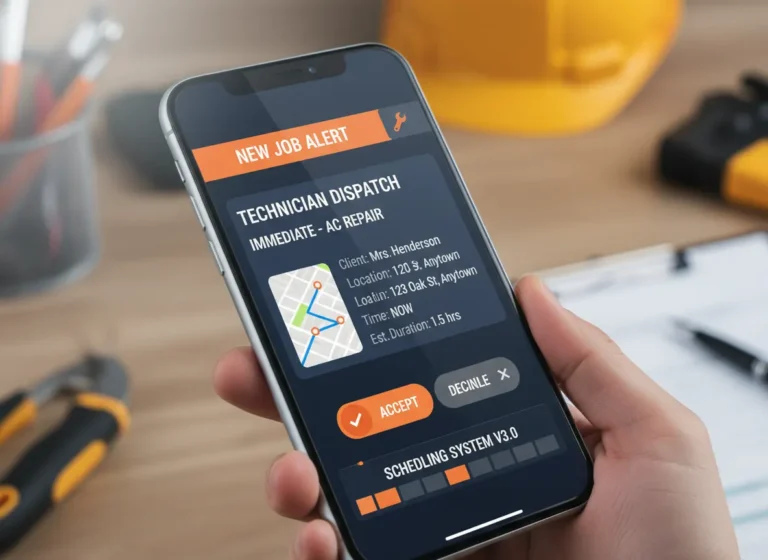
Schedules change. Clients reschedule. Jobs run late. A smart calendar system with real-time scheduling updates instantly across all devices, so your team always sees the most current version.
Instead of calling everyone or texting updates one by one, your crew sees the changes in real time. It cuts down on confusion, late arrivals, and miscommunication.
3. Keep Crews Updated Without Extra Calls
With contractor scheduling tools, each job isn’t just a time block, it can include the job location, client name, scope of work, special instructions, and even links to documents or images.
Your team gets all the details they need in one place. That reduces phone calls to the office and ensures fewer mistakes on site.
4. Prevent Double Bookings Automatically
Double-booking doesn’t just cause stress, it costs you money. A smart calendar system checks availability before you assign jobs, so you don’t accidentally book someone twice.
It also gives you a clear view of open slots, so you can respond to new job requests faster and more confidently.
Turn Your Calendar Into a Job Management Tool
MBP Calendar helps contractors schedule jobs, assign crews, prevent double bookings, and keep field teams updated without relying on texts, calls, or spreadsheets.
View MBP Calendar5. Use Scheduling Data to Improve Operations
Over time, a smart calendar system gives you more than just scheduling help, it gives you insight. You can see how many jobs you complete per week, which days are overloaded, or where your bottlenecks are.
That kind of visibility helps you plan better, staff smarter, and make decisions based on real data.
Basic Calendar vs Contractor Scheduling System
| Feature | Basic Calendar | Smart Calendar System |
|---|---|---|
| Time blocking | Yes | Yes |
| Crew assignment | Manual | Skill-based logic |
| Real-time updates | Limited | Instant across devices |
| Drive-time awareness | No | Yes |
| Double-booking prevention | Manual | Automated checks |
| Job details storage | Separate tools | Attached to booking |
| Performance insights | None | Built-in reporting |
| Growth scalability | Breaks under volume | Designed for expansion |
How MBP Simplifies Contractor Scheduling
MyBusinessPortal.Cloud gives contractors a shared scheduling system connected to jobs, customers, and team assignments. Instead of managing appointments in one tool and job details somewhere else, MBP keeps the schedule tied to the work.
This helps office teams assign jobs faster, reduce double bookings, and keep field crews updated when schedules change. It also connects scheduling with CRM and work management, so every booked job stays connected to the customer record and job progress.
Run a Smarter Scheduling System With MBP
Smart calendar systems aren’t just about tracking appointments, they’re about managing your business more efficiently. From better crew coordination to real-time updates and reduced errors, the benefits go far beyond just picking dates and times.
At MyBusinessPortal.cloud, our smart calendar is built specifically for contractors and service teams. It works hand-in-hand with tools like HR, CRM and work management to give you a complete view of your jobs, team, and schedule all in one place.
Want to compare features and budget fit before booking a demo? Review our pricing or schedule a free demo.
Work Smarter With MBP
Stop Letting Basic Calendars Control Your Schedule
MBP Calendar helps contractors manage appointments, crews, reminders, customer details, schedule changes, and job updates in one connected system.
Schedule a DemoRelated Calendar Resources
- Scheduling Software vs Google Calendar for Contractors and Service Teams
- The Cost of Double Booking Crews in Contractor Scheduling
- How to Prevent Scheduling Conflicts With Automated Updates
- How Real-Time Job Updates Keep Office and Field Teams Aligned
- Why Not Knowing Technician Availability Creates Scheduling Chaos
Smart Calendar FAQs
What is smart calendar software?
Smart calendar software helps teams manage appointments, job schedules, crew assignments, reminders, customer details, updates, and schedule changes in one system.
How is a smart calendar different from a basic calendar?
A basic calendar tracks dates and times, while a smart calendar connects scheduling with job details, team assignments, reminders, and workflow updates.
How does a smart calendar help prevent missed jobs?
A smart calendar helps prevent missed jobs by showing who is assigned, when the job is scheduled, what details are needed, and whether updates or reminders are required.
Why do teams outgrow basic calendars?
Teams outgrow basic calendars when scheduling becomes tied to crews, job details, customer updates, task ownership, and field communication.
When should a business use smart calendar software?
A business should use smart calendar software when appointments are missed, crews arrive late, schedule changes get lost, or managers lack clear visibility into daily work.
What is the best calendar software for contractors?
The best calendar software for contractors helps manage jobs, crew assignments, availability, reminders, customer details, schedule changes, and field updates in one connected system. It should do more than track appointment times.
How does smart calendar software prevent double bookings?
Smart calendar software helps prevent double bookings by showing crew availability, open time slots, assigned jobs, and schedule conflicts before a new appointment is confirmed.
Why is a basic calendar not enough for service businesses?
A basic calendar is not enough for service businesses because it usually tracks dates and times only. Service teams also need crew assignments, job notes, customer details, reminders, status updates, and real-time schedule changes.
How does calendar software help field teams?
Calendar software helps field teams by showing current schedules, job locations, customer notes, assigned tasks, and schedule changes from a mobile device. This reduces calls to the office and helps crews stay prepared.
Can smart calendar software connect with CRM and work management tools?
Yes. Smart calendar software is more useful when it connects with CRM and work management tools because appointments stay tied to customer records, job updates, task ownership, and follow-ups.