Quick Answer: How do no-shows cause revenue loss?
No-shows cause revenue loss by leaving appointment slots empty, wasting paid staff time, delaying other jobs, and making cash flow harder to predict. Service businesses can reduce no-shows with automated reminders, appointment confirmations, easy rescheduling, real-time calendar updates, and clear cancellation policies.
Why No-Shows Hurt More Than Your Schedule
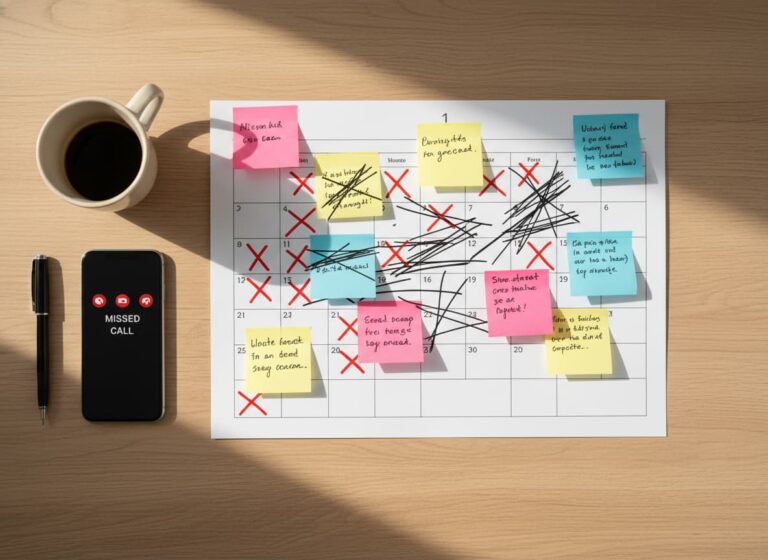
No-shows create more than an empty time slot. They throw off your crew, waste paid labor, delay other customers, and reduce the number of completed jobs your business can handle in a day.
For contractors and service businesses, every missed appointment can affect dispatching, staffing, travel time, materials, and cash flow. The real problem is not just the client who did not show up. The problem is the lost opportunity to send your team somewhere more profitable.
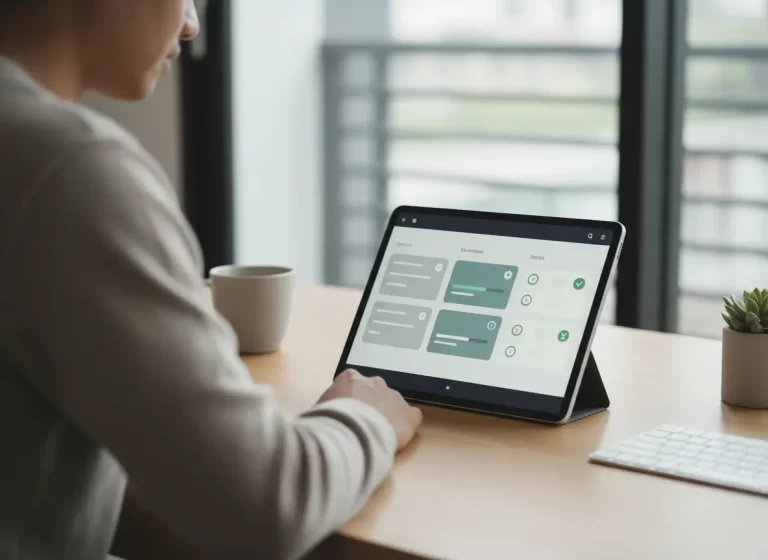
Without a reliable scheduling system, your team ends up reacting to missed appointments instead of preventing them. Automated reminders, confirmations, and real-time calendar updates through MBP Calendar help reduce no-shows before they turn into lost revenue.
How No-Show Appointments Cause Revenue Loss in Service Businesses
No-shows directly reduce revenue in service businesses by leaving scheduled time slots unfilled while staff and resources remain allocated. When a client misses an appointment, the business loses not only the service income but also the opportunity to book another paying customer in that same time slot.
In most cases, the impact compounds over time. A few missed appointments per week can turn into thousands in lost revenue each year. Beyond direct income loss, no-shows also increase labor costs, disrupt scheduling, and reduce overall operational efficiency.
Service businesses that rely on appointments, such as clinics, contractors, and professional services, are especially affected. Without a system to track, remind, and confirm bookings, missed appointments become a recurring and costly problem.
| No-Show Cost | Business Impact |
|---|---|
| Lost appointment revenue | The booked time slot produces no income. |
| Wasted labor | Staff time is paid but not used productively. |
| Missed replacement jobs | Another paying customer loses the chance to book that slot. |
| Delayed cash flow | Revenue becomes harder to predict. |
| Admin follow-up time | Staff spend more time chasing confirmations and rescheduling. |
| Lower schedule efficiency | Gaps in the calendar reduce the number of completed jobs. |
Why Missed Appointments Cost More Than Lost Service Revenue
The financial impact of a missed appointment goes far beyond the immediate loss of service income. Understanding these hidden “no-show costs” is the first step to solving the problem. The true economic consequences are layered and can severely hamper your growth if left unaddressed.
Lost Appointment Revenue You Cannot Recover
This is the most obvious cost. If a service is priced at $150 and you have just three no-shows per week, that’s $450 in lost revenue weekly or nearly $23,400 per year. This is pure profit disappearing from your business.
No-Show Revenue Loss Calculator
No-shows become more expensive when they happen repeatedly. Even a few missed appointments per week can turn into a major revenue leak over time.
Use this simple formula:
Average job value × number of no-shows per week × 52 weeks = estimated yearly revenue loss
| Example | Calculation | Estimated Yearly Loss |
|---|---|---|
| 2 no-shows per week at $150 each | $150 × 2 × 52 | $15,600 per year |
| 3 no-shows per week at $200 each | $200 × 3 × 52 | $31,200 per year |
| 5 no-shows per week at $250 each | $250 × 5 × 52 | $65,000 per year |
This estimate only counts lost appointment revenue. The real cost can be higher when you include paid staff time, travel, materials, admin work, and missed replacement bookings.
Wasted Staff Time and Resource Costs From No-Shows
You pay your staff for their time, whether a client shows up or not. During a no-show, their time is unproductive, yet the expense remains. For businesses that prepare materials in advance, like medical clinics or creative studios, those resources are often wasted, adding another layer to the financial loss.
How No-Shows Reduce Scheduling Efficiency
Every no-show disrupts your workflow. It creates unpredictable gaps that could have been filled by clients on a waiting list or used for other productive tasks. This inefficiency makes scheduling and resource planning a constant challenge.
How Reducing No-Shows Increases Profit and Cash Flow
Taking proactive steps to minimize no-shows isn’t just about damage control; it’s a powerful strategy for increasing overall business profitability. Modern digital scheduling systems make this possible by automating reminders, confirmations, and real-time updates. If you want a closer look at how this works in practice, explore how digital scheduling reduces no-shows and last-minute cancellations and keeps your calendar full. By implementing an automated system like MyBusinessPortal.Cloud, you can turn unpredictability into a stable, reliable revenue stream.
Here are the key benefits:
- Stabilize Your Cash Flow: Automated reminders dramatically reduce the rate of no-shows and last-minute appointment cancellations. This leads to a more predictable schedule and consistent daily income you can count on.
- Enhance Client Accountability: When clients receive professional, timely reminders and have an easy way to confirm or reschedule, it fosters a greater sense of respect for your time. Implementing policies like pre-payment or deposits through MBP further secures your revenue.
- Free Up Your Team for High-Value Work: Stop wasting hours on manual reminder calls and follow-ups. Automation handles the repetitive tasks, allowing your team to focus on providing excellent customer service and other revenue-generating activities.
- Gain Actionable Insights: Use MBP’s reporting tools to track no-show patterns. This data helps you identify which clients might need stricter booking policies, allowing you to make informed decisions that protect your business.
A stronger no-show prevention workflow works best when scheduling connects with customer records and daily work. MBP helps service businesses connect team scheduling with CRM and work management so appointments, confirmations, follow-ups, and job updates stay organized in one platform.
Why Clients Miss Appointments or Cancel Late
No-shows rarely happen without a reason. Most missed appointments come from predictable gaps in communication, commitment, or convenience.
Common Causes of No-Show Appointments
Forgetting the appointment
Clients book days or weeks in advance and forget without reminders. This is the most common cause of no-shows.
Lack of reminders or confirmation
Without clear confirmation or follow-up, appointments feel less important and easier to ignore.
No financial commitment
When clients have nothing invested, skipping an appointment carries no consequence. This increases last-minute cancellations and no-shows.
Difficult rescheduling process
If it is hard to reschedule, clients may choose to not show up instead of going through the process.
Poor communication or unclear details
Missing information such as time, location, or service details leads to confusion and missed appointments.
Low perceived urgency
If the service does not feel urgent, clients are more likely to delay or skip it.
How to Reduce No-Shows With Automated Scheduling Tools
Effective prevention combines automation and policy.
Proven strategies include:
- Automated SMS and email reminders
- Easy online rescheduling options
- Appointment confirmations
- Deposit or prepayment requirements
- Clear cancellation policies
- Waitlist scheduling
- Follow-up reminders
Automation ensures consistency without increasing staff workload.
How Scheduling Software Helps Reduce No-Shows
Scheduling software helps service businesses reduce no-shows by making appointments easier to confirm, update, and reschedule. Instead of relying on manual reminder calls or scattered messages, the system keeps clients and staff aligned before the appointment is missed.
| Scheduling Feature | How It Helps Reduce No-Shows |
|---|---|
| Automated reminders | Sends appointment reminders before the scheduled time. |
| Appointment confirmations | Helps clients actively confirm that they still plan to attend. |
| Easy rescheduling | Lets clients move appointments before the time slot is lost. |
| Real-time calendar updates | Helps teams see open slots and schedule changes faster. |
| Customer records | Gives staff context for follow-ups and repeat no-show patterns. |
| Waitlist visibility | Makes it easier to fill cancelled or rescheduled slots. |
| Clear cancellation policies | Sets expectations before clients book. |
Reduce No-Shows Before They Drain Your Schedule
MBP Calendar helps service businesses manage reminders, confirmations, rescheduling, appointment updates, and calendar visibility in one connected system.
If missed appointments are costing your team time, revenue, and customer trust, MBP gives your business a cleaner way to keep the schedule full. Explore MBP Calendar
Stop No-Shows Before They Cost You Revenue
MBP Calendar helps service businesses reduce missed appointments with real-time scheduling, automated reminders, confirmations, and easier rescheduling. You can also connect customer details through MBP CRM so your team knows who booked, what they need, and how to follow up.
How MBP Helps Prevent No-Shows and Protect Revenue
MyBusinessPortal.Cloud provides a simple yet powerful suite of tools designed to directly combat the revenue loss caused by missed appointments. Our system is built to be intuitive for you and convenient for your clients, creating a seamless experience that ensures everyone is on the same page. Here’s how it works:
Use Automated Appointment Reminders to Reduce No-Shows
Once an appointment is booked, MBP takes over. Our system automatically sends customized email and/or SMS reminders at intervals you define (e.g., 72 hours and 24 hours before the appointment). Clients can confirm their slot with a single click, giving you a clear view of your upcoming schedule.
Let Clients Reschedule Early Before the Slot Is Lost
Life happens. MBP makes it easy for clients to reschedule or cancel their appointments online, based on the policies you set. This frees up the time slot automatically, making it available for another client to book and preventing a last-minute empty chair.
Use Deposits and Prepayments to Reduce Last-Minute Cancellations
For maximum protection against revenue loss, you can require a deposit or full pre-payment at the time of booking. This is handled securely through the MBP portal, significantly increasing the likelihood that a client will attend the appointment they’ve already invested in.
No-Show Appointment Problems and How to Fix Them
| No-Show Problem | Likely Cause | Fix |
|---|---|---|
| Clients forget appointments booked days or weeks ahead | No reminder system is in place. | Send automated SMS and email reminders before the appointment. |
| High no-show rate despite reminders | Reminders are one-way and do not require confirmation. | Add a one-click confirmation step. |
| Clients skip instead of rescheduling | Rescheduling requires calling or extra effort. | Enable self-serve online rescheduling. |
| Last-minute cancellations leave empty slots | No waitlist or backup booking process exists. | Use waitlist scheduling to fill open slots faster. |
| Clients cancel without consequence | No deposit or prepayment is required. | Use deposits for high-value or time-sensitive appointments. |
| Repeat no-shows continue | No client no-show history is tracked. | Use CRM records to flag repeat no-shows. |
| Staff waste time preparing for missed appointments | Resources are prepared before confirmation. | Prepare resources after confirmation when possible. |
| Revenue loss is underestimated | Only direct service income is counted. | Calculate staff time, materials, lost slot value, and admin follow-up costs. |
Stop letting no-shows drain your schedule.
With MBP Calendar, service businesses reduce missed appointments with real-time scheduling, automated reminders, confirmations, and easier rescheduling.
Explore MBP CalendarFrequently Asked Questions
How do no-shows affect business revenue?
No-shows reduce revenue by leaving scheduled time unused. They also waste staff hours, delay other jobs, and make daily cash flow harder to predict. For service businesses, one missed appointment often costs more than the lost booking itself.
What is the best way to reduce no-show appointments?
The best way to reduce no-show appointments is to confirm bookings early, send automated reminders, make rescheduling easy, and use deposits when needed. A clear scheduling process helps clients remember appointments and gives your team time to fill open slots.
Do automated reminders reduce missed appointments?
Yes. Automated reminders reduce missed appointments by giving clients timely notifications before their scheduled service. Email, SMS, and phone reminders help clients confirm, cancel, or reschedule before the appointment is lost.
Should service businesses charge deposits?
Service businesses should consider deposits for high-value appointments, long service windows, or jobs that require reserved labor and materials. Deposits increase client commitment and help protect the business from last-minute cancellations or no-shows.
How do scheduling tools help prevent no-shows?
Scheduling tools help prevent no-shows by sending reminders, tracking confirmations, organizing customer details, and making rescheduling easier. They also help teams see open slots, adjust schedules quickly, and reduce lost revenue from missed appointments.
When should a business use scheduling software to reduce no-shows?
A business should use scheduling software when missed appointments, late cancellations, manual reminder calls, and unfilled time slots start costing revenue. Scheduling software helps automate reminders, confirmations, rescheduling, and calendar updates so teams can prevent no-shows before they create empty schedule gaps.
Turn missed appointments into secured revenue.
MBP automates reminders, confirmations, and rescheduling so your calendar stays full and no-shows stop costing you money.