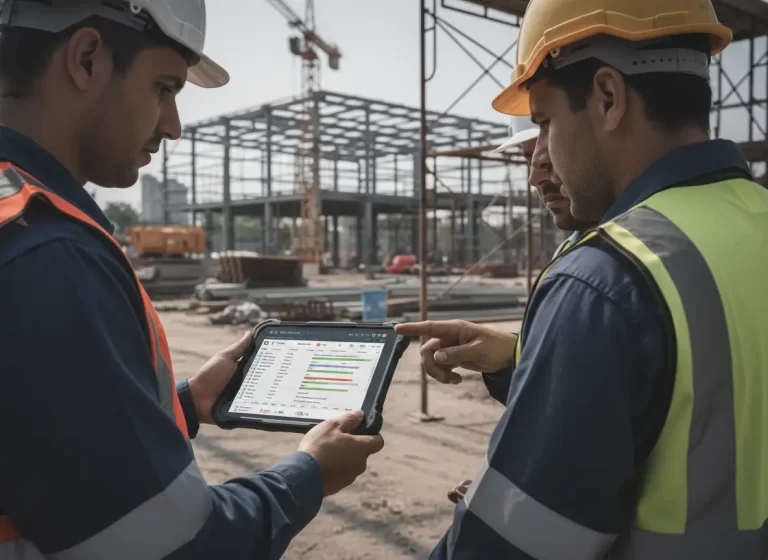
Office and field teams depend on each other, but they often work with different information. Office staff manage customer calls, schedules, invoices, and last-minute changes, while technicians move between job sites and complete the physical work.
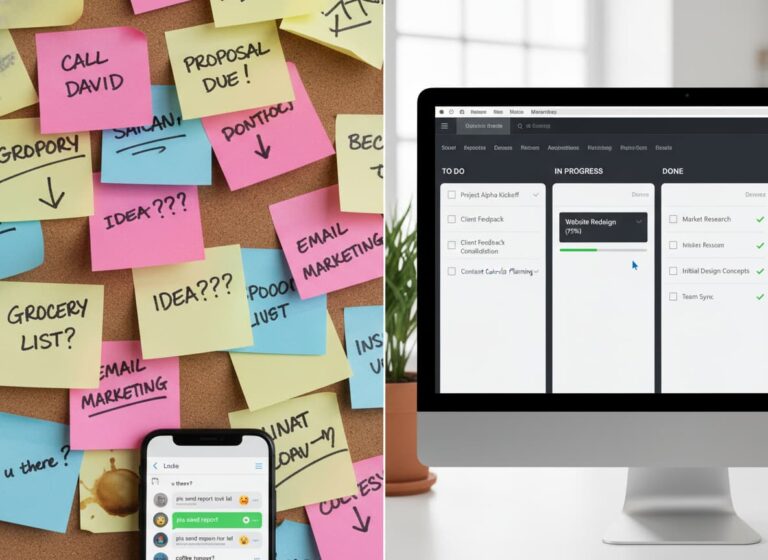
When updates travel through separate calls, text messages, paper notes, and emails, information becomes delayed or incomplete. A technician may follow an outdated schedule, the office may not know whether a job is finished, and a customer may wait while staff contact the field for an answer.
Real-time job updates close this communication gap. Schedule changes, job statuses, field notes, photos, materials, and completion details remain connected to the same job record, giving both teams a current view of the work.
Quick Answer
How do real-time job updates improve office and field communication?
Real-time job updates improve office and field communication by keeping schedules, job status, notes, photos, materials, and completion details updated in one shared system. Office teams can respond faster while field employees receive accurate instructions without relying on calls, texts, or manual updates.
For contractors and service businesses, real-time job tracking helps reduce delays, improve accountability, and keep every team member aligned throughout the job lifecycle.
| Communication Problem | Without Real-Time Updates | With Real-Time Updates |
|---|---|---|
| Schedule changes | Office staff call or text technicians individually | The updated appointment appears immediately in the shared schedule |
| Job status | The office must ask whether work has started or finished | Technicians update the status directly from the field |
| Customer questions | Staff place customers on hold while checking with the crew | Office staff review the latest job activity and respond faster |
| Field documentation | Photos, notes, and signatures remain in personal phones or notebooks | Documentation is uploaded and attached to the correct job |
| Materials used | The office waits for technicians to report material usage | Materials are recorded during the job and become visible immediately |
| Invoicing | Billing waits for missing job notes, hours, or completion details | The office can begin invoicing as soon as the job is completed |
Why Real-Time Updates Reduce Delays
Delays often start when one side of the team has information the other side does not. The office may know a customer changed the time, but the crew is already driving to the old location. A field technician may see a material issue, but the office does not know until the job is already behind.
Real-time updates reduce those delays by keeping job information moving with the work.
| Delay Cause | How Real-Time Updates Help |
|---|---|
| Late schedule changes | Teams can see updates sooner. |
| Missing customer details | Notes stay connected to the job record. |
| Material or access issues | Crews can report blockers before the job stalls. |
| Repeated calls | Office and field teams can check the same job status. |
| Unclear completion status | Finished work is easier to confirm. |
| Lost photos or documents | Files stay attached to the job. |
| Poor handoffs | The next person can see what already happened. |
When updates happen in real time, teams spend less time chasing information and more time completing the work.
Why Contractors Need Real-Time Job Visibility
Contractors manage multiple moving parts every day, including crews, customers, materials, schedules, and deadlines. Without real-time visibility, small communication gaps can quickly become expensive delays.
Real-time job updates help contractors:
- Keep crews aligned with current instructions
- Track job progress without repeated calls
- Identify delays before they affect customers
- Maintain accurate records for billing and follow-up
- Improve coordination between office and field teams
The Problem: Communication Gaps Create Costly Mistakes
Without real-time updates:
- Technicians arrive at the wrong address
- Office staff schedule over existing jobs
- Customers call asking for updates no one can answer
- Paper notes never make it back to the system
- Invoices are delayed because job details are incomplete
Each small breakdown adds up. Over a month, that means lost revenue, wasted labor, and frustrated clients. Learn more about how communication gaps cause productivity loss when teams rely on delayed messages and disconnected information.
Connecting job updates with CRM software helps teams keep customer details, service history, and communication records connected to every job.
What Real-Time Job Updates Actually Mean
Real-time job updates mean every change made in the system reflects instantly for everyone.
When a dispatcher adjusts a schedule, the technician sees it immediately.
When a technician marks a job complete, the office sees it instantly.
When notes or photos are uploaded from the field, they are available right away.
No waiting. No guessing. No duplicate entry.
How Real-Time Job Tracking Improves Team Coordination
Office and field teams often lose time when job information is delayed or stored in different places. Real-time job tracking creates one shared view where everyone can see current schedules, progress, issues, and completed work.
| Communication Challenge | Real-Time Solution |
|---|---|
| Office does not know job progress | Field teams update status directly from the job site |
| Technicians receive outdated instructions | Schedule changes appear immediately |
| Customer questions require callbacks | Staff can review current job information |
| Completion details are missing | Photos, notes, and approvals stay attached to the job |
What Field Employees Should Update From the Job Site
Real-time visibility depends on field employees recording the information the office actually needs. Updating only the job status may not provide enough context for scheduling, customer service, inventory, or invoicing.
Field technicians should update:
- Arrival and departure time
- Current job status
- Tasks completed
- Delays or access problems
- Customer requests
- Materials and equipment used
- Photos of completed work
- Notes about additional repairs
- Customer approvals or signatures
- Recommended follow-up work
Each update should remain attached to the correct customer and job. This prevents important details from becoming buried in separate messages or personal devices.
1. Instant Schedule Changes Without Confusion
A client calls to reschedule. The office drags the job to a new time slot. The technician’s calendar updates immediately.
No phone calls. No text chains. No missed visits.
With a centralized business calendar system , your entire team works from the same live schedule and sees updated appointments, assignments, and changes in one place.
2. Live Job Status Tracking
Office staff should never have to ask, “Are they still on site?”
With real-time updates, job statuses move through clear stages:
- Scheduled
- In Progress
- On Hold
- Completed
- Invoiced
The moment a technician changes the status, everyone sees it. This allows your team to:
- Prepare invoices faster
- Schedule follow-up visits
- Answer customer calls confidently
- Track productivity accurately
Transparency improves decision-making. See how work management software keeps job assignments, task progress, documentation, and completion updates connected.
Recommended Job Status Workflow
A clear job status workflow helps both teams understand what is happening without requesting additional explanations.
A simple workflow may include:
- Scheduled: The job has a confirmed date, time, customer, and assigned employee.
- Dispatched: The technician has received the assignment and is preparing to travel.
- In Progress: Work has started at the customer location.
- On Hold: The job cannot continue because of materials, approval, access, or another blocker.
- Completed: The field work is finished and supporting notes have been submitted.
- Ready to Invoice: Hours, materials, photos, and completion details have been reviewed.
- Invoiced: The customer invoice has been prepared or sent.
The exact stages may vary by business, but every status should have one clear meaning. Too many overlapping statuses can recreate the same confusion the system is supposed to eliminate.
3. Field Notes, Photos, and Signatures Uploaded Instantly
Technicians collect critical information on site. If that information stays in notebooks or private messages, the office stays blind.
Real-time systems allow technicians to:
- Add notes
- Upload job photos
- Capture digital signatures
- Record materials used
All data syncs immediately to the office dashboard.
This reduces disputes, improves documentation, and protects your business.
How Real-Time Field Updates Improve Customer Service
Customers often contact the office rather than the technician when they need an update. Without shared job visibility, office employees may be unable to explain whether the technician has arrived, why the work is delayed, or when the job will be completed.
Real-time field updates give customer-facing employees current information. They can confirm the job status, review field notes, identify delays, and provide a more accurate response without interrupting the technician.
This creates a smoother customer experience while allowing field employees to stay focused on completing the work.
4. Faster Invoicing and Stronger Cash Flow
Delayed updates mean delayed billing.
When job completion updates happen instantly, your office can:
- Generate invoices the same day
- Confirm materials and labor
- Send payment requests immediately
Faster invoicing improves cash flow. Strong cash flow keeps your operations stable and scalable. Businesses can also reduce billing delays by addressing inconsistent invoicing processes that hurt cash flow.
5. Clear Accountability Across Teams
Real-time systems remove ambiguity.
You can see:
- Who is assigned to each job
- When they arrived
- When they completed the work
- What tasks were performed
This is not about micromanagement. It is about clarity.
Clear data prevents blame-shifting and strengthens teamwork between office and field staff.
Why Real-Time Job Updates Sometimes Fail
Real-time software will not improve communication when the team does not follow a consistent update process.
Common causes include:
- Technicians updating jobs only at the end of the day
- Status names that employees interpret differently
- Field employees using text messages instead of the shared system
- Poor mobile access at job sites
- Too many required fields
- No clear responsibility for checking completed jobs
- Schedule changes made outside the central calendar
- Photos and documents uploaded without being attached to a job
Businesses should keep the field update process quick and clearly define which information must be recorded at each job stage.
Final Takeaway
Real-time job updates are not a bonus feature. They are the foundation of an organized service business.
When your system connects scheduling through a live calendar, tracks customers through CRM, manages tasks through structured work management, and supports team visibility through HR tools, your office and field teams operate from the same source of truth.
Everything connects.
Updates flow instantly. Jobs move faster. Decisions improve. Billing speeds up.
If your current process relies on calls, texts, and spreadsheets, you are losing time every day. A connected platform that ties together CRM, work management, HR, and calendar tools keeps your entire operation aligned and in control. For a broader workflow strategy, review how to standardize contractor operations across office and field teams.
Stop Chasing Updates. Start Running Operations.
A connected work management system gives contractors one source of truth for schedules, assignments, customer information, field updates, and job completion details. If your office calls the field for updates, your system is slowing growth.
MyBusinessPortal.Cloud connects:
• CRM
• Live scheduling
• Work management
• HR visibility
• Real-time job updates
All in one platform built for tradesmen.
Give Your Office and Field Teams One Live View
MBP connects job schedules, assignments, customer records, field notes, task progress, photos, and completion updates so your office can stay informed without constantly calling the field.
Explore Work ManagementFrequently Asked Questions
What are real-time job updates?
Real-time job updates are job status changes, notes, photos, schedule changes, blockers, and completion details shared as work happens.
How do real-time job updates help office and field teams?
They help office and field teams work from the same information, reduce repeated calls, improve handoffs, and spot delays earlier.
Why do field teams need real-time updates?
Field teams need real-time updates so they can see current job details, customer notes, schedule changes, and instructions without waiting for office confirmation.
How do real-time updates reduce job delays?
Real-time updates reduce delays by making schedule changes, blockers, missing details, and completion status visible sooner.
When should a business use work management software for job updates?
A business should use work management software when job updates are scattered across calls, texts, emails, paper notes, or separate apps.
What job information should field technicians update?
Field technicians should update arrival time, job status, completed tasks, delays, customer requests, materials used, photos, notes, signatures, and recommended follow-up work. Each update should remain attached to the correct job record.
How often should field employees update a job?
Field employees should update a job whenever its status changes or new information affects the office, customer, schedule, materials, or invoicing. Important updates should be submitted during the job rather than waiting until the end of the day.
Can real-time job updates reduce customer complaints?
Yes. Real-time updates help office staff give customers more accurate information about arrival times, delays, job progress, and completion. This reduces uncertainty and prevents customers from receiving conflicting answers.
How do real-time job updates speed up invoicing?
Real-time job updates speed up invoicing by giving the office immediate access to completion status, labor information, materials used, customer approvals, photos, and field notes. The billing process can begin without waiting for separate paperwork or messages.
What is the difference between job status and task progress?
Job status describes the overall stage of the assignment, such as scheduled, in progress, on hold, or completed. Task progress shows which individual activities within the job have been completed or still require attention.
Do real-time job updates require technicians to use a mobile app?
A mobile-friendly system is usually the most practical way for technicians to update jobs from the field. It allows them to review instructions and submit statuses, notes, photos, and signatures without returning to the office.
How does real-time job tracking improve field service operations?
Real-time job tracking improves field service operations by showing current job status, technician updates, schedule changes, materials used, and completion details in one system.
What information should office teams see from field employees?
Office teams should see job status, technician arrival times, completed tasks, notes, photos, materials used, customer approvals, and follow-up requirements.
Why do contractors need a shared job update system?
Contractors need a shared job update system because office and field teams depend on accurate information to schedule work, answer customers, manage resources, and complete jobs efficiently.