Quick Answer
How can small contractors protect client and job data?
Small contractors can protect client and job data by using unique employee logins, two-factor authentication, role-based access, secure field devices, updated software, and a trusted system for storing business information.
A secure business system reduces scattered data, limits unnecessary access, and helps contractors protect client records, job history, schedules, and sensitive information.
Most small contractors do not think about data security until something goes wrong. A technician loses a phone with customer records on it. A former employee still has login access to your scheduling system three months after they left. A client calls to say their payment details were compromised and wants to know where the breach came from.
By that point the damage is already done. A data breach does not just cost money. It costs the trust that took years to build with every client on your list.
This post covers what data security actually means for a small contracting business, where the real risks are, and what you can do about them without a technical background or an enterprise software budget.
Why Small Contractors Are a Target
There is a common assumption that hackers go after large companies because that is where the valuable data is. That assumption is wrong, and it is costing small businesses.
Small contractors are attractive targets precisely because they are assumed to be unprotected. They hold client names, addresses, phone numbers, payment details, and access information for homes and commercial properties. A roofing contractor has the home addresses of hundreds of clients. An HVAC technician may have entry codes for commercial buildings. An electrical contractor has records of panel locations, system configurations, and site access details that would be valuable to anyone planning a break-in.
That data has real value, and if it is sitting in an unsecured system, it is accessible.
Where the Real Risks Are
Data security for small contractors is not primarily about sophisticated cyberattacks. The most common breaches come from four sources that are entirely preventable.
Weak or shared passwords are the single most common entry point. When everyone on a team uses the same login, or when passwords are simple enough to guess, your entire client database is one credential away from being exposed. This is not a technology problem. It is a habits problem.
Unsecured devices are the second major risk. Technicians carry phones and tablets with customer records, job histories, and sometimes payment details on them. When those devices are not password protected, not encrypted, and not connected to a system that can remotely wipe them if lost, every device in the field is a liability.
Uncontrolled access is the third risk. If every employee can see every client record, every job note, and every financial detail regardless of their role, a disgruntled employee or a compromised account exposes everything. Access should match responsibility. A technician does not need to see billing history. An office scheduler does not need to see profit margins on individual jobs.
Outdated or unvetted software is the fourth. Free or low-cost tools that have not been updated, do not encrypt data, or do not have a clear privacy policy are a risk that most small contractors take without realizing it. If you do not know how a tool stores your client data or who can access it, you do not actually control that data.
Manual Data Storage vs Secure Digital Systems
| Area | Manual Data Storage | Secure Digital System |
|---|---|---|
| Client Information | Stored across spreadsheets, emails, and devices | Stored in one controlled platform |
| User Access | Shared passwords and unclear permissions | Role-based access controls |
| Field Devices | Data remains exposed if devices are lost | Secure access and remote protection options |
| Employee Changes | Former employees may keep access | Access can be updated immediately |
| Business Visibility | Hard to know where information exists | Clear control over business data |
Data Security Risks vs Fixes Table
| Data Security Risk | How It Happens | How to Reduce the Risk |
|---|---|---|
| Shared passwords | Multiple employees use the same login. | Give every user a unique login and remove access when they leave. |
| Weak passwords | Simple or reused passwords get guessed or stolen. | Require stronger passwords and turn on two-factor authentication. |
| Lost field devices | Phones or tablets with client data are lost or stolen. | Use screen locks, device encryption, and remote wipe tools. |
| Uncontrolled access | Employees see data they do not need for their role. | Use role-based access so users only see what they need. |
| Scattered client data | Records live across apps, spreadsheets, emails, and devices. | Keep client records and job history in one secure system. |
| Outdated software | Old tools miss security patches and expose known weaknesses. | Turn on updates and review software regularly. |
| Unvetted free tools | Tools store business data without clear privacy controls. | Use platforms with clear data policies and access controls. |
Signs Your Contractor Business Has Data Security Gaps
Your business may have data security gaps if client information, job records, payments, and employee access are spread across too many tools. Small teams often think security problems only happen to large companies, but contractors also store sensitive customer and jobsite information.
Signs include:
| Sign | What It Means |
|---|---|
| Employees share one login | You cannot track who accessed or changed information. |
| Former employees still have access | Client data and job records remain exposed after someone leaves. |
| Field devices do not have screen locks | Lost phones or tablets can expose customer information. |
| Client details live in spreadsheets or texts | Sensitive data is scattered and hard to control. |
| Everyone can see every record | Access levels do not match employee roles. |
| Software updates are ignored | Known security issues may stay open. |
| You do not know where your data is stored | Your business lacks control over client and job information. |
The Basics That Cover Most of Your Risk
You do not need to become a cybersecurity expert to protect your business. The following steps address the majority of real-world risk that small contractors face.
Use Unique Logins for Every Employee
Every person who accesses your systems should have their own login credentials. No shared accounts. When someone leaves the company, their access gets removed that day, not eventually. Shared accounts make it impossible to know who did what, and they mean a departing employee takes access with them unless you change the password for everyone.
Turn On Two-Factor Authentication
Two-factor authentication means that logging in requires both a password and a second verification step, usually a code sent to a phone. It takes an extra ten seconds per login and it blocks the vast majority of unauthorized access attempts. Most modern platforms offer it. If yours does not, that is worth noting.
Control Who Sees What
Set access permissions based on role. Technicians should see job details and client contact information for their assigned jobs. Schedulers should see the full calendar and job queue. Managers should see financials. No one needs access to everything unless they are running the business. Role-based access is a standard feature in any serious field service platform and it takes minutes to configure.
Secure Every Device in the Field
Every phone or tablet used for work should have a screen lock, be enrolled in a mobile device management system if possible, and be connected to a platform that allows remote data wipe if the device is lost or stolen. If a technician leaves their phone in a customer’s driveway and it disappears, you should be able to remove your business data from that device within minutes.
Keep Software Updated
Software updates are not just about new features. Most updates include security patches that fix known vulnerabilities. Running outdated software means running with known holes that anyone with basic technical knowledge can exploit. Turn on automatic updates where possible and make it a habit to review the software your business uses at least once a year.
Know Where Your Data Lives
If you are using multiple disconnected tools, your client data is spread across all of them. Some may store data on servers you know nothing about, in countries with different privacy laws, with no clear policy on who can access it. Consolidating your operation onto a single platform with a clear data policy gives you visibility and control over where your information actually lives.
What to Do If a Breach Happens
Even with the right precautions in place, breaches can happen. How you respond matters as much as how you prepare.
The first step is containment. Identify which system or account was compromised and lock it down immediately. Change credentials, revoke access, and isolate the affected area before assessing the damage.
The second step is assessment. Determine what data was exposed. Was it contact information only, or did it include payment details, site access codes, or job records? The scope of the exposure determines your next steps.
The third step is notification. Depending on your location and the type of data involved, you may be legally required to notify affected clients within a specific timeframe. Even where it is not legally required, notifying clients directly and honestly is the right move. Clients who find out from you directly will respond differently than clients who find out from a news report or a fraud alert on their bank account.
The fourth step is review. After a breach, go back through your security setup and identify how the exposure happened. Then fix it. A breach that does not change your habits is a breach waiting to happen again.
Putting It All Together
Data security for small contractors comes down to knowing where your information lives, controlling who can reach it, and building habits that keep it protected as your team and your client list grow.
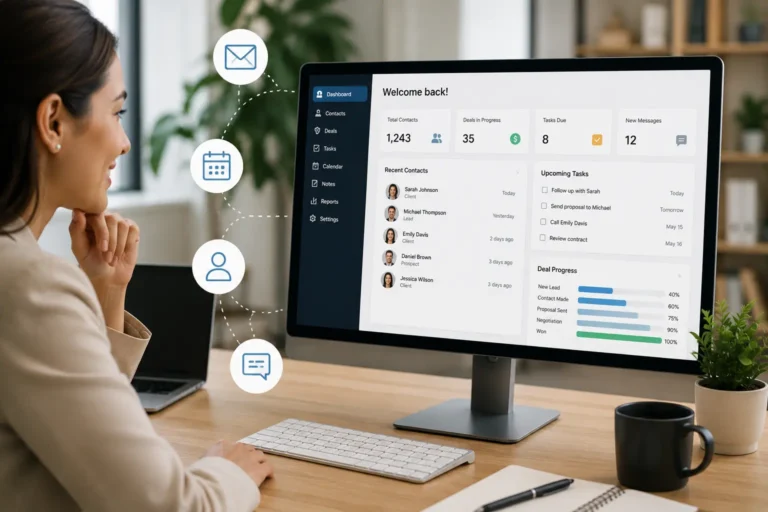
MyBusinessPortal.cloud is built with this in mind. Role-based access controls let you decide exactly what each employee can see and do within the system, so technicians, schedulers, and managers each work with the information relevant to their role and nothing more. Client records, job histories, and contact details are stored in a single secured environment rather than scattered across disconnected tools with unknown data policies. MBP connects business operations through CRM, HR, Work Management, Calendar, and Accounting. This helps contractors manage client data, employees, schedules, jobs, and financial information in one connected platform. HR keeps employee profiles and access levels current, so when someone joins or leaves the team, their permissions update in one place. Scheduling and CRM data stay connected without requiring third-party integrations that introduce additional access points. And because invoicing and accounting run within the same platform, payment-related data does not travel between systems where it can be intercepted or mishandled.
The goal is not to turn you into a security expert. It is to make sure the platform holding your business data is not the weakest link in your operation.
Explore job management software for tradesmen built to connect scheduling, CRM, work orders, dispatch, HR, and team management.
Protect Your Contractor Data With One Connected System
MBP helps contractors organize client records, job history, schedules, employee access, and business workflows in one secure platform.
Reduce scattered information, improve visibility, and give your team a safer way to manage sensitive business data.
Data Security FAQs for Small Contractors
What client data should small contractors protect?
Small contractors should protect client names, addresses, phone numbers, emails, payment details, job records, property notes, site access details, and service history.
Why is data security important for contractors?
Data security matters because contractors store sensitive client and jobsite information. If that data gets exposed, the business may lose client trust, face financial damage, or create safety risks.
How can contractors reduce data security risks?
Contractors can reduce data security risks by using unique employee logins, two-factor authentication, role-based access, secure field devices, updated software, and trusted business platforms.
What is role-based access for contractors?
Role-based access means each employee only sees the information needed for their job. For example, technicians see assigned job details, schedulers see calendars, and managers see broader business records.
Is cloud-based software safe for contractor data?
Cloud-based software can be safer than scattered local files when the platform uses secure access controls, backups, updates, and clear data policies.
What security features should contractors look for in business software?
Contractors should look for security features such as user permissions, two-factor authentication, secure data storage, backups, access controls, and regular software updates.
Why is storing contractor data in multiple tools risky?
Storing contractor data across multiple tools makes it harder to control access, track changes, protect sensitive information, and remove access when employees leave.
How does role-based access improve contractor data security?
Role-based access improves security by allowing employees to only view information needed for their responsibilities. This reduces unnecessary exposure of sensitive business data.