Quick Answer
Why do small field teams need task management tools?
Small field teams need task management tools because daily work can quickly become difficult to track through calls, texts, spreadsheets, and memory.
Task management software helps managers assign jobs, set priorities, monitor progress, track updates, and reduce missed tasks, field team delays, and poor job visibility.
Managing a small field team sounds simple until jobs start moving in different directions. One crew is waiting for instructions, another job runs late, a customer asks for an update, and someone forgets to mark a task complete. Suddenly, the whole day depends on phone calls, text threads, memory, and guesswork.
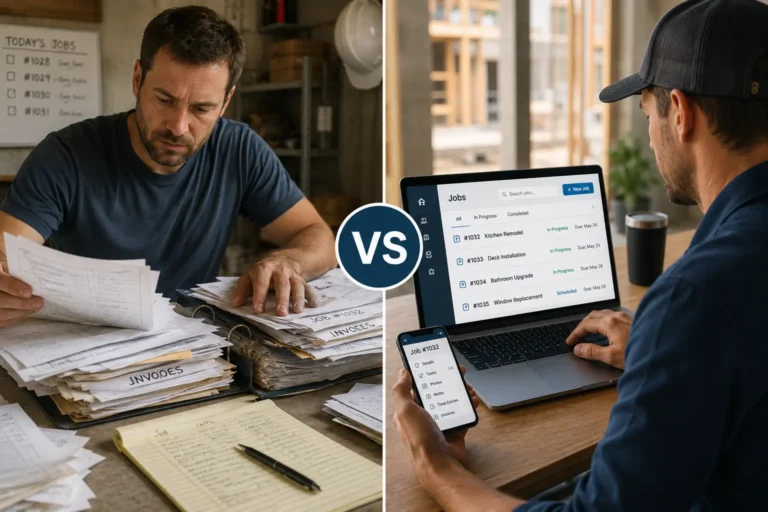
That is where field team delays, missed tasks, and job visibility problems begin. When there is no clear system for assigning work and tracking progress, managers spend too much time chasing updates instead of moving jobs forward. Field workers lose clarity on priorities, office staff lose visibility, and customers feel the delay.
Task management tools give small field teams one place to assign jobs, update task status, track responsibilities, and see what needs attention next. For contractors and service businesses, that structure can be the difference between a controlled workday and a daily fire drill.
Task Management Problems and Software Fixes for Small Field Teams
| Field Team Problem | What Usually Happens | How Task Management Software Fixes It |
|---|---|---|
| Missed tasks | Tasks are assigned through texts, calls, or memory and never get marked complete. | Managers can assign tasks, set deadlines, and track completion from one dashboard. |
| Field team delays | Crew members wait for instructions or do not know what should happen next. | Workers can see priorities, job details, and updates from the field. |
| Poor job visibility | Managers have to call or message workers to find out what is happening. | Live status updates show which jobs are pending, active, delayed, or completed. |
| Repeated instructions | The same job details are explained multiple times across calls or messages. | Job notes, files, photos, and task details stay attached to the assignment. |
| Unclear accountability | No one is fully sure who owns a task or who should follow up. | Each task has an assigned owner, deadline, and progress status. |
| Schedule confusion | Last-minute changes create double bookings, idle time, or missed appointments. | Task updates can connect with scheduling so teams know where work stands. |
Work Management
Give your field team one place to track the work.
MBP Work Management helps small field teams assign tasks, track job progress, share updates, and stay clear on what needs to happen next. Reduce missed tasks, cut down on follow-up calls, and keep jobs moving with better visibility.
Explore Work Management Request a DemoWhat Are Task Management Tools for Small Field Teams?
Task management tools are digital systems that help businesses assign, track, and monitor work tasks across teams. These tools allow managers to create jobs, assign responsibilities, set deadlines, and track progress from a single dashboard. For small teams that need one place to assign work, track progress, and keep job details organized, MBP Work Management helps connect daily tasks with real job visibility.
For field service businesses, task management tools help coordinate technicians, contractors, or crews working at different job sites. Instead of relying on calls or text messages, teams can see assigned tasks, update job progress, and communicate through a shared system.
Common features include:
• task assignment and scheduling
• mobile access for field workers
• real-time progress updates
• job notes and attachments
• team communication and alerts
Why Group Chats and Spreadsheets Fail Field Service Teams
It’s easy to fall into the habit of assigning jobs through messages or shared notes. But without a centralized task system:
- Things get missed
- Priorities get scrambled
- Accountability disappears
- And you’re stuck constantly following up
Fieldwork is fast-paced, and jobs shift on the fly. A proper job management tool gives you a central command center where you can assign, update, track, and adjust tasks in real time so the whole team knows what’s happening and when.
How Real-Time Task Management Prevents Field Team Delays
What happens when a job runs over time? Or a client changes something mid-day?
Without real-time updates, your schedule falls apart fast. Task management software gives you:
- Live task status updates
- Clear priorities for each worker
- The ability to reassign or reroute tasks instantly
- A bird’s-eye view of the entire job flow
This means fewer calls asking, “What’s next?” and more time actually getting things done. When task updates affect job timing, a connected business calendar helps teams manage schedules, appointments, and field availability with less confusion.
How Task Management Software Builds Team Accountability Without Micromanagement
In a small team, accountability matters but no one wants to be babysat. A good task tool strikes the right balance. Each team member can:
- See what they’re responsible for
- Mark tasks complete
- Add notes or updates in the field
- Flag issues that need attention
And you? You get clarity without needing to chase down answers.
It’s structure with flexibility, exactly what field teams need to stay efficient without being slowed down by red tape. If task updates involve customers, quotes, or follow-ups, connecting work activity with a CRM system helps keep customer details and job responsibilities in the same workflow.
How to Scale Your Field Service Team Without Losing Operational Control
What works for two people rarely works for ten. If you plan to grow your field team, you need systems that scale with you.
Task management tools let you:
- Assign jobs faster
- Monitor performance
- Spot bottlenecks
- Improve turnaround times
- Deliver better service to more clients without burning out
You don’t have to wait until you’re overwhelmed. Start early, build smarter, and let your tools do the heavy lifting.
The Right Task Management Tool Helps Small Field Teams Work Smarter
Your team is only as strong as the system guiding them. If you’re still relying on memory, texts, and scribbled notes, it’s time to level up.
MyBusinessPortal.cloud offers simple, powerful business management software designed for tradesmen, contractors, and small field teams. From task assignment and progress tracking to client approvals and invoicing, it’s everything you need to stay organized, stay productive, and scale with confidence.
To see how MBP can support your field team workflow, contact the MBP team and request a demo. Say goodbye to chaos. Say hello to control with MyBusinessPortal.cloud.
Related Field Team Management Resources
- How Work Management Software Improves Field Team Communication
- Why Real-Time Job Updates Matter for Small Service Teams
- How Job Management Software Improves Team Accountability
Frequently Asked Questions
What are task management tools for field teams?
Task management tools are digital systems that help businesses assign, track, and monitor work tasks across teams. Managers can create jobs, assign responsibilities, set deadlines, and track progress from a single dashboard. For field service businesses, these tools coordinate technicians, contractors, or crews working across different job sites — replacing calls and text messages with a shared system where everyone can see assigned tasks, update job progress, and communicate in one place.
Why do small field teams lose time without a task tracking system?
Without a clear system, teams waste time chasing updates, repeating instructions, and fixing missed tasks instead of focusing on the actual work. When jobs pile up and schedules shift, details slip through the cracks — and the informal methods most teams start with stop working fast.
Why do group chats and spreadsheets fail field service teams?
They lack centralization and accountability. Things get missed, priorities get scrambled, and you end up constantly following up. Fieldwork moves fast and jobs shift on the fly — a proper task management tool gives you a command center where you can assign, update, track, and adjust in real time so the whole team stays aligned.