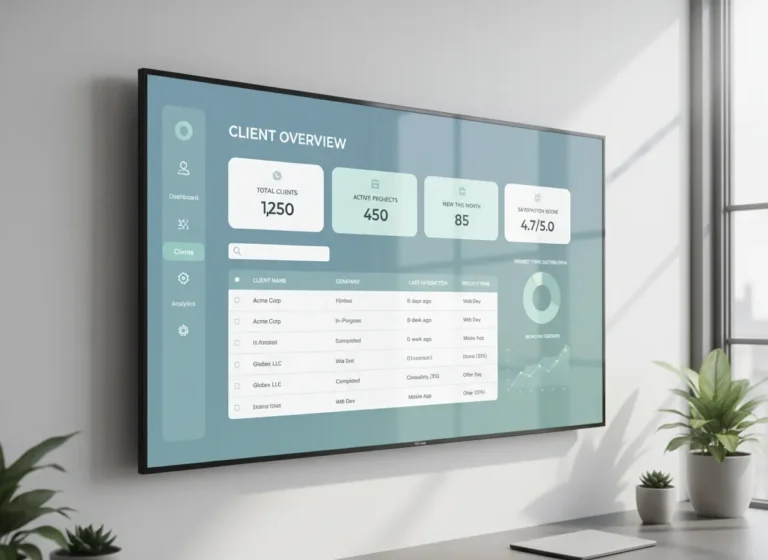
For most contractors, the lead problem isn’t volume. It’s leakage. Inquiries come in from multiple channels — phone, text, website form, referral and without a structured lead management system, a significant portion never make it to a follow-up call.
Fast response matters because customers often contact multiple contractors when they need work completed. When an inquiry sits unanswered, another business may respond, provide information, or schedule the job first.
A structured lead management process helps contractors capture every inquiry, assign responsibility, and make the next follow-up visible instead of relying on memory.
Using CRM software helps contractors centralize customer information, lead stages, follow-ups, and sales activity.
Quick Answer
Why do contractors lose leads?
Contractors lose leads when inquiries, quotes, follow-ups, and customer details are scattered across calls, texts, emails, spreadsheets, and memory.
A contractor CRM helps businesses capture every lead, track follow-ups, organize customer information, and prevent potential jobs from being lost.
Common Lead Loss Causes for Contractors
Most lost leads do not disappear because the customer was not interested. They disappear because the follow-up process was unclear, slow, or scattered across too many tools.
| Lead Loss Cause | What Happens | How to Fix It |
|---|---|---|
| Missed calls or messages | New inquiries never enter the sales process. | Capture every lead in a CRM. |
| Slow response time | Prospects contact another contractor first. | Use alerts and follow-up reminders. |
| No lead owner | Nobody knows who should contact the customer. | Assign each lead to a team member. |
| Forgotten quotes | Sent estimates sit without follow-up. | Track quote status and follow-up dates. |
| Scattered customer details | Teams lose context between calls, quotes, and jobs. | Store contact notes, job history, and lead stage in one place. |
Contractor Lead Management Checklist
A reliable lead management process helps contractors capture opportunities before they disappear.
| Lead Management Step | Purpose |
|---|---|
| Capture every inquiry | Prevents leads from being lost across different channels |
| Assign lead ownership | Makes responsibility clear |
| Track follow-ups | Ensures customers receive timely responses |
| Monitor quote status | Shows which opportunities need attention |
| Review lead sources | Identifies which channels create the best jobs |
How CRM Helps Contractors Follow Up Faster
Fast follow-up does not mean pressuring the customer. It means staying organized enough to respond while the lead is still active and interested. When contractors rely on memory, inboxes, or spreadsheets, follow-ups get delayed or missed.
A CRM helps contractors follow up faster by keeping the next step visible.
| CRM Follow-Up Feature | How It Helps |
| Lead records | Keeps each inquiry, quote, and customer note in one place. |
| Follow-up reminders | Helps the team call or message at the right time. |
| Quote tracking | Shows which estimates are pending, approved, or need attention. |
| Lead ownership | Makes it clear who is responsible for the next response. |
| Customer history | Gives the team context before calling back. |
| Status tracking | Helps managers see which leads are active, stalled, or lost. |
| Team visibility | Prevents two people from following up separately or no one following up at all. |
With CRM, follow-up becomes part of the workflow instead of something someone has to remember later.
5 Most Common Contractor Lead Management Failures
Problem 1: No Centralized System to Capture Inquiries
When leads arrive through different channels a text from a referral, a Facebook message, a website form submission, a voicemail and land in different places, they disappear. There is no single view of what came in, what was followed up on, or what was lost.
The result is not just missed jobs. It is an invisible revenue leak that grows as your lead volume grows.
The fix: Implement a centralized contractor lead management system that captures every inquiry in one place regardless of source. Every new lead should appear in a single dashboard, no digging through texts, emails, or sticky notes.
A centralized lead system works best when every inquiry connects to your customer records. Contractor CRM software helps teams capture leads, store customer notes, track follow-ups, and keep every opportunity visible from first contact to closed job.
Why Leads Go Cold Before Contractors Notice
Most leads do not disappear all at once. They slowly go cold when no one follows up, no one checks the quote status, or no one remembers the customer’s original request.
This usually happens when lead details live in too many places.
A lead might start in a phone call, move to a text message, get quoted through email, then sit in someone’s notebook. By the time your team checks back, the customer has already called someone else.
A CRM helps prevent this by keeping:
• New inquiries
• Customer contact details
• Quote status
• Follow-up dates
• Job notes
• Sales history
• Next steps
in one place.
That gives your team a clear process instead of relying on memory.
Problem 2: Slow Follow-Up After the First Inquiry
Responding while an inquiry is still active gives contractors a better opportunity to answer questions, understand the job, and move the customer toward an estimate or appointment.
The problem is not that contractors do not want to follow up. Manual tracking makes inquiries easy to forget when crews, customers, estimates, and job-site problems compete for attention.
The fix: Capture the inquiry immediately, assign it to a specific person, and create a clear follow-up deadline based on your business’s normal response standard.
This keeps the recommendation useful without inventing a magic two-hour rule.
Example: How One Missed Follow-Up Turns Into Lost Revenue
A homeowner submits a request for an electrical repair at 9:00 AM. The contractor sees the message but gets pulled into a job site issue and plans to respond later. By 3:00 PM, the lead has already called two other companies, and one of them has scheduled the visit.
This happens because the lead was not captured, assigned, or followed up through a clear system. With CRM reminders, the inquiry can be logged immediately, assigned to the right person, and marked for follow-up within the first hour. That small process change helps prevent good leads from going cold.
Problem 3: No Pipeline View of Active Leads
Multiple quotes out, a few warm leads in holding patterns, a job that’s close to closing but needs one more follow-up call. Without a visual pipeline, all of those conversations blur together and the ones that need attention get missed.
The fix: Use a lead pipeline that tracks every prospect through defined stages:
New Inquiry → Quote Sent → Follow-Up Needed → Closed Won / Closed Lost.
When every lead has a visible status, you know exactly who to contact today and what action is needed.
Once opportunities become active projects, Work Management software helps teams organize tasks, schedules, and job progress.
Problem 4: No Structured Follow-Up After Sending a Quote
Sending a quote is not the end of the sales process, it’s the middle. Most contractors lose jobs not because the client said no, but because they never heard back and assumed the job was dead.
A simple follow-up sequence might look like this:
- Day 1–2 after quote: Check-in call or message
- Day 7: Second follow-up with an open question (“Any questions on the quote?”)
- Day 14: Final check-in before closing the lead
Adjust the timing based on the type of project, sales cycle, customer preference, and urgency of the work.
Follow-ups become stronger when they connect directly to scheduling. Follow-ups become stronger when they connect directly to scheduling. Scheduling software for contractors helps teams move qualified leads into booked appointments without losing customer details or quote history.
Why Inconsistent Processes Cause Leads to Slip Through
Leads often get missed not because of lack of effort, but because there is no consistent process for handling them from start to finish. When each inquiry is handled differently depending on who receives it or how busy the day is, follow-ups become unpredictable and easy to overlook. Some leads get immediate attention while others sit without a clear next step. Over time, this inconsistency creates gaps where potential jobs quietly disappear without being tracked or recovered.
Lead loss often happens when inquiries, quotes, customer notes, and follow-up tasks live in different places. Contractor CRM software helps contractors organize leads and track every opportunity before it slips away.
Contractor Lead Loss Audit Worksheet
Use these questions to find where leads are slipping through your process:
- Where do new leads come from?
Phone, website forms, referrals, Facebook, Google, email, text, or voicemail? - Where are those leads recorded?
CRM, spreadsheet, notebook, inbox, phone, or nowhere? - Who is responsible for the first response?
Owner, admin, salesperson, dispatcher, or no assigned person? - How fast does your team respond?
Within 1 hour, same day, next day, or only when someone remembers? - What happens after a quote is sent?
Follow-up reminder, manual note, text message, or no process? - Do you track lead source?
Yes, no, or only sometimes? - Do you know how many leads were lost last month?
If the answer is no, your lead tracking system needs improvement.
The issue is usually not lead volume. It is lead visibility, ownership, and follow-up consistency.
Problem 5: No Lead Source Tracking
If you don’t know which channels are generating your best leads, you cannot make smart decisions about where to invest your marketing budget. Contractors running on manual systems have no visibility into whether their best jobs came from referrals, Google, their website, or paid ads.
The fix: Tag every lead by source when it enters your system, referral, Google, Facebook, website form, cold call. After 90 days, review which sources produced the most closed jobs (not just the most inquiries). Redirect budget toward what converts, not just what generates volume.
Lead management becomes stronger when follow-ups connect to real job planning. Scheduling software for contractors helps your team move qualified leads into booked appointments without relying on scattered reminders.
How Contractor CRM Creates a Better Lead Workflow
A contractor CRM creates a repeatable process for managing leads from first contact to booked job.
- New inquiries are captured immediately.
- Leads are assigned to the right team member.
- Follow-up reminders prevent missed opportunities.
- Quote progress stays visible.
- Customer history is available before every conversation.
Instead of relying on memory, contractors can follow a consistent system that keeps every opportunity organized.
Manual Lead Tracking vs Contractor CRM for Lead Management
| Manual Tracking | Contractor CRM | |
|---|---|---|
| Lead capture | Per channel, manual | Centralized, automatic |
| Follow-up | Memory-dependent | Automated reminders |
| Pipeline visibility | None | Full visual dashboard |
| Quote tracking | Spreadsheet or email | Linked to client record |
| Lead source tracking | None | Tagged and reportable |
| Administrative effort | Repeated manual checking and updating | Centralized lead updates and reminders |
After a lead becomes an active job, your team needs a clear way to manage the work. Work management software helps contractors connect customer details, job tasks, updates, and crew activity in one place.
A connected contractor CRM helps your team track leads, customer notes, quote status, and follow-up reminders before opportunities go cold.
Important Contractor CRM Features
| CRM Feature | How It Helps Contractors |
|---|---|
| Lead Tracking | Keeps every inquiry organized |
| Follow-Up Reminders | Prevents leads from going cold |
| Pipeline Management | Shows where every opportunity stands |
| Customer History | Provides context before contacting clients |
| Lead Source Tracking | Shows which marketing channels perform best |
Frequently Asked Questions
Why do contractors lose leads?
Contractors lose leads when inquiries, quotes, customer notes, and follow-ups are not tracked in one place. Slow response times and missed follow-ups are common causes.
How does CRM help contractors manage leads?
CRM helps contractors manage leads by organizing contact details, quote status, customer notes, follow-up reminders, and lead ownership in one system.
What is contractor lead management?
Contractor lead management is the process of tracking new inquiries, quotes, follow-ups, customer conversations, and next steps from first contact to booked job.
Why are follow-ups important for contractors?
Follow-ups are important because many customers do not approve a quote immediately. A professional follow-up helps answer questions, keep the job moving, and prevent lost opportunities.
When should contractors use CRM for lead tracking?
Contractors should use CRM when leads are missed, quotes are hard to track, follow-ups depend on memory, or customer notes are scattered across texts, emails, and spreadsheets.
How does CRM prevent contractors from losing leads?
CRM prevents lead loss by keeping inquiries, customer information, follow-ups, quotes, and next steps organized in one centralized system.
What should contractors track in a CRM?
Contractors should track lead sources, customer details, conversations, quotes, follow-up dates, pipeline stages, and job status.
Can CRM improve contractor sales?
Yes. CRM improves contractor sales by helping teams respond faster, follow up consistently, and identify opportunities that need attention.
Turn More Leads Into Booked Jobs
MBP helps contractors manage leads, customer records, follow-ups, quotes, schedules, and job updates from one connected platform.
Explore MBP CRM