If your accounting system and job tracking tools operate separately, your financial data will always lag behind your operations. That gap costs time, creates errors, and hides true job profitability.
For contractors and service businesses, every job produces financial activity. Labor, materials, invoices, and payments all connect to work performed in the field. When systems are disconnected, your numbers never reflect real operations.
Integration connects job activity directly to financial records so your data stays accurate from start to finish.
This guide explains what happens without integration, how integration improves performance, and what to look for in a connected system.
What Happens When Accounting and Job Tracking Are Separate
Disconnected systems create extra work and reduce financial accuracy.
Manual data transfer between systems
Staff copy job totals, expenses, and payments from one system into another.
Impact:
- time loss
- entry mistakes
- inconsistent records
Delayed invoicing
Invoices depend on manual updates or job completion reports.
Impact:
- slower cash flow
- missed billing cycles
- payment delays
Incomplete job cost tracking
Labor, materials, and overhead sit in different systems.
Impact:
- inaccurate job pricing
- unclear profit margins
- poor budgeting decisions
Unreliable financial reporting
Reports depend on manual reconciliation.
Impact:
- outdated numbers
- limited visibility
- weak forecasting
How Integration Improves Financial Control
When accounting and job tracking share the same data, financial information updates automatically as work happens.
Automatic data synchronization
Job costs, labor hours, and expenses flow directly into accounting records.
Result:
- fewer errors
- consistent data
- less administrative work
Real-time job costing
Every expense links to the job that generated it.
Result:
- accurate pricing decisions
- clear profit tracking
- immediate cost visibility
Faster billing and payment cycles
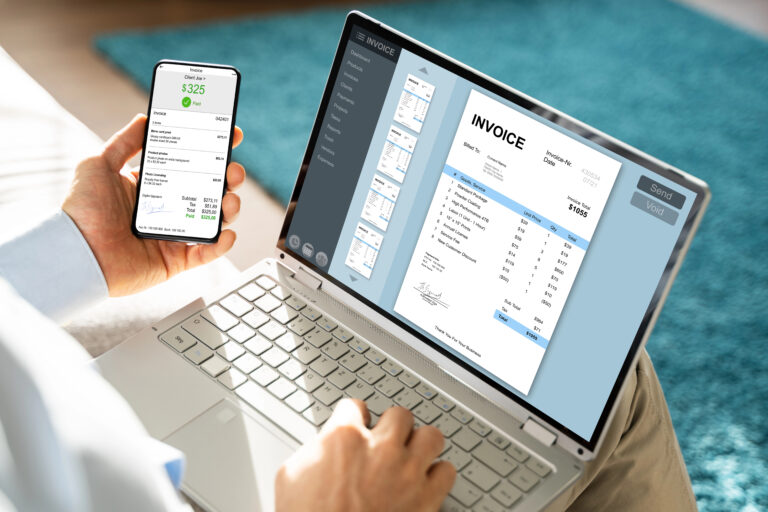
Invoices generate as soon as work is completed.
Result:
- quicker billing
- predictable cash flow
- reduced administrative backlog
Complete financial reporting
Reports reflect actual operations without manual reconciliation.
Result:
- accurate profitability analysis
- better planning
- informed business decisions
What to Look for in Integrated Software
Not all integrations provide full operational visibility. A strong system should include:
- automatic syncing between job and accounting data
- real-time expense and labor tracking
- direct invoice generation from completed work
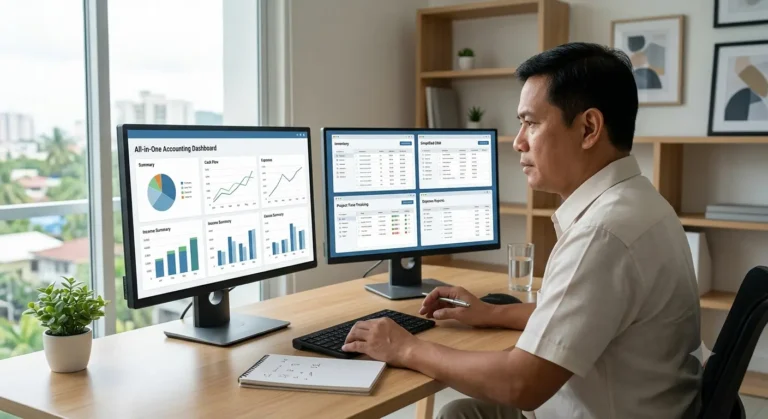
- centralized reporting across jobs and finances
- mobile access for field updates
- unified customer and project records
If staff still export spreadsheets or manually reconcile numbers, integration is incomplete.
How MyBusinessPortal.Cloud Connects Financial and Job Data
MyBusinessPortal.Cloud links accounting with scheduling, work orders, and cost tracking in one platform.
Your team can:
- track job costs while work happens
- generate invoices immediately after completion
- monitor profitability per job or client
- view financial performance across operations
Because job activity updates financial records automatically, your reports reflect real performance at all times.
The Business Impact of Integration
Companies using connected accounting and job tracking systems typically achieve:
- reduced administrative workload
- faster billing cycles
- accurate job profitability tracking
- improved pricing decisions
- clearer financial visibility
When operations and finances move together, decision making improves across the business.
Final Take
If your accounting system and job tracking tools operate in separate silos, you’re missing out on speed, accuracy, and clarity. When they work together, your team works smarter and your financial data becomes more reliable.
At MyBusinessPortal.cloud, our accounting tools are built to work seamlessly with job tracking features like scheduling, work orders, and cost tracking. You get everything in one place, with less manual work and better control over your business.
Frequently Asked Questions
Why should accounting software integrate with job tracking tools?
Because jobs and money are connected. When systems are separate, you duplicate work, increase errors, and lose visibility into true job profitability.
What problems happen when accounting and job tracking are disconnected?
Manual data entry, delayed invoices, inaccurate job costing, and inconsistent reports. Small mistakes compound quickly.
How does integration reduce manual data entry?
Job totals, labor hours, and expenses sync automatically. You stop copying and pasting between systems and reduce typo-related errors.