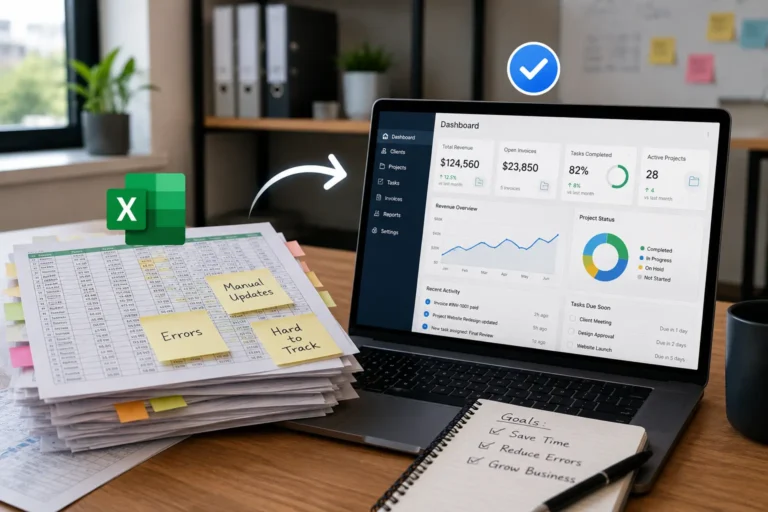
Field team communication breaks down fast when job details are spread across texts, calls, group chats, emails, and memory. A missed address, outdated schedule, wrong material list, or unclear update can delay the entire day and frustrate both crews and customers.
For contractors and service businesses, better communication is not just about sending more messages. It is about giving office staff and field crews one shared place to see job details, task ownership, schedules, customer notes, photos, and real-time updates.
Work management software helps field teams stay aligned by keeping all job communication connected to the actual work. This reduces missed updates, repeated calls, wrong instructions, job delays, and avoidable rework.
Quick Answer
How can contractors reduce field team miscommunication?
Contractors can reduce field team miscommunication by keeping job details, crew assignments, schedules, customer notes, photos, deadlines, and real-time updates in one shared system.
Work management software helps office staff and field crews work from the same information, reducing missed instructions, repeated calls, scheduling confusion, and unnecessary rework.
Field Communication Problems and Work Management Fixes
| Communication Problem | How It Hurts Field Teams | Work Management Fix |
|---|---|---|
| Job details are sent through texts | Important updates get buried or missed | Keep job details inside one shared work order |
| Crews receive outdated schedules | Teams go to the wrong job or arrive late | Connect schedules with live job updates |
| Office staff repeat instructions | Time is wasted answering the same questions | Give field crews access to job notes and task details |
| Updates do not reach the right person | Crews work from incomplete information | Assign jobs and updates to the correct crew or technician |
| Materials or tools are not confirmed | Crews arrive unprepared | Add required tools, materials, and job notes to the task |
| Job status is unclear | Managers do not know what is pending, delayed, or complete | Use real-time job status updates |
| Photos and notes are scattered | Proof of work and site details are hard to find later | Attach photos and notes directly to the job record |
What happens when one detail gets missed or an update reaches the wrong person?
In the field, one small communication gap can delay jobs, waste labor, and frustrate both crews and clients.
Most contractors rely on texts, phone calls, and group chats to keep things moving. But these methods fall apart quickly as your business grows. Messages get buried. Updates don’t reach the right person. People forget what was said. That’s where a work management system makes all the difference.
Let’s break down how it helps eliminate miscommunication and how that translates to smoother operations.
Why Miscommunication Costs Field Teams
If your team has ever:
- Shown up at the wrong location
- Brought the wrong materials or tools
- Repeated work that was already done
- Missed an update about a job reschedule
…then you’ve already paid the price of poor communication.
These small missteps add up to wasted hours, frustrated clients, and avoidable rework.
Common Field Team Communication Problems Contractors Face
Field communication problems usually start small, but they quickly affect productivity, scheduling, customer experience, and billing. The issue is rarely that crews are not trying. The issue is that job information is not organized in one place.
| Communication Issue | What Usually Happens | Business Impact |
|---|---|---|
| Job updates stay in text threads | The right person never sees the update | Missed work or delayed response |
| Photos are sent separately | Managers cannot match photos to the correct job | Poor documentation |
| Schedule changes are not confirmed | Crews follow old instructions | Late arrivals and wasted labor |
| Customer notes are not shared | Technicians miss access details or preferences | Frustrated customers |
| Job completion is reported late | Billing and follow-up are delayed | Slower cash flow |
| No clear task owner | Team members assume someone else handled it | Accountability gaps |
Why Field Team Communication Breaks Down
Field team communication breaks down when updates move through too many disconnected channels. A job detail may start in a phone call, get repeated in a text, and then be missed by the person who actually needs it.
This creates confusion because the team does not have one shared place to check the latest job information.
| Communication Gap | What Happens |
|---|---|
| Updates stay in group chats | Important messages get buried under other conversations |
| Job details are not tied to tasks | Crews have to ask the office for basic information |
| Schedules change without alerts | Field teams follow the old plan |
| Customer notes are separate from work orders | Technicians miss special instructions or access details |
| No clear task owner | Team members assume someone else handled the job |
| Delays are not reported quickly | Customers and managers are updated too late |
| Completion updates are manual | Billing, follow-up, or next steps get delayed |
The issue is usually not effort. The issue is that the communication process does not give everyone the same source of truth.
Field Communication Tools vs Work Management Software
| Field Communication Tools | Work Management Software |
|---|---|
| Focuses mainly on messages | Connects communication with actual jobs |
| Updates can get buried | Job information stays organized |
| Limited task ownership | Assigns clear responsibility |
| Hard to track completed work | Shows job progress and status |
| Requires manual follow-ups | Provides real-time visibility |
What Work Management Systems Do for Field Teams
A work management system centralizes everything your team needs to know, in real time. That means:
- Every job has its own digital card or task
- You can assign work to individuals or teams
- Job details, site info, and deadlines are stored in one place
- Everyone sees updates the moment they happen
No more guessing. No more “I thought you said…” It’s all right there.
Contractors can use work management software to keep job updates, task assignments, field notes, photos, and completion status connected to each job.
A structured work management system also helps contractors improve crew accountability and job visibility by making responsibilities, job progress, and team updates easier to track. When everyone knows who owns each task and what stage the work is in, managers can reduce confusion, improve follow-through, and keep projects moving without relying on constant manual check-ins.
When communication depends on changing appointments or crew availability, contractor scheduling software helps office staff and field teams stay aligned on timing.
For customer details, access instructions, and service history, contractor CRM software keeps client information connected to the work instead of scattered across calls and messages.
Field Team Communication Software Features to Look For
The best field team communication software should do more than send messages. It should connect communication to jobs, schedules, crews, customers, files, and task status so every update has context.
Look for features such as:
- Shared job records
- Task assignments with clear owners
- Mobile access for field crews
- Real-time job status updates
- Schedule change notifications
- Customer notes connected to jobs
- Photo and file attachments
- Required tools and materials lists
- Completion updates
- Office-to-field messaging
- CRM and calendar connections
- Reporting for delays, missed updates, and completed work
If a tool only creates more chat messages, it is not solving the communication problem. Field teams need structured updates tied to the actual job.
How Work Management Keeps Office and Field Teams Aligned
Work management software helps office and field teams stay aligned by connecting job details, schedules, task ownership, field updates, notes, and completion status in one workflow. When updates are tied to the job record, the team does not have to search through calls, texts, or separate apps.
| Work Management Feature | How It Improves Communication |
|---|---|
| Shared job records | Gives office and field teams one place to view job details |
| Task assignments | Shows who is responsible for each job or follow-up |
| Real-time updates | Keeps crews and office staff working from current information |
| Job notes | Stores customer instructions, site details, and special requirements |
| Mobile access | Lets field crews check and update jobs from the field |
| Status tracking | Shows whether work is pending, in progress, delayed, or complete |
| Completion updates | Helps office staff move finished work toward follow-up or billing |
Manage Real-Time Changes Without Confusion
Let’s say a job is rescheduled, canceled, or reassigned. In a traditional setup, you might text three people, call another, and hope they all remember.
With a smart work management tool, you just update the task. Everyone assigned to it gets notified immediately, no calls, no confusion.
For contractors managing multiple crews and changing appointments, connecting work updates with contractor scheduling software helps keep schedules accurate, reduces missed appointments, and ensures field teams always have the latest job information.
Field Team Communication Checklist
Before sending a crew to a job, make sure the team has the details needed to complete the work without repeated calls or confusion.
| Checklist Item | Why It Matters | What to Confirm |
|---|---|---|
| Job location | Prevents crews from going to the wrong address | Address, access notes, parking, and site contact |
| Job scope | Helps crews understand what work needs to be done | Task details, service type, and customer expectations |
| Schedule time | Keeps the day organized | Start time, estimated duration, and job priority |
| Assigned crew | Prevents ownership confusion | Technician, crew, or team responsible for the job |
| Required tools and materials | Helps crews show up prepared | Parts, tools, equipment, and special requirements |
| Customer notes | Prevents missed instructions | Preferences, access details, safety notes, and communication history |
| Update process | Keeps the office informed | How crews should report delays, completion, photos, and job notes |
When Should Contractors Use Work Management Software?
Contractors should consider work management software when:
- crews depend on text messages for job updates
- office teams constantly call technicians for status updates
- job details are stored in different places
- schedule changes are difficult to communicate
- completed work is difficult to verify
A connected system helps contractors reduce coordination problems by keeping schedules, tasks, customer information, and field updates together.
Keep Office and Field Teams Connected With MBP
MBP Work Management helps contractors organize job details, task assignments, schedules, field updates, photos, and completion status in one connected platform.
Replace scattered messages and manual follow-ups with a system that gives office staff and field crews the same real-time view of every job.
Explore Work Management Schedule a DemoKeep Office and Field Teams in Sync
Miscommunication causes delays, mistakes, and unhappy clients. But it’s not just a people problem, it’s a system problem.
At MyBusinessPortal.cloud, our work management system helps field crews and office staff stay on the same page. And when paired with our calendar, CRM, and HR tools, your entire team operates with clarity, not guesswork.
A stronger field communication workflow works best when job updates connect with schedules, customer records, employee details, and billing. MBP helps contractors connect work management with team scheduling, CRM, HR, and accounting so office staff and field crews can work from the same job information.
Work Smarter With MBP
Keep Office and Field Teams on the Same Page
MBP helps contractors connect job details, task assignments, schedules, customer notes, field updates, photos, and completion status in one shared system.
Explore Work Management Schedule a DemoRelated Field Team Communication Resources
- The Hidden Cost of Poor Communication Between Office and Field Teams
- How Real-Time Job Updates Keep Office and Field Teams Aligned
- How Work Management Software Improves Crew Accountability and Job Visibility
- Why Field Teams Waste Hours Without Mobile-Friendly Tools
- Shift Handover Best Practices That Prevent Errors and Keep Work Moving
Field Team Communication Questions
What causes miscommunication between office and field teams?
Miscommunication usually happens when job details are shared through texts, calls, or group chats instead of a central system. Messages get missed, buried, or misunderstood.
Why are texts and phone calls not enough for field coordination?
They are not structured. There is no single source of truth, no history tied to a job, and no guarantee everyone sees the same update at the same time.
What is a work management system?
A work management system is a central platform where jobs, tasks, schedules, and updates live in one place and sync in real time for both office staff and field crews.
How does work management software help office and field teams?
Work management software helps office and field teams by keeping job details, schedules, task assignments, updates, notes, photos, and completion status in one shared system. This reduces missed messages and gives both teams the same view of each job.
When should contractors use work management software for communication?
Contractors should use work management software when job updates get lost in texts, crews arrive with incomplete details, managers chase status updates, or office and field teams are not working from the same information.
What is field team communication software?
Field team communication software helps office staff and crews share job details, schedules, task updates, customer notes, photos, and completion status in one system. It keeps communication connected to the job instead of scattered across texts, calls, and group chats.
How do contractors improve office-to-field communication?
Contractors can improve office-to-field communication by using one shared system for job details, task assignments, schedules, customer notes, and real-time updates. This helps crews and office staff work from the same information.
Why do field crews miss important job updates?
Field crews often miss important job updates when communication happens across too many channels, such as texts, calls, emails, paper notes, and group chats. Updates can get buried, misunderstood, or sent to the wrong person.
What should field crews know before arriving at a job?
Field crews should know the job location, scope of work, schedule, assigned crew, required tools, customer notes, access instructions, safety details, and how to report updates or delays.
How does mobile access improve field communication?
Mobile access improves field communication by letting crews view job details, update task status, upload photos, report delays, and check customer notes from the field. This reduces repeated calls to the office.
What features should field communication software include?
Field communication software should include shared job records, task assignments, mobile access, real-time updates, customer notes, file sharing, photos, schedule notifications, and integration with CRM and calendar tools.
How does work management software reduce field mistakes?
Work management software reduces field mistakes by keeping job details, instructions, materials, schedules, and updates in one place so teams have accurate information before starting work.
Can work management software replace group chats for contractors?
Work management software can reduce dependence on group chats by connecting communication directly to jobs, tasks, schedules, and customer information instead of storing updates in separate conversations.