Every contractor has experienced this.
The office says the technician failed to update the job.
The technician says the office never shared the right details.
The client waits. The invoice stalls. The schedule shifts. Everyone feels frustrated.
This is not a communication issue. It is a structural issue.
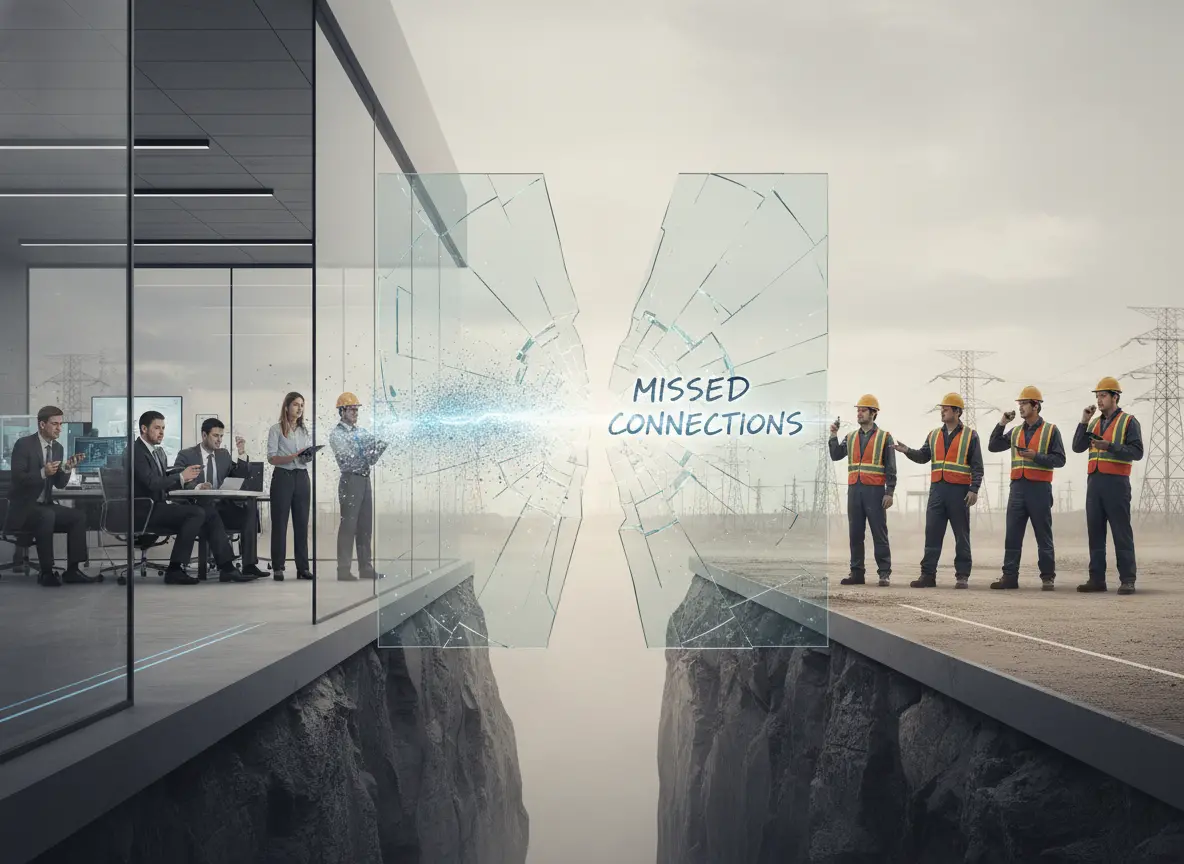
Data gets lost between office and field teams because the system is fragmented.
Field team productivity drops when information does not move cleanly from dispatch to completion. And in most service businesses, information does not move cleanly at all.
Quick Answer: Why does data get lost between office and field teams?
Data gets lost between office and field teams when job updates, customer notes, schedules, time records, photos, and completion details are scattered across texts, spreadsheets, phone calls, paper forms, and separate apps. A connected work management system helps office and field teams share updates in real time so job information is not missed, duplicated, or delayed.
Office vs Field Data Gaps
| Data Gap | What the Office Sees | What the Field Team Sees |
|---|---|---|
| Job updates | The job still looks pending. | The technician may already be on-site or finished. |
| Customer notes | Notes stay in CRM or email. | The technician does not receive the update. |
| Schedule changes | The calendar gets updated late. | The crew follows the old schedule. |
| Photos and documents | Files are sent through chat or stored separately. | The office cannot easily find them later. |
| Time tracking | Hours are reviewed after the fact. | Travel time and delays may not be captured clearly. |
| Materials used | Inventory or accounting may not update. | The crew records materials somewhere else. |
| Job completion | Billing waits for manual confirmation. | The field team thinks the job is already done. |
Why Scattered Information Creates Gaps
In many contracting businesses, information is scattered across:
- Text messages
- Phone calls
- Paper job sheets
- Spreadsheets
- Separate scheduling apps
- Accounting tools used as job trackers
The office updates one system. The field team works from another. HR tracks time somewhere else. The CRM stores client details in isolation.
A client changes scope. The update stays in the CRM.
The calendar is not updated.
The technician arrives unprepared.
That is how operational inefficiency begins.
Why Data Gets Lost in Contractor Workflows
Data loss usually happens when the business has too many places to record the same information. One update may start in a phone call, move into a spreadsheet, get repeated in a text, and then need to be entered again into a job or accounting system.
That creates mistakes because every manual handoff is another chance for information to be missed.
| Workflow Problem | How Data Gets Lost |
|---|---|
| Too many communication channels | Updates stay in calls, texts, or inboxes. |
| No shared job record | Office and field teams work from different information. |
| Manual note transfer | Details are forgotten when someone re-enters them later. |
| Separate apps | CRM, calendar, HR, and accounting do not update together. |
| Paper job sheets | Notes are delayed, lost, or hard to search. |
| Delayed field updates | The office does not know what happened until later. |
| No mobile-friendly process | Technicians skip updates because the system is difficult to use on-site. |
Why Mobile Teams Need Better Systems
Field technicians operate in motion. They manage travel, tools, client conversations, and unexpected changes throughout the day.
If your system requires them to:
- Log into multiple platforms
- Re-enter job notes
- Call the office for updates
- Write details manually for someone else to encode
You are adding friction to every job.
Mobile workforce challenges increase when tools are not designed for real-time field work. If updating a job feels complicated, it gets skipped.
Skipped updates turn into lost data.
Why Legacy Software Fails Field Teams
Many contractors still rely on legacy systems that were built for desktop environments.
Common issues include:
- No real-time sync
- Limited mobile access
- No skill-based dispatch
- Manual time tracking
The office sees one version of the job.
The technician sees another.
Changes do not reflect instantly.
The result:
- Wrong materials brought to site
- Incomplete job notes
- Delayed invoicing
- Client confusion
This is not a people’s failure. It is a system failure.
Why Field Time Tracking Needs Integration
Time management in field service is complex. It includes travel time, job duration, unexpected delays, and emergency calls.
If your calendar does not sync with your work management system and HR records, time data becomes unreliable.
A technician finishes late.
The next job overlaps.
Overtime is not visible until payroll.
HR pulls incorrect hours. The office questions the technician. Trust weakens.
All because systems do not talk to each other.
Why Duplicate Data Entry Causes Errors
One of the biggest hidden causes of lost information is duplication.
A technician completes a job and:
- Writes notes on paper
- Sends photos through chat
- Calls the office to explain details
Later, someone manually enters that information into the CRM or accounting tool.
Details get missed. Photos disappear. Small notes are forgotten.
Every time data must be entered twice, accuracy drops.
When CRM, work management, calendar, and HR systems operate separately, duplication becomes mandatory.
Duplication always creates gaps.
Data Loss Problems and Connected System Fixes
| Data Loss Problem | Business Impact | Connected System Fix |
|---|---|---|
| Job notes stay in text messages | Details are missed during billing or follow-up. | Store job notes inside the work order. |
| Photos are sent through chat | The office may not find them later. | Attach photos directly to the job record. |
| Schedule changes are not synced | Crews follow outdated assignments. | Connect scheduling with work management. |
| Time records are separate | Payroll and job costing become less reliable. | Connect HR time tracking with jobs. |
| Customer notes stay in CRM only | Field teams miss important customer details. | Connect CRM records with job assignments. |
| Materials are logged manually | Costs may not flow into accounting. | Connect inventory and accounting to job records. |
| Completion updates are delayed | Invoices go out late. | Trigger office updates when field work is marked complete. |
No Single Source of Truth Means No Clarity
Disconnected systems create confusion.
- Is the calendar final?
- Did HR approve leave before dispatch?
- Is the client request updated in the CRM?
- Did the technician log the completion details in the work management system?
Each department sees a different dashboard.
No one sees the full operation.
That lack of visibility lowers field team productivity and increases operational inefficiency.
Digital Transformation Starts With Integration
Digital transformation in field service is not about adding more software.
It is about integration.
When your CRM captures the client request and converts it directly into a job inside your work management system, when your calendar assigns technicians based on real-time HR availability, and when job completion automatically updates time logs and payroll records, information flows naturally.
The field updates once.
The office sees it instantly.
HR records time automatically.
The client history updates inside CRM without re-entry.
That is how friction disappears.
A stronger office-to-field workflow works best when job updates connect with customer records, schedules, employee data, inventory, and billing. MBP helps contractors connect work management with CRM, team scheduling, HR, inventory, and accounting so information moves from first request to completed invoice without repeated manual entry.
What Unified Systems Fix
When systems are unified:
- Technicians update job status from their mobile device.
- The office tracks progress in real time.
- Client communication stays inside CRM.
- The calendar reflects real availability.
- HR logs hours and certifications accurately.
There is no gap between office and field.
There is one continuous workflow.
How Work Management Keeps Office and Field Teams Aligned
Work management software helps office and field teams stay aligned by keeping job details, assignments, updates, notes, photos, and completion status in one shared workflow. Instead of forcing updates through texts, calls, paper forms, or separate apps, the team can work from the same job record.
| Work Management Feature | How It Helps |
|---|---|
| Shared job records | Gives office and field teams one place to view job details. |
| Mobile updates | Lets technicians update status from the field. |
| Task ownership | Shows who is responsible for each job or follow-up. |
| Job notes | Keeps important details connected to the work order. |
| Photo uploads | Helps the office review proof of work or site issues. |
| Real-time status | Shows whether a job is pending, in progress, delayed, or complete. |
| Connected workflows | Helps CRM, scheduling, HR, and accounting work from the same data. |
Stop Losing Job Data Between Office and Field Teams
MBP Work Management helps contractors connect job details, field updates, customer notes, schedules, photos, task ownership, and completion status in one shared system.
If your team is losing information between texts, calls, spreadsheets, and separate apps, MBP gives your office and field crews a clearer way to keep work moving.
Explore MBP Work ManagementWhy Data Gets Lost Between Office and Field Teams
It is not laziness.
It is not poor communication.
It is not resistant to technology.
It is disconnected systems trying to manage a mobile workforce.
MyBusinessPortal.Cloud connects CRM, work management, calendar scheduling, and HR into one unified platform built specifically for contractors and field service teams.
Because productivity improves when information moves once and updates everywhere.
That is how you stop losing data.
And that is how you stop losing profit.
Office and Field Team Data FAQs
Why does data get lost between office and field teams?
Data gets lost when job updates, customer notes, schedules, photos, time records, and completion details are stored across disconnected tools like texts, calls, spreadsheets, paper forms, and separate apps.
How can contractors prevent lost job data?
Contractors can prevent lost job data by using one connected work management system where office staff and field teams can update job details, notes, schedules, photos, and completion status in real time.
Why is duplicate data entry a problem for field teams?
Duplicate data entry creates errors because the same information must be copied from one place to another. Each manual handoff increases the chance that notes, photos, time records, or job details will be missed.
What is a single source of truth for field service teams?
A single source of truth is one shared system where office and field teams can view the same job details, customer records, schedules, task updates, and completion information.
How does work management software help office and field teams?
Work management software helps office and field teams by centralizing job records, task ownership, field updates, photos, notes, schedules, and completion status in one workflow.