For many small contractors and service businesses, email is the go-to tool for managing client communication. It’s fast, familiar, and easy to use. But relying on email alone to handle quotes, updates, schedules, and questions can create more problems than it solves.
As your business grows, email becomes cluttered, scattered, and unreliable and that puts your client relationships (and reputation) at risk.
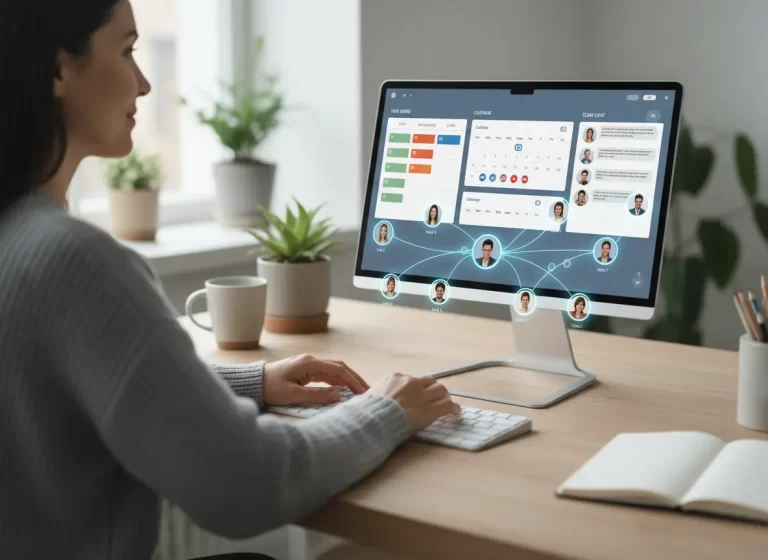
For contractors, email alone often creates delays because client messages are separated from schedules, quotes, tasks, job notes, and follow-ups. A better system connects client communication with CRM, work management, and scheduling so the team can see what needs action instead of digging through inboxes.
Why does managing clients by email alone break down?
Managing clients by email alone breaks down because important messages, approvals, schedule changes, quotes, and follow-ups become scattered across inboxes and long threads. As contractors grow, email creates poor visibility, slower replies, missed updates, and lost job opportunities. A centralized CRM and work management system keeps client details, job progress, schedules, and follow-ups organized in one place.
For contractors that need a better way to organize client details and follow-ups, MBP’s CRM helps keep customer information in one place.
Email vs CRM for Managing Clients
| Client Management Task | Email Alone | CRM and Work Management Software |
|---|---|---|
| Tracking client details | Buried in long threads | Stored in one client profile |
| Managing follow-ups | Relies on memory or flags | Uses reminders and task tracking |
| Sharing updates with the team | Requires forwarding messages | Gives shared visibility |
| Tracking job progress | Hard to see status | Shows quote, schedule, task, and job stage |
| Finding past communication | Requires inbox searching | Keeps history organized by client |
| Preventing missed opportunities | Easy to overlook warm leads | Helps teams follow up on time |
What Happens When Client Updates Get Buried in Email
One missed message can delay a job, frustrate a client, or quietly cost you the work when email is your only system.
Signs Email Is No Longer Enough for Client Management
Email may still be useful for communication, but it becomes risky when it is the only place your team manages client work. Contractors should consider upgrading their process if they are dealing with:
- Missed follow-ups after sending quotes
- Client updates buried in long email threads
- Team members asking for the same information repeatedly
- No clear view of which jobs are waiting for approval
- Schedule changes that do not reach the right people
- Lost client history when one employee is unavailable
- Delayed responses because everyone is searching inboxes
When these problems happen often, the issue is not just communication. It is the lack of a centralized client management system.
Let’s break down what really happens when email is your only client management tool.
1. Important Job Details Get Lost
Client emails pile up fast especially when you’re handling multiple jobs. Without a system to organize them, it’s easy to miss an important update or forget a question someone asked last week.
Missed info leads to mistakes, rework, and frustrated clients who feel ignored.
2. Slow Replies Hurt Client Trust
When you have to dig through dozens (or hundreds) of threads to find what a client said, your response time slows down.
Delayed replies give the impression that your business is disorganized or too busy to care even if that’s not true.
3. Email Creates Team Visibility Gaps
If more than one person on your team manages clients, relying on email creates silos. One person may know what’s going on, but others don’t.
Without shared visibility, messages get repeated, questions fall through the cracks, and your client gets confused or frustrated.
When client work affects jobs, deadlines, and assignments, connecting communication with Work Management helps the whole team stay aligned.
4. Missed Follow-Ups Cost You Jobs
Without reminders or a clear view of who needs a follow-up, clients who were once hot leads can go cold.
Email doesn’t automatically tell you who hasn’t replied, what stage a job is in, or when it’s time to check in. You’re left guessing or worse, forgetting entirely.
5. Email Cannot Track Job Progress
You can’t sort emails by job status, see which client is still waiting for a quote, or review past communication easily. You’re stuck manually tagging, flagging, and forwarding.
It might work when you have a few jobs. But it won’t scale.
For jobs that also depend on appointments or crew availability, MBP’s Calendar helps connect schedules with client and job details.
Stop Letting Client Updates Get Lost in Email
If your team is managing quotes, job updates, schedules, follow-ups, and client questions through email alone, important details can easily fall through the cracks. MyBusinessPortal.cloud helps contractors organize client communication, job details, tasks, and schedules in one connected system.
Instead of searching through inboxes, your team can see what needs attention, who is responsible, and where each client or job stands.
Explore MBP CRMStop Managing Client Work Through Email Alone
Email will always be part of your communication toolkit. But it shouldn’t be your only one.
To truly manage clients well, you need a system that tracks conversations, job details, and follow-ups in one place. That’s where tools like CRM, calendar scheduling, HR management, and work management systems come in.
Together, they help you move from reactive chaos to proactive service so you never miss a message, a deadline, or an opportunity.
Contractors that want to reduce missed follow-ups and improve client visibility can contact MBP or schedule a demo.
Related Client Management Resources
- Most Common Mistakes Small Businesses Make When Setting Up a CRM
- Why Contractors Need CRM Software Instead of Spreadsheets
- How Centralized Dashboards Help Contractors Make Faster Decisions
- How Work Management Systems Keep Teams Aligned and Eliminate Chaos
Email Client Management FAQs
Why does managing clients through email alone stop working as a business grows?
Email lacks structure. As client volume increases, messages become scattered across threads and inboxes. Important details get buried, and follow-ups rely on memory instead of a system.
What kinds of client details are most likely to get lost in email?
Quotes, approvals, schedule changes, unanswered questions, and job updates are the most common. Losing these details leads to mistakes, rework, and frustrated clients.
How does email slow down response times?
Finding context requires digging through long threads. The more emails you manage, the longer it takes to respond, even to simple questions.
Is email enough for managing contractor clients?
Email can help with basic communication, but it is not enough for managing contractor clients as the business grows. Contractors also need a way to track quotes, follow-ups, job updates, schedules, approvals, and client history in one organized system.
What is better than email for client management?
A CRM is better than email for client management because it stores client details, conversations, follow-ups, and job history in one place. When connected with scheduling and work management tools, it gives contractors better visibility across the full client workflow.
How does CRM software help contractors follow up faster?
CRM software helps contractors follow up faster by showing which clients need replies, which quotes are waiting for approval, and which jobs need the next step. This reduces the chance of warm leads going cold.
Why do client emails get missed?
Client emails get missed when teams manage too many threads, use multiple inboxes, or rely on manual flags and reminders. Important updates can get buried under newer messages, especially when several people are involved.
When should contractors move from email to CRM?
Contractors should move from email to CRM when they are missing follow-ups, losing client details, struggling to track job status, or spending too much time searching through inboxes. These are signs that email alone is no longer supporting the workflow.